
Intro to Motion Graphics: Animating Illustration in After Effects.
Hongshu Guo · Motion Designer
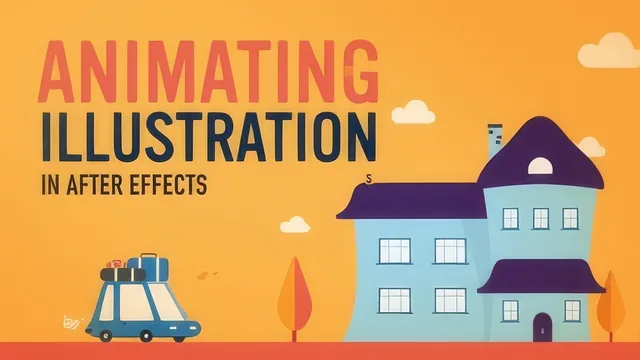
Learn to build a full six-second animation from three keyframes copied across dozens of layers, if you can tolerate a loosely structured teaching style.
What it actually covers
This course walks through one continuous project: animating a two-scene "fall vacation" illustration, a house that pops together and a car that arrives with luggage, smoke, and falling leaves. The arc is logical: prep files in Illustrator with Release to Layers Sequence, import them into After Effects retaining layer sizes, organize a messy timeline with label colors and pre-comps, then animate. The teaching device that carries the whole course is reuse: animate a window with three keyframes (scale from zero, an overshoot to 110 percent, then settle), add an ease and a Graph Editor tweak, and then copy those same three keyframes onto every other house element, adjusting anchor points and stagger timing along the way. It is a genuinely useful demonstration of how professional motion designers avoid keyframing everything from scratch.
The middle stretch covers overlapping action by staggering layer entrances so a house does not pop as one flat unit, secondary animation on trees and clouds, and a nice bit of squash and stretch on the car's landing. The car section also introduces parenting, null objects for wiggle expressions, and splitting layers so wheels stay grounded while the body bounces, which is more advanced rigging logic than the "beginner" label suggests. The closing lessons on car smoke opacity staggering and leaves falling along a path with auto-orient and manually smoothed speed curves are the most technically interesting parts of the course, showing real problem-solving rather than a scripted checklist.
Where it struggles
The delivery is unpolished. The instructor thinks out loud through trial and error, undoing mistakes, restating values, and narrating minor missteps in real time. That has value as a window into an actual workflow, but it also means viewers have to sit through a fair amount of noise to extract the technique. Steps are sometimes given out of order relative to what appears on screen, and terminology gets garbled in places, which will frustrate anyone trying to follow along click by click rather than just absorbing the concepts.
The bigger issue is the beginner framing. Skillshare lists it as beginner-friendly, but the pace assumes fluency with both Illustrator and After Effects' interface already. Panel locations, keyboard shortcuts, and menu paths are mentioned rather than taught, and someone opening After Effects for the first time will lose the thread quickly, particularly once nulls, parenting, and expressions enter the picture in the car section.
Verdict
As a case study in efficient, principle-driven animation, this delivers real value: the three-keyframe reuse trick, the staggering technique for overlapping action, and the leaf path animation are all worth the runtime. As a structured beginner course, it falls short of its own billing. It rewards someone who already has basic AE literacy and wants to see how a working motion designer actually thinks through a project, rather than someone who needs the fundamentals explained.
The standout
The house-building sequence, where a single three-keyframe scale animation is copied and staggered across dozens of layers to produce a surprisingly complex, lively construction effect with minimal actual keyframing work.
What you will learn
- Preparing Illustrator files with Release to Layers Sequence so After Effects imports separated, individually animatable layers
- Organizing a cluttered AE timeline using label colors, Select Label Group, renaming, and pre-composing
- Animating complex-looking objects with as few as three keyframes, then reusing those same keyframes across many layers
- Applying animation principles in practice: overshoot, overlapping action (staggering), secondary animation, and squash and stretch
- Using the Graph Editor to reshape value curves and add energy to a mechanical-looking animation
- Animating along a path with auto-orient and rove-across-time adjustments to make a falling leaf look natural
Best for: Someone who already knows their way around Illustrator and After Effects' interface and wants to see a real illustration-to-animation workflow assembled start to finish.
Skip it if: A total beginner to After Effects who needs tool-by-tool orientation, since the teacher moves fast, skips explaining panels and menus, and assumes comfort with the software already.