
Intro to Graphic Design: Create Unique Logos with Gestalt Principles
Dominic Flask · Independent Designer and Illustrator
Nine tight lessons turn abstract Gestalt psychology into a repeatable engine for generating logo concepts, not just a design history lecture.
A short course built around one clear idea
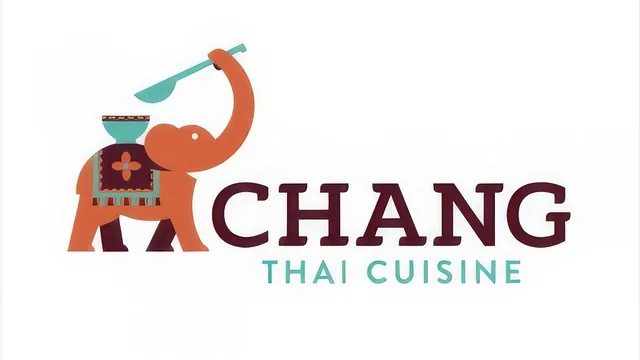
Dominic Flask's course does not try to cover all of graphic design. It picks one narrow, useful idea, Gestalt psychology's observation that the human eye groups parts into wholes, and spends nine short lessons showing how to weaponize that idea for logo design specifically. The structure is a straight line: research and sketch, learn six principles one at a time, then apply all of them to a single running example, an elephant logo for a Thai restaurant. That single example, carried from the first lesson through the last, is the course's smartest structural choice. Instead of six disconnected demonstrations, the viewer watches one mark evolve through every principle, which makes the abstract psychology land as something applicable rather than theoretical.
The four core lessons on similarity, proximity, continuation, closure, figure-ground, and symmetry are the heart of the course, and they hold up well. Each principle gets paired with recognizable real-world logos, the Walmart sunburst, the WWF panda, an Indian headdress mark, before being tied back to the elephant sketch. The figure-ground lesson is particularly effective, walking through how a candle logo's negative space becomes a hand-shaped shadow, and how a set of circles reads as a star before it reads as circles. These examples are specific enough to actually change how a viewer looks at existing logos afterward, which is the real test of whether a design principle has been taught rather than just described.
Where the course thins out is the production side. The sketching lesson recommends real research tools, Logo Lounge, Dribbble, and encourages a genuine mind-mapping exercise before drawing, which is good practice presented honestly rather than glossed over. But the Illustrator lessons on building the vector logo and adding color and type move fast and lean on the viewer already knowing the software. The Pathfinder workflow, combining circles and squares with unite, subtract, and intersect operations, is shown but not explained step by step, and the color and typography lessons are more show-and-tell of one designer's process than a transferable method. Someone without prior Illustrator experience will follow the ideas but not the execution.
What the assignment actually teaches
The built-in assignment, pairing a cuisine with an animal to design a restaurant logo, is a smart constraint. It is specific enough to force real decisions and open-ended enough that no two students land on the same result. Because the whole course tracks one designer's attempt at that exact assignment, students get a complete worked example rather than isolated tips, which is unusual for a course this short.
At 49 minutes across nine lessons, this is closer to a focused workshop than a comprehensive class, and it does not pretend otherwise. It will not teach brand strategy, client presentation, or software fundamentals. What it delivers instead is a genuinely useful mental framework for generating logo ideas that feel intentional rather than arbitrary, plus one clean worked example of that framework in action. For a working designer who already has Illustrator fluency and wants a sharper way to think through concept generation, it is a strong, efficient use of under an hour. For a total beginner hoping to learn logo design and software together, it will move too fast on the technical half to fully land.
The standout
The lesson on continuation and closure, especially the breakdown of how the WWF panda logo uses negative space jumps that the eye still reads as one continuous shape, gives a concrete, reusable lens for judging why a mark feels unified.
What you will learn
- How to apply six Gestalt principles (similarity, proximity, continuation, closure, figure-ground, symmetry) as deliberate logo-generation prompts
- How to research existing logos to avoid unintentional copying before sketching
- A mind-mapping and rapid-sketch method for producing dozens of raw logo ideas before filtering
- How to build a shape logo in Illustrator using basic circles, squares, and Pathfinder operations (unite, subtract, intersect)
- How to select and pair typography with an iconographic mark for visual consistency
- How to iterate color palettes and refine detail work through many rounds of small adjustments
Best for: Working or student graphic designers who already know Illustrator basics and want a structured way to generate more original logo concepts.
Skip it if: Complete beginners with no vector software experience, since the digitizing lessons assume Illustrator fluency and move quickly through Pathfinder work.