
Into Animation: Blender 3D Essentials for Animators
John Knowles · Animation Director
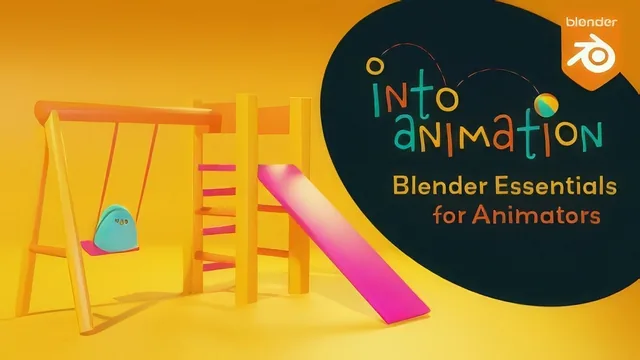
A children's TV animation director walks total beginners through Blender's tools by building one small animated scene from a blank cube to a rendered clip.
What it actually teaches
"Into Animation: Blender 3D Essentials for Animators" is not a character animation course, despite the series name. It is a software orientation course that happens to end with a small animated scene, a swing set with a simple bird character perched on it. John Knowles, a children's television animation director, spends the first third of the roughly three hour runtime on pure interface mechanics: orbiting with the middle mouse button, panning with shift held down, switching between vertex, edge and face selection with the 1, 2 and 3 keys, and reading the difference between Object Mode and Edit Mode. None of this is exciting, but it is the right place to start for someone who has genuinely never opened a 3D application, and Knowles is careful to explain the reasoning behind each shortcut rather than just listing them.
The modeling section is where the course finds its footing. Building the slide and swing frame from scaled and duplicated cubes teaches object origins, snapping with the control key, and the difference between scaling around a shared pivot versus individual origins, a distinction that trips up a lot of beginners and gets a clear, visual explanation here. The bird character, built from a scaled sphere, cube-derived beak and loop cuts, is a modest model but a genuinely useful one for showing how subdivision surface modifiers turn blocky geometry into something rounded without extra manual sculpting.
Where the depth actually is
The rigging and animation lessons are the most technically substantial part of the class. Parenting the bird to the swing's armature and keying rotation on individual bones is standard fare, but the course goes a step further by opening the graph editor and showing how to rotate keyframe handles so a looping animation does not stutter at the seam between frame 40 and frame 1. That single lesson, on curve continuity for loops, is worth more than the interface tour that precedes it, and it is the kind of practical fix that a lot of beginner tutorials skip entirely.
The final stretch covers rendering with both EEVEE and Cycles, denoising settings, and assembling a PNG sequence into an MPEG-4 file through Blender's video sequencer rather than an external editor. It is a sensible way to close the loop from empty scene to shareable video, though the actual lighting and rendering theory is treated thinly, more a checklist of settings to match than an explanation of why they matter.
Honest assessment
The course keeps its promise: it teaches the small subset of Blender an animator actually needs, not the whole application. The tradeoff is that it stays narrowly procedural. There is little discussion of animation principles, timing, or performance, which is fine given the title but worth knowing going in if the "animator" framing suggested otherwise. The version-update inserts addressing Blender 4.2's reorganized Principled Shader panel are a thoughtful touch that keeps a few-years-old recording usable today, though they also signal a course patched together across software versions rather than recorded fresh. For a true beginner willing to follow along step by step and build the same swing and bird, it delivers real, transferable fundamentals. For anyone past the interface-orientation stage, there is not enough here to justify the runtime.
The standout
The graph editor lesson on shaping keyframe handles so a looping swing animation cycles smoothly, rather than jerking at the loop point, is the one technique that pays for itself immediately.
What you will learn
- Navigating Blender's interface and 3D viewport with orbit, pan, and zoom controls
- Using Move, Rotate, and Scale gizmos with axis constraints to model simple geometry
- Basic mesh modeling with extrusion-style vertex edits, loop cuts, subdivision surface and bevel modifiers
- Applying materials and colors through the Principled BSDF shader in the shading workspace
- Rigging a simple armature, parenting objects, and keyframing rotation with the graph editor for smoother loops
- Rendering stills and animations with both EEVEE and Cycles and assembling an image sequence into a video file
Best for: Someone who has never opened Blender and wants a guided, hands-on first project before attempting character animation.
Skip it if: Anyone who already knows Blender's interface and transform tools, or who wants to jump straight into character animation and performance rather than software basics.