
Instagram-Worthy Photography: Shoot, Edit & Share with Brandon Woelfel
Brandon Woelfel · Photographer
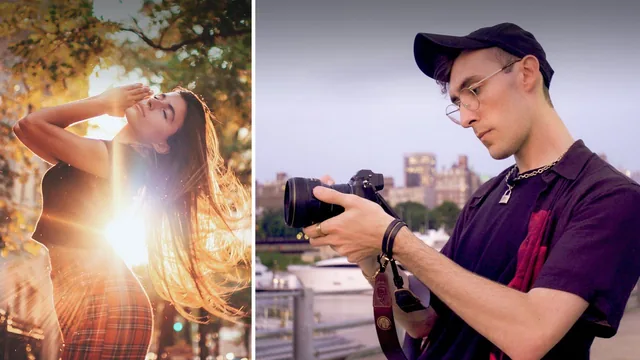
Brandon Woelfel walks you through his whole moody, glowy portrait workflow, from prop-shopping to Instagram caption, in under 90 minutes.
This class is less a photography course than an apprenticeship. Brandon Woelfel spends the bulk of the runtime doing the job in front of the camera: scouting a Brooklyn street, briefing his model Isabella on outfits, adjusting shutter speed on the fly, then sitting down in Camera Raw and Photoshop to build out his signature glowy, saturated look. The value is in watching the decisions get made in real time, not in a lecture about theory.
The shoot itself
The planning and shooting sections are practical without being padded. Woelfel explains why he starts around 6pm to catch golden hour into blue hour, why he keeps his camera bag light (no tripods, no flash), and why he prefers primes between 35mm and 105mm at f/1.4 for the shallow depth of field he wants. The gear rundown includes the small nighttime props that do a lot of work in his images: an LED video light, an RGB light stick, and a light-up moon prop used to rim-light a subject's face when there's no ambient light to work with. None of this is exotic or expensive, which is part of the appeal. The CD-as-lens-flare trick, where a compact disc held near the lens throws a rainbow reflection into frame, is the kind of specific, repeatable technique that separates this class from generic "how to shoot golden hour" content.
The edit
The editing lessons are the meatiest part of the class and also where it demands the most from the viewer. Camera Raw adjustments (temperature, split toning, selective color) get a reasonable walkthrough, but the Photoshop retouching section moves fast through layer duplication, the Lasso and Patch tools, a 50% gray dodge-and-burn layer set to Overlay, radial blur for selective focus, and a sky replacement using Photoshop's automated tool. Someone who has never opened Photoshop will lose the thread quickly; the pacing assumes familiarity with menus and panels, and technique names are dropped without much explanation of the underlying principle. Anyone comfortable with basic Photoshop navigation will follow it fine and pick up several transferable tricks, particularly the non-destructive gray-layer dodge and burn method and the practice of duplicating a base layer before any destructive edit.
Where it falls short
The bonus project review lesson adds real value beyond the main lessons, since Woelfel critiques five student submissions and demonstrates fixes for horizon lines, color casts, and cropping choices on real (imperfect) photos rather than his own polished work. That section is arguably as instructive as the core class.
The course is honest about its scope but narrow because of it: this is one photographer's specific aesthetic (magical, warm, slightly desaturated, prop-lit) rather than a general portrait or editing curriculum. There is no discussion of studio lighting, flash, or structured composition rules, and camera basics like aperture and ISO get only a passing mention aimed at people who already understand them. The Instagram-sharing lesson at the end is thin, amounting to a quick phone-editing pass and some advice about captions and location tags, and feels tacked on rather than essential.
For a viewer who wants to see a working photographer's actual process end to end, and who already owns a camera and has opened Photoshop before, this delivers real, specific value in under 90 minutes. For a true beginner looking to learn photography fundamentals, it will move too fast and assume too much.
The standout
The CD-reflection trick for a free in-camera rainbow lens flare that can later be copied onto other frames in Photoshop is a genuinely inexpensive, repeatable signature effect.
What you will learn
- How to plan a shoot around golden hour and blue hour timing, plus simple outfit and location scouting with a model
- Which lens focal lengths (35mm to 105mm f/1.4) suit different portrait distances and how to choose between them on the fly
- How to shoot night portraits using handheld LED lights, light sticks, and a light-up prop instead of flash
- How to fake a lens-flare rainbow effect using a CD held in front of the lens, then blend it into other shots in Photoshop
- A full Camera Raw and Photoshop retouching workflow including selective color, dodge and burn on a 50% gray layer, radial blur, and sky replacement
- How to prep and caption images for Instagram, including cropping and reviewing on-phone before posting
Best for: Portrait shooters with at least basic camera and Photoshop familiarity who want to study one photographer's specific golden hour and nighttime editing style.
Skip it if: Complete beginners needing camera fundamentals explained, or anyone hoping for broad genre coverage beyond moody outdoor portraiture.