
Instagram Stories Ideas: Growing Your Creative Business
Iva Mikles · Illustrator | Top Teacher | Art Side of Life
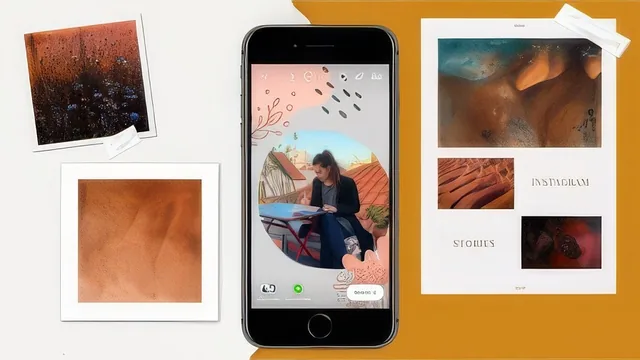
A quick, practical Instagram Stories walkthrough for creatives, but ten years of platform evolution has aged much of it into filler.
What it actually covers
The course is a feature-by-feature walkthrough of the Instagram Stories interface, taught by an illustrator who built her following through the app. It opens with navigation basics (finding the camera, uploading from the roll versus recording live, the 15-second video cap) before moving into the two lessons that give the course its only real technical substance: the marker tool. Here the instructor demonstrates pulling a color palette from a photo, drawing a rainbow-outline effect around a leaf or a llama, and the solid-fill-then-erase trick used to reveal part of an image for a "work in progress" tease. These are concrete, camera-recorded techniques with specific steps, and they are the closest the class comes to teaching a transferable skill rather than just pointing at a menu.
From there the pacing shifts into a long tour of native features: text layering and fonts, GIFs and stickers (including a segment on saving custom PNG stickers to the camera roll), Instagram Live, filters and the filter gallery, polls and quizzes, challenge and location tags, resharing posts, boomerangs, reels, and story highlights. Each lesson follows the same rhythm: open the feature, tap through its menu, show one or two applied examples from the instructor's own art-and-lifestyle feed. A closing "Out of Ideas" lesson lists content categories (pets, travel, cooking, studio setup) for days when inspiration runs dry.
Where it holds up and where it doesn't
The strength of the course is its specificity about the marker and text tools, since those are genuinely underused by most casual Stories users and the instructor's habit of narrating her design choices, like matching a text background color to a warm palette pulled from the photo, gives beginners a usable mental model for composition. The engagement advice around polls and questions is also sound: keep questions short, reshare the answers, and use these features to signal activity to the algorithm.
The weakness is that a large share of the runtime is spent describing where buttons are rather than teaching a skill, and Instagram's interface changes constantly, so tap-by-tap instructions for finding the boomerang icon or the challenge sticker are the parts most likely to feel stale by the time a new student watches them. The strategic thinking is also thin. Statements like "the algorithm rewards engagement" or "try a few filters" describe outcomes without explaining mechanisms, and there is no discussion of metrics, testing, or how any of this connects to actual business growth beyond broad assurances that visibility follows activity.
Bottom line
This works best as a short refresher for a specific creative niche: illustrators or visual artists who want to see how one working creator uses Stories for behind-the-scenes content and light community-building. It is not a marketing course, a growth strategy course, or a deep design course, and viewers who already know their way around Stories features will find little new here beyond the marker-tool sequences.
The standout
The marker-tool sequence of solid-fill plus eraser reveal, used to tease work in progress or a new post, is the one technique with enough specific steps to actually replicate.
What you will learn
- How to navigate Stories basics: uploading from camera roll, using filters, adding text with background colors, and posting
- How to use the marker tool for color-palette pulls, rainbow outline effects, solid-fill reveals, and glow-line drawing
- How to layer and combine multiple text fonts, colors, and alignments for a designed look
- How to use polls, questions, and quizzes to prompt engagement and reshare follower responses
- How to build and reorganize Story Highlights with custom covers
- A running list of content ideas for days when inspiration runs dry
Best for: Beginner-to-intermediate illustrators, artists, or small creative-business owners who already post on Instagram but have never explored Stories beyond the obvious swipe-and-post.
Skip it if: Anyone already comfortable with Stories features, marketers wanting growth strategy or analytics depth, or non-creatives without an Instagram-native aesthetic to draw from.