
Instagram Best Practices: Grow Your Community, Work with Brands
Tyson Wheatley · Photographer, Journalist, Dad
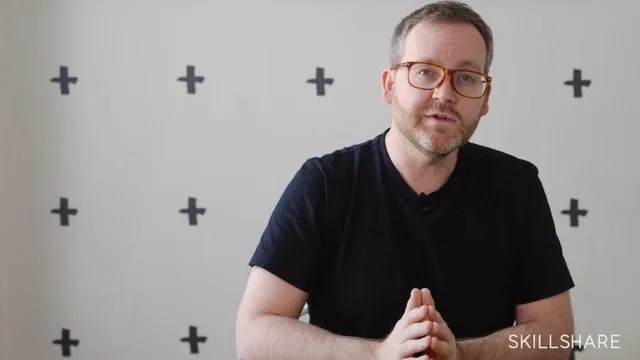
A working photographer's blunt, practical rundown of Instagram craft and brand deals, though half its named apps and tools are long gone.
Tyson Wheatley teaches this course the way he'd talk to a photographer friend over coffee: informally, with real names and real examples, and a clear point of view about what matters. That conversational approach is both the course's charm and its limitation. It runs nine short lessons in 35 minutes, moving from feed strategy to editing tools to brand deals, and it never pretends to be a comprehensive Instagram course. It is one working photographer's playbook, offered as-is.
What the course actually teaches
The strategy section is the strongest part. Wheatley uses Theron Humphrey's dog-and-road-trip account as a case study for consistency and storytelling, then makes a concrete, useful point: a new visitor to your profile decides whether to follow within seconds, based mostly on the first 6-8 photos they see, so tone and color palette need to hold together. He also makes an argument about comments versus likes that's easy to act on immediately: a thoughtful comment on someone else's photo creates a visible link back to your own profile, so a generic "nice shot" wastes an opportunity that a specific, detailed comment does not.
The editing section walks through Instagram's built-in tools (the slider-based filters, the improved straightening tool) and then spends real time in a now-obscure app called Priime, including its style presets and export behavior. This is where the course shows its age most obviously. Priime, Iconosquare, Social Blade, Phhhoto: several of the named tools have shut down or faded into irrelevance, and the demo of Boomerang and Layout covers apps that Instagram has since folded into its main product or largely abandoned. None of this makes the underlying editing principles wrong, but a learner following along literally will hit dead ends.
The brand-work section holds up better
The back half, on working with brands, ages much better because it's about judgment rather than tools. Wheatley walks through DMing a brand, building a pitch deck without giving away your best idea for free, retaining image rights in writing, and using FTC-compliant disclosure hashtags. His strongest point is about unpaid trips and gifted work: he argues plainly that if a brand already thinks your account is worth reaching out to, that recognition of value should translate into payment, not a free flight and hotel. That's a useful, ready-to-use talking point for anyone getting their first brand inquiry.
Where it falls short
The course has no mention of Stories, Reels, IGTV, hashtag strategy, or anything resembling the current Instagram algorithm, which will disappoint anyone hoping for tactical growth advice suited to today's platform. It's also thin on production value: much of the editing section is a screen recording narrated in real time, with no structured takeaway beyond "here's what I did." Beginners with zero Instagram experience may find the pacing scattered, since it assumes some familiarity with the platform's older tools. As a historical artifact of an earlier, simpler Instagram, and as a set of durable people-skills for pitching brands, it still has value. As a current how-to guide, it does not.
The standout
The direct advice on refusing free brand work and demanding payment once a brand has already signaled it values your account is sharper and more useful than most creator-economy content on this subject.
What you will learn
- How to build a consistent, story-driven feed using tone, color palette, and the first 6-8 photos a new visitor sees
- How to pick posting times and track engagement using third-party analytics tools
- How to edit photos inside Instagram's native tools and inside the Priime app, including cropping, straightening, and style presets
- How to use Instagram's companion apps (Layout for composites, Boomerang for looping clips) as creative extras
- How to extend a personal brand onto Snapchat, Twitter, Facebook, and a personal website
- How to approach, pitch, and negotiate paid work with brands, including contracts, usage rights, and FTC disclosure
Best for: Hobbyist Instagram photographers who already have a decent feed and want a peer's take on turning it into paid brand work.
Skip it if: Anyone wanting current app recommendations, algorithm tactics, or Reels/Stories-era strategy, since the tools and features discussed predate most of what Instagram runs on now.