
Inky Illustrations: Combining Analogue and Digital Media
Tom Froese · Illustrator and Designer
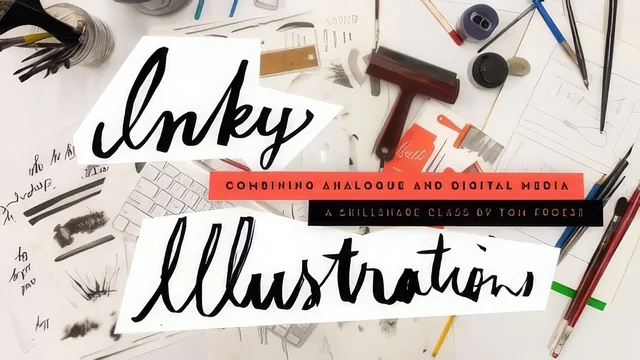
A tightly focused 67-minute class in scanning real ink marks into Photoshop for illustration texture, not a general drawing course.
Tom Froese's Inky Illustrations is not a course about illustration in general. It teaches one specific, well-defined workflow: draw a base shape digitally, make a mark physically with ink, scan the mark, and fuse the two so the final image reads as hand-crafted even though most of it was built with a mouse and a Pen Tool path. The class is built around a single project, a "Tools of the Trade" postcard depicting five objects that represent the maker's work or hobby, and it walks that project from brainstorm to flattened export in under seventy minutes.
Structure and Pace
The arc is sensible: list five objects, sketch a thumbnail layout, pick a two-color palette, build flat vector shapes in Photoshop, make ink marks on paper, then merge the two. Froese uses his own postcard concept, a set of tools belonging to a fictional serial killer, as the running example, which gives the demonstration some personality even if the subject matter is an odd fit for a class aimed at business or hobby self-promotion. The pacing favors the Photoshop mechanics over the conceptual stages; brainstorming and sketching move quickly, while the two Photoshop-heavy lessons slow down to walk through every click.
The Core Technique
The most useful material is the scanning-and-compositing sequence in lesson six. Froese scans an inked texture at 600 DPI, uses the Levels tool (with the Option key held to preview clipping) to strip paper noise down to pure black lines on white, then pastes that scan into an Alpha channel rather than directly as a layer. He inverts the channel, loads it as a selection, fills it with a solid color, and converts the result to a Smart Object so it can be resized later without pixelation. Layered on top of that, he copies a vector shape's path (say, the outline of a shovel handle) and pastes it into the ink layer as a clipping mask, so the scanned wood-grain texture sits precisely inside the digital shape. This is a genuinely transferable technique, applicable to any mixed-media illustration work, not just postcards, and it is explained clearly enough to replicate.
Where It Falls Short
The course assumes real fluency with Photoshop's Pen Tool and path panel going in, and it says so directly, recommending a separate Photoshop primer for anyone who needs one. That prerequisite is fair, but it means a beginner will stall in lesson four. The class is also thin on color theory beyond "pick one accent that contrasts with black," and offers no guidance on composition principles for readers who want more than "tell a small story with your object arrangement." Some path-tool quirks Froese runs into (Photoshop losing track of the active path, needing to click out and back in) are presented as unavoidable software mysteries rather than resolved cleanly, which may frustrate viewers hoping for tidier instruction.
Verdict
For an illustrator who already knows Photoshop's vector tools and wants a concrete method for injecting analog texture into digital work, this delivers real, specific value in a short runtime. It is not a broad illustration education, and it should not be judged as one.
The standout
The Alpha-channel workflow for turning a scanned ink mark into a scalable Smart Object masked precisely inside a vector shape is the one technique worth the whole class.
What you will learn
- Brainstorming and sketching five personal objects into a cohesive postcard composition
- Building a base illustration in Photoshop using the Pen Tool to trace sketches into flat vector shapes
- Choosing a restrained two-color palette (black plus one accent) for print-ready cohesion
- Making physical ink marks and textures with a nib pen and round brushes on paper
- Scanning ink work at 600 DPI and cleaning it with Levels adjustments to isolate pure black lines
- Compositing scanned textures into Photoshop via Alpha channels, selections, and Smart Objects so they scale without quality loss
Best for: Illustrators and designers with working Photoshop and Pen Tool skills who want a repeatable method for adding hand-drawn texture to otherwise clean digital work.
Skip it if: Total beginners to Photoshop, or anyone wanting a broad drawing or painting course rather than one narrow mixed-media technique.