
Illustrator Secrets: 5 Techniques to Add Realism to Your Work
DKNG Studios · Design + Illustration
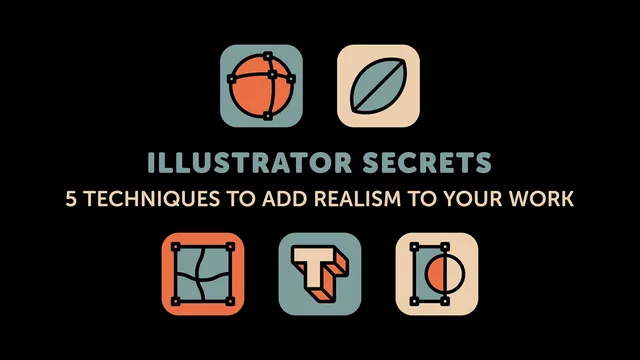
A tight, technique-dense masterclass in faking three-dimensionality in Illustrator, taught by working professionals who use these exact moves on real client posters.
DKNG Studios, the design duo behind posters for Star Wars: Rogue One and the Ghostbusters 30th anniversary, built this class around a simple premise: realism in Illustrator does not come from painstaking manual rendering, it comes from a handful of tools used with intent. Dan Kuhlken and Nathan Goldman walk through five techniques, each tied to a real client project, and each demonstrated on a simplified version of that project so the method is visible without the clutter of a finished poster.
What the five techniques actually cover
The first technique turns a flat circle into a lit sphere using the mesh tool, adding highlight and shadow nodes by hand, then layering an inner glow effect and a clipped grayscale texture image on top to produce something that reads as a photographed planet. The second moves into custom brushes: a tapering art brush for tree branches, paired with a scatter brush for leaves whose size, rotation, and spacing are set to random ranges rather than fixed values, which is the detail that keeps a generated tree from looking mechanically repeated.
The third technique, clipping masks, is presented less as a single trick and more as the organizing principle behind the whole course. DKNG shows how a single clipped shape can hold a gradient, a Gaussian blur, and a multiplied grayscale metal texture all at once, and argues that their most complex posters are really just many small clipping masks compiled like puzzle pieces. The fourth technique applies the blend tool to typography, using 256 specified steps between two copies of a letter to produce a smooth gradient of form rather than color, then adding beveled facets along a consistent light source to make flat type feel dimensional. The fifth, Envelope Distort in mesh mode, is the most technically ambitious: an entire vector scene gets wrapped around a car windshield by manually dragging mesh nodes to match a locked reference guide, essentially hand-painting a reflection in three dimensions using only vector tools.
Strengths and limits
The course's real strength is specificity. Nothing here is a vague "add some texture" gesture. Every step names the exact panel, the exact menu path, and the exact settings, down to stroke widths in fractions of a point and blend counts. Because each demo is tied to a shipped project, the techniques come with implicit proof that they hold up under real deadlines, which DKNG mention explicitly as a constraint of their entertainment-industry client work.
The tradeoff is pacing. At 40 minutes for five distinct techniques, the class moves quickly and assumes fluency with Illustrator's basic toolkit, the pen tool, layers, effects, and transparency blending modes are all used without explanation. A user newer to Illustrator can still follow the demonstrations, but will need to pause and practice each one separately to actually retain it. The course also does not build toward one cumulative project, each technique lives in its own short segment, so it functions better as a reference to revisit than a single narrative to watch straight through. For an intermediate user looking to push existing vector work toward photorealism without switching to 3D software, it delivers exactly what it promises.
The standout
Wrapping a complete vector illustration around a car windshield with the Envelope Distort mesh tool is the one technique that most clearly separates this course from generic Illustrator tutorials.
What you will learn
- Build a shaded, textured sphere or planet from a flat circle using the mesh tool plus layered inner glow and a clipped grayscale texture map
- Create a custom art brush that tapers like a real branch, then a scattered leaf brush with randomized size, rotation, and spacing to fake organic foliage
- Stack multiple shapes, gradients, and a grayscale raster texture inside a single clipping mask to build photorealistic, editable surface detail
- Use the blend tool with 256 specified steps to turn flat type into dimensional, beveled letterforms with a consistent light source
- Warp a fully vector illustration around a custom object using Envelope Distort's mesh mode, guided by a locked reference shape
- Recognize and apply consistent light-source logic (highlight, shadow, cool versus warm) across every technique so the results read as one coherent scene
Best for: Intermediate-to-advanced Illustrator users who already know the basic toolset and want specific, production-tested methods for adding realism to vector illustration or poster work.
Skip it if: Complete beginners who haven't yet learned Illustrator's core tools, since the class moves fast through the pen tool, layers, and effects without pausing to explain fundamentals.