
Hyperlapse Photography: Pushing Boundaries with Instagram
Dave Krugman · Social Editor, BBDO New York
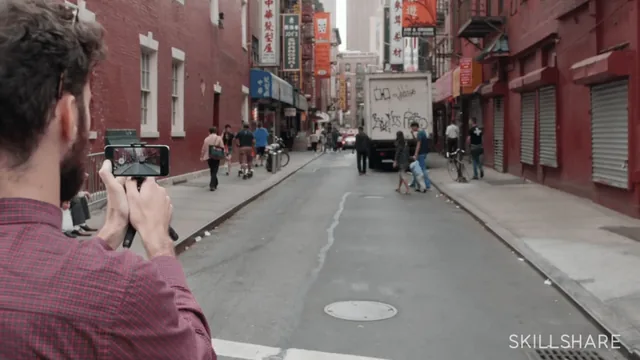
A famous Instagram photographer teaches three specific hyperlapse setups in under 20 minutes, but the phone app it depends on is now defunct.
Dave Krugman's hyperlapse class is built around a single piece of software that Instagram discontinued years ago, and that fact now sits over every minute of the runtime. The course was framed as a walkthrough of a "new app," and its entire structure, three shooting scenarios demonstrated with a specific tool, no longer maps onto anything a viewer can open on their phone today. That does not erase the photography advice inside it, but it does mean nobody is taking this class to learn the app it was built around.
Strip the branding away and what remains is a short, plainly delivered set of three shooting scenarios. The first covers walking hyperlapses through busy city streets, using a Chinatown sequence as the backdrop, and the advice here is mostly about body mechanics: hold the phone steady, change your angle often for fluid transitions, and weave close to people and crowds rather than shooting from a distance. The second scenario covers hyperlapses shot from moving transportation, with a specific and genuinely useful trick, pressing the phone flush against a train or car window to kill reflections and add physical stabilization. The third scenario is a stationary hyperlapse from a tripod, filmed at the East River with the Manhattan skyline as a backdrop, and it is the strongest section of the three because it finally introduces actual composition thinking rather than just shooting mechanics.
What the course actually teaches well
The stationary segment is where the class earns its keep. Krugman's core idea, pick a scene with one fixed element and one moving element, a skyline against crashing waves, a highway overpass against traffic, and frame it using rule of thirds, is a real compositional principle that applies regardless of what camera or app someone uses. He also gives a concrete ratio for shoot length: capture about six times the length of the intended final clip, which gives enough flexibility to try different playback speeds afterward without running out of footage. That kind of specific, transferable number is rare in a class this short and is worth remembering even outside the hyperlapse context.
Where it falls apart
Everything else leans hard on the app's built-in stabilization and speed-ramping tools, which means the demonstrations describe pressing a "rainbow record button" and adjusting a slider that no longer exists in any current product. A beginner watching today has no direct way to replicate the workflow shown, only the underlying ideas behind it, and those ideas are covered so briefly, sixteen minutes total, that there is little room for troubleshooting, failure cases, or variation. The street and transportation segments in particular amount to a handful of general tips (change your angle, get close to people, brace the phone against glass) rather than a structured technique, and the whole class ends without any editing, exporting, or sharing guidance beyond a one-line mention of saving to a camera roll.
As a historical artifact of early Instagram-era mobile photography, or as a loose set of framing tips for any time-lapse tool, this has some value. As an actual how-to class for someone trying to make a hyperlapse today, it is thin, dated, and missing the software it was designed to teach.
The standout
The stationary hyperlapse lesson's advice to always frame a fixed element against a moving one, like a skyline behind crashing waves, is the one compositional principle worth carrying into any time-lapse work, app-dependent or not.
What you will learn
- How to shoot a walking hyperlapse through crowded city streets while keeping the phone stabilized by hand
- How to shoot from a moving train or car by pressing the phone against the window to cut reflections and vibration
- How to build a stationary hyperlapse using a bendable tripod, framing a scene with both a fixed backdrop and moving foreground elements
- How to apply rule-of-thirds composition specifically to a stationary hyperlapse shot
- How to choose playback speed multipliers (2x for street work up to 12x for long stationary shots) based on shot type
- How much raw footage to capture relative to the desired final length, including the six-times rule for transportation shots
Best for: A total beginner who owns a smartphone and wants a fast, plain-language primer on the mechanics of hyperlapse photography, independent of which app they end up using.
Skip it if: Anyone hoping to actually follow along in the named app, or any photographer who already understands basic time-lapse and composition principles and needs technical depth beyond phone-holding tips.