
How to VLOG - Complete Beginners Guide
Jeven Dovey · Filmmaker & YouTuber
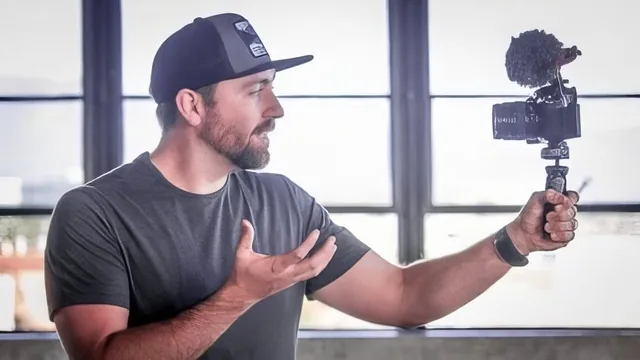
A free 38-minute overview that teaches vlogging as storytelling, not diary-keeping, but skips almost all hands-on editing detail.
Jeven Dovey's "How to Vlog" is a short, free primer built around a single idea: a vlog is a film, not a diary. That framing runs through all twelve lessons, from the opening trailer to the closing recap, and it's the course's strongest contribution. Dovey repeats it in slightly different words at nearly every stage, which becomes the course's real curriculum even more than its nominal gear-and-editing structure.
The course moves through five stages: gear, shooting, B-roll, editing, and uploading, bookended by an introduction and a two-years-later reflection. The gear section is sensible and non-dogmatic. It sets a minimum bar (a camera, something to hold it steady, a microphone) and then explains why a phone or GoPro fits a beginner's budget and travel conditions better than the mirrorless setup Dovey uses himself. That's a useful distinction most beginner gear guides skip: matching the tool to the situation rather than pushing viewers toward for an upgrade.
Where the course earns its keep
The shooting and B-roll lessons carry the most practical weight. Dovey's core argument, that a vlog needs a story arc even when the story is a mundane errand, is illustrated with a specific example: filming a trip to see elephants in Thailand, where the "story" is the journey toward that encounter rather than a loose collection of clips from the day. The B-roll lesson goes further than most beginner content by explaining why cutaway footage matters structurally, not just decoratively. Dovey describes covering documentary interviews with three cameras and then shooting extra "insert" footage afterward specifically to give editors material to cut away to. That's a concrete, transferable habit: shoot more coverage than seems necessary, because the edit will consume far more of it than expected.
Where it falls short
The editing lesson is the weakest link relative to what a course titled "How to Vlog" implies. It names Final Cut Pro X and describes a general workflow (review footage, drop it on the magnetic timeline, cut chronologically, then remove shots that don't serve the story) but never demonstrates an actual cut, transition, or audio adjustment on screen. Viewers who came to learn concrete edit technique, keyframing, pacing to music, color, audio leveling, get concepts instead of a workflow they can replicate. The "kill your babies" advice about cutting beloved footage is sound but generic filmmaking wisdom rather than anything vlog-specific.
The music lesson functions largely as an endorsement of a specific subscription library, which is useful context but adds little instructional depth beyond "match music mood to footage tone." The upload lesson mentions using TubeBuddy for keyword research and thumbnail testing but doesn't walk through the process.
Length is both a strength and a limit. At under 40 minutes, nothing overstays its welcome, and Dovey's tone is direct and unpretentious throughout. But the brevity means several lessons state a principle once and move on rather than building it into a repeatable method. This is a course for someone deciding whether vlogging is worth pursuing and what mindset to bring to a first attempt, not a technical manual for someone who already owns a camera and wants to know how to actually cut a video together.
The standout
The instruction to build every vlog, and every scene within it, around a deliberate beginning-middle-end structure rather than just following a camera around all day.
What you will learn
- How to structure a vlog around a beginning, middle, and end instead of a plain chronological diary of the day
- What gear actually matters at each stage: phone or GoPro to start, then a mirrorless camera with an external mic and small tripod
- Why B-roll is essential and how much of it professional edits actually use
- A basic editing workflow in Final Cut: review all footage first, cut chronologically, then ruthlessly remove shots that don't serve the story
- How to plan and place a 10-15 second hook near the start of a video to hold viewer attention
- Where to source and license royalty-free music and how to match its mood to footage
Best for: A total beginner who has never made a vlog and wants a fast orientation to the mindset and gear before picking up a camera.
Skip it if: Anyone who already owns a camera and wants a real editing walkthrough, since the software portion stays conceptual and never opens a timeline.