
How to Speak Confidently On Camera: A Guide for Content Creators
Nathaniel Drew · Online Content Creator
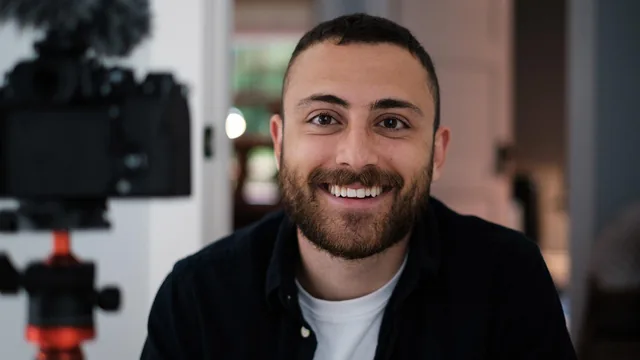
Nathaniel Drew strips away camera-confidence myths with concrete scripting and editing demonstrations, though the 74 minutes lean more mindset than method.
Nathaniel Drew opens with a claim worth testing: that speaking on camera is a trainable skill, not an innate gift. The course spends its 74 minutes trying to prove that, mostly through his own five-and-a-half-year arc from stiff, over-energized creator to someone who can sit down and talk for ten minutes without a script.
What actually gets taught
The most useful stretch is the audience-first reframe in the third lesson. Drew describes an early mistake: cramming every video with forced, high-octane energy because he assumed that was what held attention. He walks through how narrowing his mental image of the viewer, adult, curious, interested in ideas like philosophy and existentialism, changed his vocabulary and pacing. He replays an old, over-eager delivery next to his current, calmer one so the difference is audible, not just described.
The scripting lesson is the closest thing to a repeatable system in the course. Drew screen-records his actual document for this class: a 15-page draft that started as a bullet-point dump before being organized into lesson-by-lesson sections. His rule is to write the way he speaks, including filler phrases like "that's why I'm making this," rather than writing clean prose and then trying to perform it. He also shows a habit of bolding sections he wants to emphasize and italicizing stage directions like "show example here." It is a small technique, but it is concrete enough to copy immediately.
The editing lesson follows the same show-don't-just-tell approach, pulling up a real project timeline with voice-over clips laid against B-roll. Drew demonstrates how a jump cut gets hidden behind a shot of the ocean, and how a rough take gets cleaned up in post rather than reshot from scratch. Paired with the behind-the-scenes recording lesson, where he narrates his own stumbles and re-takes while filming a section, this gives a genuinely honest look at how much editing rescues an imperfect delivery.
Where it falls short
The course is candid about being non-technical, and it holds to that promise almost too strictly. Anyone hoping for camera settings, lighting ratios, or a software walkthrough will get none of it. Editing software gets a one-line mention (iMovie, DaVinci Resolve) and nothing more.
The back half thins out. The lesson on connecting ideas gestures at structure without giving a repeatable method, and the criticism lesson, while sincere, boils down to standard advice about not reading too many comments. Drew's own five-year journey, covered in real detail across two lessons, occasionally crowds out instruction with autobiography.
What holds the course together is its honesty. Drew shows unedited footage of himself repeating a sentence three times until it lands, and admits some of his early videos are hard for him to rewatch. That willingness to expose the process, script draft, take two, embarrassing old clips, does more to demystify on-camera speaking than any single tip does. It rewards someone who already makes videos and wants to understand why some deliveries land and others don't, more than it teaches someone starting from zero.
The standout
The scripting walkthrough, where Drew shows his actual 15-page Google Doc for this class and explains writing in speaking voice rather than essay voice.
What you will learn
- How to identify your actual audience demographic and adjust vocabulary and tone to match them, rather than performing for an imagined mass audience
- A specific writing-in-your-speaking-voice scripting method, including bolding key phrases and italicizing stage directions
- How B-roll, voice-over layering, and hidden cuts let you rebuild a shaky take into a clean final video, shown on a real project file
- A fallback technique for finding things to say by pulling from personal experience and feeling rather than forced facts
- How to manage on-camera energy by relaxing the chest and throat instead of forcing enthusiasm outward
- A framework for handling online criticism by recognizing that audience size correlates with harsher, less relevant feedback
Best for: Aspiring YouTubers or online educators who already have some content experience and want to refine tone, scripting, and editing instincts rather than learn equipment basics.
Skip it if: Total beginners hoping for camera settings, lighting setups, or step-by-step editing software tutorials, since Drew repeatedly declines to go technical.