
How to Make a Podcast: Plan, Record, and Launch with Success
John Lagomarsino · Head of Production at Anchor
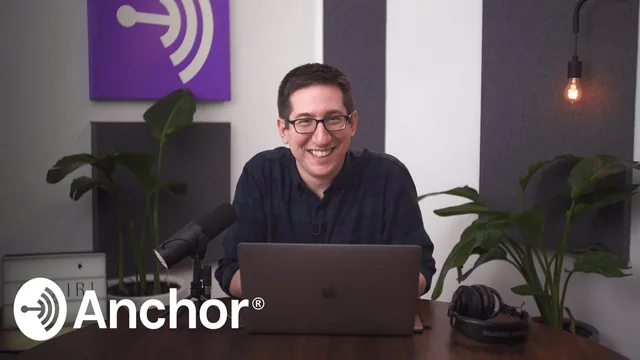
A working podcast broadcaster teaches the real planning-to-launch pipeline in barely an hour, though gear and editing get only a glance.
A production framework, not a software tutorial
John Lagomarsino, Anchor's head of production, structures this course around a single deliverable: a planned, recorded, and mixed pilot episode. That choice gives the class a spine most beginner courses lack. Rather than a grab-bag of podcasting tips, each lesson builds toward one outcome, starting with defining the show's central question and ending with submitting an RSS feed to directories.
The planning section is the course's strongest stretch. Lagomarsino asks learners to answer "what is my podcast about" in a single logline-style sentence, citing real examples like a language podcast or a movie-riffing show, then walks through building a full outline before any recording happens. He uses an actual pilot outline from a produced show, "Talk Money," to demonstrate how a page of notes, music cues, and rough interview questions can predict almost exactly what an episode will sound like. This is a genuinely transferable technique, not vague advice to "plan ahead."
The gear and recording lesson is more of a survey than a tutorial. Three dynamic microphones get discussed by price tier, with a clear explanation of why dynamic mics tend to outperform condensers like the Yeti in untreated rooms such as a bedroom, but the course does not walk through microphone setup, gain staging, or a recording session start to finish. Remote interview options, including double-ender recording over Skype and services like Zencastr, are explained conceptually but not demonstrated.
Editing gets a strong idea, thin execution
The most memorable segment plays the same 20 minutes of raw interview audio as edited by two different producers into two different pilots, one a straight interview cut with restaurant ambience bridging edits, the other opening with two minutes of personal narration before the interview even starts. It is a rare, concrete illustration of how editorial decisions, not just technical skill, define a show's identity.
Beyond that comparison, the mixing lesson stays surface level. It shows a vertical single-track editor inside the Anchor app for simple trimming, then briefly switches to Logic Pro for basic tasks like fading music and applying a safety limiter and compressor to vocal tracks. Someone hoping to learn multi-track editing, sound design, or how to actually run software like Audacity or GarageBand step by step will need to look elsewhere. The course names these tools without teaching them.
The launch lesson closes strong and practically, covering cover art specs, the mechanics of submitting an RSS feed to podcast directories, why a trailer should go live before the first full episode to control approval timing, and a case for launching with a subscriber push rather than a single-listen spike. Monetization gets a brief, honest nod toward Anchor's ad-matching platform without overselling it.
At roughly an hour, this functions as an orientation and planning framework more than a skills course. It gives a beginner a clear map of every stage of making a podcast and a genuinely useful method for building a pilot outline, but leaves technical execution, especially recording and mixing, mostly untaught.
The standout
The head-to-head comparison of two producers editing the identical restaurant-interview recording into two completely different pilots is the clearest lesson in the course on how editorial choices shape a show's feel.
What you will learn
- How to write a concrete pilot outline that maps intro, questions, ad breaks and outro before recording anything
- How to pick a format by working backward from one central question your show answers
- How to choose between a dynamic and condenser mic for untreated rooms, with real model examples
- How to set up a repeatable file-management system for audio projects
- How to compare edit choices side by side, since the same raw interview can become two very different shows
- How to submit an RSS feed to podcast directories and plan a launch that controls subscriber timing
Best for: A total beginner with a podcast idea who wants a fast, structured push from concept to a launched pilot episode.
Skip it if: Anyone who already has a podcast live and wants hands-on training in advanced mixing, sound design or multi-track editing software.