
How To Create Viral Videos for Instagram Reels, TikTok, YouTube shorts (Full Workflow With a Phone)
Simone Ferretti · Professional Photo/Videographer
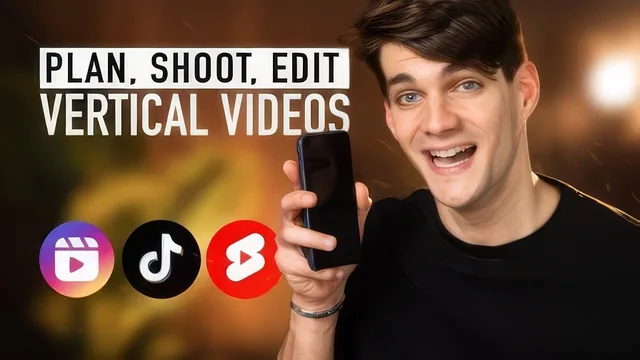
A working videographer breaks down his own viral-reel process step by step, though the course leans heavily on his own photography niche.
What it actually covers
The course opens with platform theory before getting practical: why short vertical video exploded, how Instagram, TikTok, and YouTube Shorts make money from watch time, and why that single fact should shape every editing decision that follows. Simone Ferretti, a videographer who built a following of over a million across TikTok and Instagram, frames the entire syllabus around one idea: keep the viewer watching, because retention is what the algorithm rewards. That framing recurs constantly, sometimes to the point of repetition, but it does give the course a spine.
The middle stretch is where the material earns its keep. Ferretti walks through his own editing app of choice, Splice, building a video from raw footage: cutting behind-the-scenes clips down to two or three seconds each, layering in Ken Burns zoom animations on still photos, and applying a 0.3-second zoom transition between clips. He demonstrates this on an actual project, a three-pose maternity photoshoot reel, showing the exact clip lengths and transition settings he uses. A separate lesson on audio selection is unusually concrete: he auditions several songs live, rejects ones with the wrong energy, and hunts for the exact timestamp where a song's drop lands so it can be synced to a photo reveal. Watching him talk through why one track works and another doesn't is more instructive than most abstract advice about "using trending audio."
Where it thins out
The gear lesson runs long relative to its usefness, covering multiple tripod and microphone options that are explicitly optional, and the course repeats its own core thesis (retention, saving, algorithm reward) often enough that a viewer could skip lessons three through five without losing much. The hook and scripting section offers a list of caption templates ("here's the truth about X," "best tool for X") that are serviceable but generic, closer to a marketing copywriting cheat sheet than original insight.
The bigger limitation is scope. Nearly every hands-on example comes from Ferretti's own photography and videography work: posing couples, shooting maternity portraits, showcasing camera gear. He gestures toward other industries, suggesting a restaurant owner or graphic designer could adapt the same structure, but never demonstrates it. A creator outside visual or lifestyle content will need to do real translation work themselves.
The course also skips anything resembling analytics or iteration, no discussion of using Instagram or TikTok's own performance data to refine future videos. Its final project, posting one reel and asking for feedback, is thin for a 161-minute course.
Verdict
This holds up best as a production and pacing tutorial from someone who has clearly posted enough reels to know what makes footage feel alive, rather than as a comprehensive content strategy course. Photographers and visual creators will get the most direct value, since the examples map onto their work almost without adaptation. Anyone in a text-heavy or spoken-word niche will find the platform theory useful but will have to build their own playbook for structure and hooks.
The standout
The live demonstration of matching a song's drop to a video's first big visual reveal, shown with several rejected music choices before landing on the right one.
What you will learn
- How to structure a short video around a hook, value section, and payoff so viewers watch to the end
- How to select and time music drops in Splice and Instagram's own editor to match a video's visual peaks
- How to build a three-photo or three-pose "reel formula" using behind-the-scenes footage plus final images
- How to apply Ken Burns zoom animations and 0.3-second zoom transitions to keep static clips feeling alive
- How to pick an optional gear kit (tripods, GorillaPod, Lavalier and wireless mics) without overspending
- How to pace posting frequency and video length for a new account with no existing audience
Best for: Solo creators or small business owners, especially photographers or visual freelancers, who already shoot content but don't know how to structure or edit it for retention.
Skip it if: Anyone wanting deep editing software tutorials, scriptwriting frameworks, or growth tactics for niches outside visual/lifestyle content, since the examples skew heavily toward photography.