
How to Create Beautiful Instagram Stories: IG Secrets & Hacks to Up Your Story Game
Claire Petersen · Fashion & Influencer Photographer
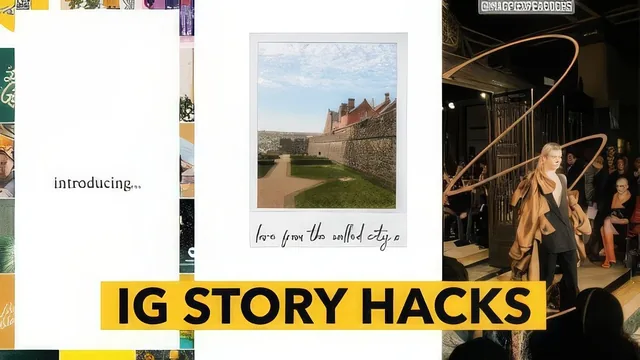
Thirty-three minutes of genuinely specific Instagram Story tricks from an influencer, but almost nothing about the apps you'd need to pay for.
What it actually covers
Claire Petersen's course is less a comprehensive Instagram Stories class than a compact grab-bag of styling tricks, stitched together with a loose planning framework. It opens sensibly: before touching a phone, the course insists on choosing a narrative for the Story, using an example of structuring a hometown video around a single afternoon rather than posting clips in random order. That planning lesson is brief but useful, and it sets up everything that follows: consistency of editing, consistency of layout, consistency of fonts.
From there the course moves into tool recommendations, VSCO for photo and video filters, Unfold for story layouts, and later igfonts.io for pulling in fonts Instagram does not natively support. The editing lesson demonstrates a specific workflow, adjusting exposure and sharpening, applying the same filter across every image, then using VSCO's copy-and-paste-edit function so a whole Story looks visually unified. That single habit, more than any filter choice, is the most transferable idea in the course.
The hacks, and their limits
The back half is where the course earns its "hacks" framing. It walks through building rainbow-colored or drop-shadowed title text directly in Instagram's own text tool, hiding location tags and hashtags in a corner of the frame to extend reach without cluttering the image, and using the pen and highlighter tools to fake spotlighted or cut-out looks around a subject. A bonus lesson on adding a sparkle overlay via a separate app called KiraKira+ is a nice-to-have rather than essential, and functions more as a footnote than a real lesson.
The honest limitation is that several of the best results depend on paid upgrades. VSCO's video-editing and HSL tools sit behind a subscription, and Unfold's premium layouts and fonts are pay-per-pack. The course acknowledges this cost upfront and suggests starting free, which is fair, but it means a portion of the "beautiful" results shown are gated behind purchases the class does not walk through in depth.
Structurally the course is efficient rather than deep. At 33 minutes across eleven short lessons, nothing overstays its welcome, but nothing gets more than a surface pass either. There is no instruction on photography or videography itself, no discussion of Instagram's algorithm or analytics, and no framework for planning a content calendar beyond "have a vague idea first." The class project, posting one Story using a few of the techniques, is appropriately low-stakes for the material.
For someone who already posts Stories and wants a handful of concrete polish moves, the drop-shadow text, the hidden hashtag placement, the pen-tool spotlight, this delivers real value in a short runtime. For a beginner hoping to learn Instagram from scratch, or a business owner wanting a content strategy, it will feel thin.
The standout
The drop-shadow title-slide trick, layering a duplicated text box in a different color behind the original, stands out as the one technique that visibly separates a polished Story from a default one.
What you will learn
- How to plan a Story around a simple narrative arc before shooting or editing anything
- How to keep photo edits and filters consistent across a Story using VSCO's copy-and-paste-edit feature
- How to build layered title slides in Unfold and directly in Instagram, including rainbow text and drop-shadow lettering
- How to hide location tags and hashtags in a corner of an image to gain reach without cluttering the design
- How to use Instagram's native pen and highlighter tools to fake a spotlight or cutout effect around a subject
- How to add a sparkle overlay to Story videos using a separate third-party app
Best for: Small business owners, bloggers, and casual Instagram users who already post Stories regularly and want a quick set of polish techniques rather than a foundational course.
Skip it if: Anyone who has never used Instagram Stories, wants photography or videography instruction, or is unwilling to pay for VSCO and Unfold's premium tiers to unlock the best effects.