
How to Create & Manage Your Instagram Strategy through TRELLO
Dana Malstaff · Business & Content Strategist
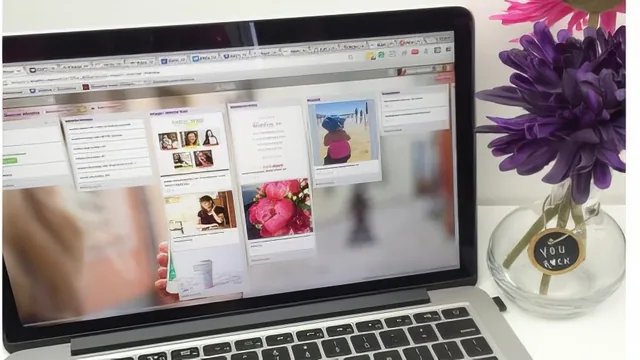
A 37-minute walkthrough of one entrepreneur's personal Trello setup for batching and posting Instagram content, not a Trello or Instagram course proper.
What it actually covers
The course is a screen-recorded tour of Dana Malstaff's own Trello setup, repurposed for Instagram planning. It opens with a general orientation to Trello as a tool (boards, lists, workflow versus repository-style boards), then narrows into the specific three-list system she uses for Instagram: an image pool, a caption-writing stage, and a posted archive. A short phone-specific lesson shows how to pull a saved image and copied caption text over into the Instagram app itself. A separate lesson on imagery and wording tactics touches on visual branding consistency and a technique for writing captions that don't just describe the photo but link it back to a business topic. A grab-bag lesson on "extra Trello basics" covers checklists, due dates, the calendar power-up, and board privacy settings. The course ends with a simple project: copy a template board, build a content pillar list, and post a screenshot of the resulting setup.
Strengths and limits
The strongest single idea in the course is the labeling system: images get tagged with topic labels at upload time, so when it's time to write a caption, the topic is already decided and the writer is matching text to an image rather than staring at a blank card. That one habit is genuinely transferable to any batching workflow, Trello or not.
Past that, the course is thin. At under 40 minutes across eight lessons, several videos run two to three minutes and repeat ground covered in the previous one. The "strategy" lesson, which sounds like the meat of the course, mostly consists of naming a personal list of content pillars (podcast episodes, a retreat, family photos, a coaching program) without a framework for how a viewer would derive their own pillars, how many to use, or how to sequence them across a week. The imagery and captioning lesson gestures at brand consistency and image-to-text mapping but stops short of any structured method, more a description of habits than a teachable technique.
The course also assumes a fair amount already in place. It works from a business owner's real board with real content categories, and while a template board is offered at the end, the instruction to build a strategy is closer to "watch what I did" than a system anyone could independently reconstruct. There's no coverage of scheduling automation, no mention of analytics or what to do with the growth-report screenshots referenced in the workflow, and no troubleshooting beyond one calendar power-up tip.
As an introduction to using a project management tool for content planning, it succeeds at a narrow goal: showing that a Kanban-style board can hold an image library, a caption queue, and a posting log, and that this beats scrambling for content day-of. It does not deliver on the broader promise implied by "strategy" in the title. Anyone hoping for guidance on what to post, how often, or why should look elsewhere, since this course only shows where to put content once it's already decided.
For beginners to Trello specifically, the extra-basics lesson is a reasonable primer on checklists, labels, and due dates, but that content is available for free in Trello's own onboarding. The real value here is narrow and specific: the labeling-then-writing workflow, delivered in under ten minutes, wrapped in twenty-seven minutes of setup and repetition.
The standout
Tagging uploaded images with topic labels (retreat, podcast episode, family) before writing captions, so caption-writing later becomes matching text to a pre-sorted image pool rather than starting from a blank slate.
What you will learn
- How to structure Trello boards into lists that mirror a content pipeline: images, captions, posted
- How to use labels to tag images by topic so captions get written faster later
- How to batch-write and store caption text directly on a Trello card before scheduling
- How to copy a caption and pull a saved image from Trello on a phone to post to Instagram
- How to build a recurring content pillar list (4-5 recurring topics) to guide what gets posted
- Basic Trello mechanics: checklists, due dates, calendar power-up, board privacy settings, tagging teammates
Best for: A solo entrepreneur or small team already comfortable posting to Instagram who wants a lightweight, visual way to batch content instead of scrambling day-of.
Skip it if: Anyone wanting Instagram growth strategy, caption writing craft, analytics, or a general Trello tutorial beyond boards, lists, cards, and labels.