
Hand Lettering in Motion
Jake Bartlett · Motion Designer
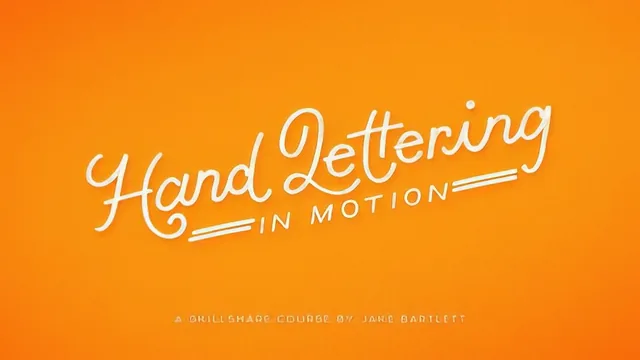
A tight, hands-on walkthrough of animating hand-lettered type in After Effects that assumes zero prior animation experience.
From artwork to layers
Jake Bartlett's course solves one specific problem: how does a piece of static hand lettering become a moving GIF or video without the learner already knowing After Effects. The opening lesson, done entirely in Photoshop, is the most valuable part of the whole class. Rather than treating "break the artwork into layers" as an afterthought, Bartlett walks through duplicating the file, flattening color groups, and cutting each letter out using vector masks so connected script stays intact when it needs to, and separates cleanly when it doesn't. This is the part most animation tutorials skip, and it is also the part beginners get stuck on, so putting it first is the right call.
The After Effects sections that follow are paced for someone who has genuinely never opened the program. Before any animation happens, the course covers resetting the workspace layout, importing a layered PSD as a composition with "Retain Layer Sizes" checked, setting frame rate and duration, and locking layers that shouldn't move. None of this is glamorous, but skipping it is exactly how beginners end up with broken files, so the patience here pays off.
Building the animation
The actual animation instruction covers scale, position, rotation, and opacity, applied one word at a time across the sample phrase. Each technique gets its own pass: type scales up from nothing, slides in while fading up, rotates into place, and drops with an overshoot-and-bounce built from three keyframes instead of two. Easy Ease gets explained clearly, including what it actually does to the interpolated values between keyframes, not just how to apply it.
The anchor point lesson is where the course earns its keep. Bartlett shows, with visible mistakes and corrections, how the anchor point's position determines the pivot for every scale or rotation, and what goes wrong if you move it after position keyframes are already set. That single explanation will save a beginner hours of confused trial and error later.
The offsetting technique, staggering each letter's animation by one or two frames, is simple but effective, and the course is honest that this is a taste decision rather than a rule. The final lessons on exporting, a Photoshop-based GIF export and an After Effects video export looped three times with H.264 settings, are practical and specific about file size and quality tradeoffs.
Where the course is thin is anywhere near typography or lettering itself. The featured artwork is provided by the instructor's wife, and the class project only asks students to hand-letter their own phrase before animating it, so nobody is taught to make good lettering here. The scope is also narrow: type animation is limited to scale, position, rotation, and opacity, so anyone hoping for effects, textures, or camera work will need to look elsewhere, and the course trailer even points toward Bartlett's other classes for that.
For what it sets out to do, teach a complete beginner to take finished lettering and make it move, the course delivers a real, exportable result in just over an hour.
The standout
The demonstration of moving each letter's anchor point before keyframing scale or rotation, since that single adjustment decides whether the animation reads as natural or falls apart.
What you will learn
- Preparing hand-lettered artwork in Photoshop by isolating each letter onto its own layer using vector masks
- Setting up an After Effects composition from scratch, including frame rate, duration and resolution
- Animating scale, position, rotation and opacity with keyframes, and smoothing motion with Easy Ease
- Repositioning anchor points to control exactly how each letter scales or rotates
- Staggering individual letter animations by a few frames to build cascading, overlapping motion
- Exporting the finished piece as a looping GIF through Photoshop and as a looping H.264 video from After Effects
Best for: Hand lettering artists or illustrators who have never opened After Effects and want a complete, guided first animation project rather than a general motion design course.
Skip it if: Anyone already comfortable with After Effects keyframing, or anyone looking to learn hand lettering itself, since the course starts from finished artwork and never touches lettering technique.