
Graphic Design: Create a Bold, Colorful Album Cover
Temi Coker · Digital Artist and Illustrator
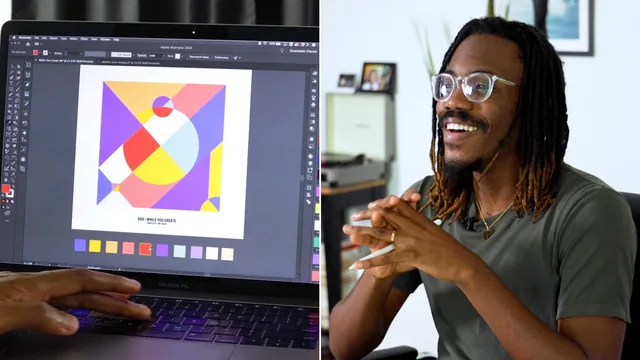
A photographer-turned-designer's 43-minute case study in intuitive shape play, light on Illustrator mechanics but rich on creative process.
A process class more than a tool class
Temi Coker's album cover class is built around a personal ritual: he makes a new playlist cover every three months for his "While You Create" series, and this class walks through that exact ritual rather than a generic design curriculum. That framing gives the class a lived-in feel. Coker is not teaching Illustrator from first principles. He is showing how he personally moves from Pinterest research to a finished Spotify cover in under an hour, and inviting students to copy the workflow rather than any specific visual style.
The research lesson is the class's clearest teaching moment. Coker opens his own Pinterest boards and points at specific patterns in other illustrators' work, noting that one artist repeated a black pattern across four squares but dropped it on the fifth, and reading that omission as a deliberate compositional choice. He credits illustrator Bram Vanhaeren as the direct spark for the project's shape-and-gradient aesthetic. The lesson is not "find inspiration" in the abstract. It is a demonstrated habit of studying an image until you can guess why the artist made a specific decision, then testing that guess by attempting to rebuild it yourself.
The sketching and Illustrator lessons are where the class gets technically thin. Coker sketches six small squares on an iPad in Adobe Fresco, cutting each into triangles and circles at speed, then imports one sketch into Illustrator by lowering its opacity to roughly 14 percent, locking the layer, and tracing over it in strokes only. This is a genuinely useful technique for building geometric compositions cleanly, but it is demonstrated rather than explained. Menu clicks, keyboard shortcuts, and alignment tricks fly past with little pause for a viewer who has not already used Illustrator's pen tool or layer panel.
Color gets the most screen time and the most concrete payoff. Coker uses the Live Paint Bucket tool, keyboard shortcut K, to convert his traced line skeleton into a set of clickable regions, then fills them using Illustrator's built-in Color Themes panel rather than manually mixing swatches. He samples a "most popular" theme, pulls colors he likes into a personal swatch strip, and builds a ten-color summer palette around beach and sand tones before settling on a white background after testing orange and black. He also gives a genuinely practical constraint: cap color selection at fifteen to twenty minutes, and stick to two to four colors on a first attempt rather than his own ten.
The final lesson closes the loop by exporting the artwork as a JPEG and uploading it directly as artwork on an existing Spotify playlist, which makes the finished project feel real rather than theoretical. That said, the class never returns to typography or layout choices with the same care it gives color, and the text-adding step near the end is rushed through in a few sentences.
This is a short, enjoyable watch for someone who already opens Illustrator without hesitation and wants a fresh creative process to borrow. It will frustrate anyone hoping to learn the software itself.
The standout
Turning a hand-drawn sketch into a locked, dimmed reference layer that you trace with stroke-only pen tool lines, then convert the whole skeleton into fillable regions in one click with the Live Paint Bucket tool.
What you will learn
- How to build a research habit using Pinterest mood boards to study another artist's shape and color choices before starting original work
- How to sketch loose geometric skeletons on paper or an iPad using triangles, circles, and squares as a compositional starting point
- How to trace a sketch into Illustrator using locked, low-opacity reference layers and stroke-only outlines to build a clean vector skeleton
- How to convert a line skeleton into fillable regions with Illustrator's Live Paint Bucket tool (shortcut K)
- How to build a cohesive color palette using Illustrator's Color Themes panel, sampling and saving swatches by mood or season
- How to export a finished square cover and upload it directly as a Spotify or Apple Music playlist image
Best for: Designers who already have basic Adobe Illustrator fluency and want a loose, intuitive framework for turning geometric doodles into finished color-driven artwork.
Skip it if: Complete Illustrator beginners who need the pen tool, live paint, and layer locking explained step by step rather than demonstrated at speed.