
Getting Started with Twitter for Business
Sandra Vega · Marketing Manager at Twitter
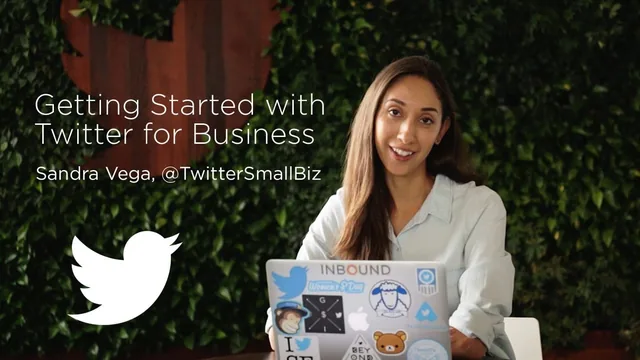
A Twitter marketing manager delivers profile, content, and analytics basics in 37 tight minutes, but experienced marketers will learn nothing new.
What the course actually covers
Sandra Vega, who works in marketing at Twitter and voices the @TwitterBusiness account, uses her 37 minutes to walk through the full lifecycle of a business Twitter presence: setting up a profile, growing and engaging a following, deciding what to post, timing those posts, and reading the resulting data. The structure is linear and logical, moving from profile setup through content strategy to measurement, which makes it easy to follow even for someone who has never opened a business account before.
The profile section breaks a Twitter presence into three parts: profile image, bio, and header photo. Vega frames the bio as an elevator pitch and recommends businesses treat the header image as changeable real estate, swapping it out for seasons, product launches, or events. This is basic advice, but it is concrete and immediately actionable, which is the course's strength throughout.
The content section is the most detailed part of the class. Vega introduces the 80/20 rule, where the large majority of tweets should focus on engagement rather than direct selling, and outlines specific formats: Twitter polls with up to four answers, GIFs (pointing out that tweets with rich media get twice the engagement of those without), and short smartphone video for behind-the-scenes content. She also covers hashtag mechanics, including a rule of thumb to use no more than two or three per tweet and to keep them short.
Where it falls short
The timing and frequency lesson is the weakest part of the course. Vega acknowledges there is no universal rule for when or how often to tweet, then offers little beyond "be consistent" and "test different times," pointing viewers toward third-party scheduling tools like TweetDeck and Hootsuite without walking through how to use them. Viewers hoping for a data-backed answer will leave without one.
The analytics lesson is similarly surface-level. It names the dashboards available at analytics.twitter.com, such as Account Home and Tweet Activity, and identifies which numbers to watch, but it stops at description rather than demonstration. There is no walkthrough of interpreting a real dashboard or adjusting a strategy based on specific numbers, so the lesson functions more as an orientation to where the data lives than as an analytics tutorial.
The course closes with a "Why Twitter" segment built on statistics, such as 62 percent of surveyed people discovering a small business on the platform and 68 percent reporting a purchase influenced by a tweet. These figures work well as motivation for someone still deciding whether to invest time in Twitter, but they add little for anyone who has already committed to the platform.
Bottom line
This is an orientation course, not a strategy course. It succeeds as a checklist for someone opening a business Twitter account for the first time, covering profile setup, content variety, and where to find performance data in under 40 minutes. It does not succeed as a resource for anyone who already tweets for a business, since it never moves past foundational advice into the kind of testing frameworks, scheduling workflows, or campaign structures that would justify a second watch.
The standout
The 80/20 rule, spending most tweets on engagement and reserving roughly a fifth for direct calls to action, gives beginners a simple ratio to plan a content calendar around.
What you will learn
- How to build a complete Twitter business profile using a profile photo, bio as elevator pitch, and a rotating header image
- Follower growth tactics including uploading customer lists, tracking competitors, and searching relevant hashtags
- The 80/20 rule for balancing engagement tweets against direct promotional asks
- How to use polls, GIFs, and short smartphone video to boost engagement
- How to read the analytics.twitter.com dashboard for impressions, profile visits, mentions, and follower growth
- Hashtag discipline, including keeping tags short and limiting each tweet to two or three
Best for: A solo business owner or brand-new social media hire who has never set up a business Twitter account and needs a checklist to get started.
Skip it if: Anyone who already runs a business Twitter account or has used Hootsuite, TweetDeck, or Twitter Analytics before, since none of the material will be new.