
Get Started Creating Video Content With Your Smartphone for Bloggers, Small Businesses and Brands
Cielo De la Paz · Photographer, Videographer, Visual Storyteller
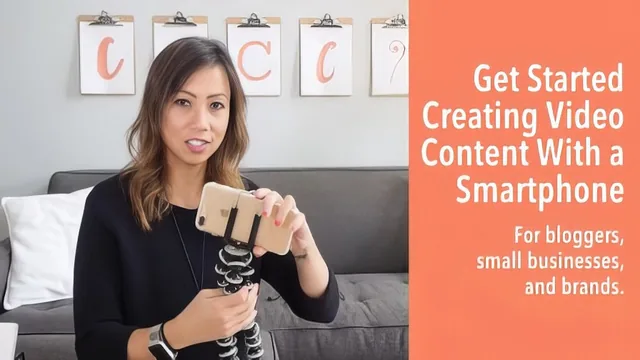
A quick primer that names real gear and content formats but leaves the actual filming technique thin, so treat it as a checklist, not a skill-builder.
This course promises to get a smartphone owner from zero to a finished video, and within its 18 minutes it mostly delivers on that narrow promise, though "getting started" here means a checklist more than a skill.
The structure is tight and logical: pick a content type, plan it, gather gear, film it, submit it. The content-type lesson is the most immediately useful part, laying out five specific formats (how-to, top five list, product review, unboxing, interview) with enough detail that a beginner could pick one and move on without agonizing. The planning lesson that follows is sensible but thin: it amounts to "write an outline" and, for multi-scene videos, "write a shot list," both explained mostly by analogy to writing rather than shown in practice.
Gear and technique
The gear lesson is where the course spends real specificity, and it is also its strongest stretch. It names actual products: a Joby Gorillapod-style mini tripod, a basic phone clamp, and a wired Rode Lavalier mic as the entry-level audio recommendation, with a Rode wireless mic mentioned as a later upgrade. The advice to prioritize a decent microphone over any other purchase is well-reasoned and backed with a direct before-and-after comparison of audio with and without a mic. Lighting advice stays practical for a beginner budget: use natural window light, bounce it with a cheap foam board, and only invest in continuous LED lighting if natural light is not an option.
The filming-tips lesson covers the rule of thirds, standing four to five feet from the phone, recording a few extra seconds of buffer before and after each take, and filming in segments rather than one continuous pass. Each of these is a real, applicable rule, but none is demonstrated on screen in a way that shows the difference between doing it right and doing it wrong, apart from the earlier audio comparison. A beginner will come away knowing the rules exist without necessarily knowing how to apply the rule of thirds to their own phone screen or what a segment boundary should look like in practice.
Where it falls short
The course's biggest limitation is its brevity relative to its ambition. At under 20 minutes, it cannot do more than list rules, and several lessons that would benefit from a visual walkthrough, like composition or shot planning, are instead described in words. There is also no discussion of editing, which the instructor openly defers to a separate class, so anyone expecting a full production pipeline will be disappointed. The class project, a single three-to-five-minute video posted to YouTube or Vimeo, is a reasonable capstone but requires the learner to fill in most of the execution with knowledge the course does not fully provide.
For a true beginner who has never picked up a phone to film anything and just needs a shopping list and a mental framework, this course does its job efficiently. Anyone who already owns a tripod and a microphone, or has filmed even a handful of videos before, will find little new here.
The standout
The tip to record in short segments matched to your outline's bullet points, so a flubbed line only costs you that segment instead of the whole take.
What you will learn
- How to pick a focused content format from five options: how-to, top-five list, product review, unboxing, or interview
- How to write a short outline (and a scene shortlist for multi-scene videos) before filming to avoid wasted retakes
- What minimum smartphone gear to buy: a Joby Gorillapod-style mini tripod, a phone clamp, and a wired lavalier mic like the Rode Lavalier
- How to use natural window light plus a foam board reflector, with LED panel lights as an optional upgrade
- Framing and delivery basics: rule of thirds, standing four to five feet from the camera, recording a few extra seconds of buffer, and filming in segments
- How to scope a finished video to a three to five minute runtime depending on platform
Best for: A total beginner blogger, small-business owner, or brand rep who has never filmed anything and needs a bare-minimum gear list and mental checklist to make a first video.
Skip it if: Anyone who already owns basic gear or has filmed talking-head video before, since the course stays at a surface level and never demonstrates actual filming or editing.