
Geometric Graphic Design: 8 Patterns to Power Your Next Project
DKNG Studios · Design + Illustration
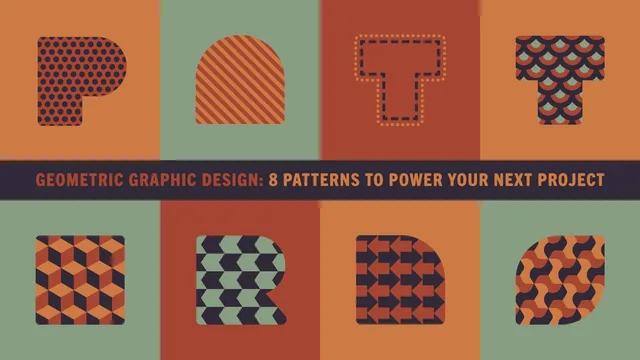
Two accomplished designers open their exact Illustrator playbook for turning simple shapes into professional, print-ready pattern systems.
What the class actually walks through
DKNG Studios structures this course as a ladder, starting with the simplest possible pattern (a circle turned into a repeating dot grid via Object > Pattern > Make) and ending with rotational tessellations built from isometric cubes. Each rung adds one new idea. Dot patterns introduce the pattern-making dialog and the importance of global colors, so a single swatch update cascades through every shape using it. Line patterns repeat the same workflow but introduce a real problem: pattern-filled shapes that overlap create ugly, unintended moire effects, which the instructors solve with the "Transform Patterns" toggle in the Move dialog. That short troubleshooting detour is more useful than it sounds, since it is the kind of thing that trips up anyone experimenting on their own.
The middle section covers pattern strokes, where a diamond shape is applied to a stroke so it wraps automatically around a curve, demonstrated through a deck of illustrated playing cards. This is presented as a time-saving technique rather than a decorative one, and the framing is convincing: manually rotating dozens of diamonds around a king's outfit would be tedious, while a pattern brush does the geometry automatically.
Where it gets harder
The back half is where the course earns its "intermediate" label. Overlapping patterns (fish-scale and dragon-scale textures) bridge into isometric cube patterns, which in turn set up the tessellation lessons. The tessellation section is the meat of the class: translational, reflection, and rotational tessellations are each explained first with a physical, hands-on analogy (cut a shape, move a piece off one edge, glue it onto the opposite edge) before moving into Illustrator's Global Edit tool. Watching a plain rectangle become an interlocking fish shape, node by node, is the clearest demonstration in the course of how tessellations actually work mathematically, not just visually.
The rotational tessellation lesson, which converts an isometric cube grid into a pinwheel pattern and then locks it into a clipping mask to generate a repeatable swatch, is genuinely advanced material and the most technically demanding stretch of the 93 minutes.
Assessment
The course delivers exactly what its title promises: eight distinct pattern types, each with a working method rather than a vague concept. The real-world project examples (screen prints, playing cards, an almanac illustration) ground every technique in an actual professional decision, which keeps the pacing purposeful instead of feeling like a features tour.
The tradeoff is accessibility. The listed prerequisite of "basic literacy" in Illustrator undersells what the tessellation lessons actually require. Concepts like Global Edit, clipping masks, and anchor point manipulation move quickly, and a viewer without prior comfort in the program will likely need to pause and rewatch the later lessons multiple times. The course also stays narrowly focused on Illustrator's vector pattern tools, so anyone hoping for guidance on raster-based or hand-drawn pattern design will not find it here.
The standout
The Global Edit walkthrough for building a translational tessellation from a rectangle into an interlocking fish shape makes an intimidating concept concrete and repeatable.
What you will learn
- Building vector dot and line patterns in Illustrator using the Object > Pattern > Make tool with global colors
- Adjusting pattern scale, rotation, and spacing without disturbing the underlying shape
- Wrapping repeating pattern strokes along paths and curves for detail work like playing card illustrations
- Constructing overlapping scale patterns and isometric cube grids
- Building translational, reflection, and rotational tessellations using the Global Edit tool
- Avoiding pattern misalignment and moire pitfalls when duplicating pattern-filled shapes
Best for: Illustrator users who already know their way around the interface and want a systematic method for building repeatable, editable pattern assets for print or client work.
Skip it if: Complete Illustrator beginners or anyone wanting patterns for Photoshop, Procreate, or non-vector workflows.