
Garageband IOS (iPhone/iPad): The Complete Beginners Guide
Mike Barnes · Music Instructor
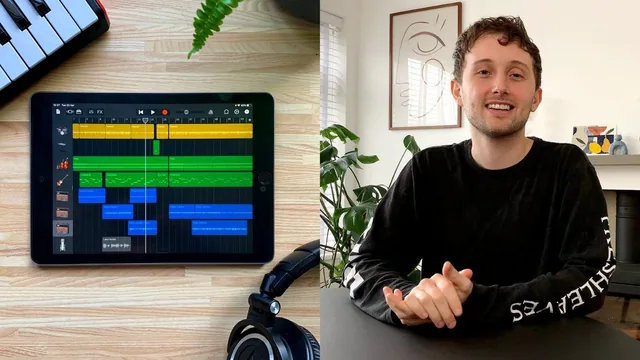
A patient, project-driven walkthrough of GarageBand iOS that writes a full song with you, start to finish.
A guided tour, not just a manual
Mike Barnes structures this course around a single throughline: he writes an actual song across the 35 lessons, and every tool gets introduced in the order he would naturally reach for it. That decision does most of the heavy lifting for the course's appeal. Rather than a dry menu of GarageBand's buttons, the anatomy lesson alone runs long and thorough, covering the instrument screen, project view, metronome settings, key signature, section looping, and track headers, before any instrument gets touched in earnest. It's a lot to absorb in one sitting, but it means later lessons can move fast because the vocabulary is already established.
The middle stretch is where the course earns its keep. Smart Drummer, the Beat Sequencer, and Auto Drummer are each treated as distinct tools with different use cases rather than interchangeable beat-makers, and the Smart Instruments lesson is the strongest material in the course. Locking a project to a key signature, in this case E major, chosen specifically because it flatters open guitar chords, and then letting GarageBand surface only the chords and bass notes that fit is demonstrated clearly enough that a viewer with zero theory background can immediately reproduce it. The "edit chords" detour, where flavor extensions get added to a plain triad without leaving the key, is a genuinely useful trick that most beginner tutorials skip entirely.
Where it thins out
Quantization gets a fair and honest treatment. Straight, triplet, and swing settings are demonstrated against a deliberately sloppy drum take, and the course is careful to note that dragging everything into perfect time can strip out human feel, recommending swing or manual MIDI edits as a corrective. That kind of nuance, rather than just "here's the button," is where the teaching is strongest.
The recording and mixing lessons cover the practical basics: connecting an interface, setting gain so the input meter stays out of the red, and the difference between compression settings like threshold, ratio, and attack. But this material moves faster and leans more on demonstration than explanation compared to the earlier lessons. Compression, for instance, is shown convincingly with a solo drum track, but the reasoning behind specific ratio or attack choices is left as "experiment and see what sounds good," which is honest advice but not much of a technique to take away.
The gear lesson, which covers headphones, interfaces, microphones, MIDI keyboards, and camera adapters for older iPads, is useful context but sits oddly early, before a beginner has any reason to know why they'd need any of it.
Verdict
At 214 minutes across 35 lessons, this is a reasonable time investment for what it delivers: a complete, working knowledge of GarageBand iOS anchored to one real production from empty project to exported WAV file. It won't turn anyone into a mixing engineer, and listeners with any prior DAW experience will find much of it redundant. But for someone who has never opened GarageBand and doesn't know what a compressor ratio is, it's a well-paced, honestly taught starting point.
The standout
The Smart Instruments and key signature lesson, which shows how locking a project to a key (E major, chosen specifically to suit open guitar chords) auto-generates chord and bass note options that always sound correct together, letting a total beginner build professional-sounding progressions by ear.
What you will learn
- How to navigate GarageBand's instrument, project, and Live Loops screens confidently
- How to program beats with Smart Drummer, the Beat Sequencer, and Auto Drummer
- How to write chord progressions and melodies with Smart Instruments and the Scales tool without knowing music theory
- How to record guitar, bass, and vocals through an interface with correct gain staging
- How to quantize MIDI performances and edit them by hand for a tighter or more human feel
- How to apply EQ and compression to mix a track to a finished, exportable state
Best for: Absolute beginners with an iPhone or iPad who want a guided, real-project path into music production without any music theory or prior recording experience.
Skip it if: Anyone already comfortable with GarageBand's interface or DAW fundamentals, or producers who need Mac GarageBand, Logic, or advanced mixing/mastering techniques.