
Frame by Frame Animation: Fun Tips and Tricks for Non-Animators
Chris Piascik · The illustrator formerly known as designer.
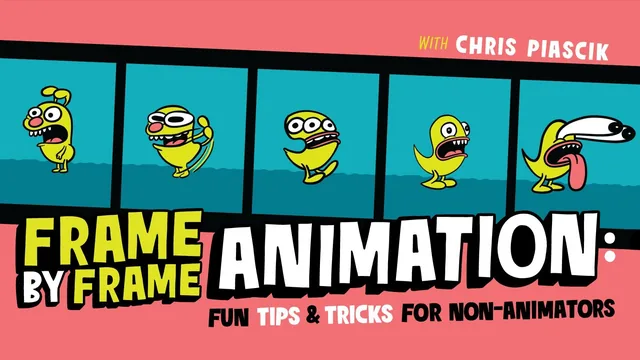
A working illustrator hands over the smear, wiggle, and morph tricks he actually uses on paid client work, no new software required.
A drawing-first path into motion
Chris Piascik's course is built around a simple premise: you do not need animation software to animate, you just need to redraw things slightly and know a few tricks. The 15 lessons move in a clear, additive arc. Setup comes first, covering how to configure a 12-frames-per-second timeline in Photoshop and Procreate, including onion skinning and frame rate settings that keep file sizes sane. From there, the course layers on individual techniques one at a time: line boil (the natural wobble that comes from hand-redrawing an image three times), smears (single frames that fake a fast motion blur, demonstrated on a monster character's eyes bugging out and tongue lolling), and morphing (looping one shape into another, first with the letters A and B, then with two full characters). The final third combines these into one project, then walks through coloring, background motion, and exporting to GIF or MP4.
The teaching method is refreshingly literal. For line boil, the guidance is almost anti-technique: trace the same drawing three times without trying to be imperfect, because the natural human wobble does the work for you. For the morph, the method is to identify where two shapes' outlines overlap and draw a middle line between them, repeated over a handful of frames. Neither requires understanding curves, rigs, or interpolation math. That is the course's real selling point: it treats animation as an extension of drawing, not a separate craft with its own software stack.
Where it earns its keep, and where it thins out
The morphing sequence is the strongest material here. Turning a dog-like character into a ghost-like one by finding shared silhouette logic between the two designs, then tracing a path between their outlines, is a genuinely transferable idea that a student can reuse on any two shapes. The smear lesson is nearly as useful, especially the tip about coloring the reference layer red so overlapping onion-skin lines don't get confused, a small production detail that saves real frustration.
Where the course thins out is in animation fundamentals proper. Squash and stretch, follow-through, and timing get mentioned as labels applied after the fact to a blink or a lunge, rather than taught as principles a student builds decisions around. Anyone hoping to understand why a hold needs to last two frames instead of one, or how exaggeration actually reads on screen, gets a demonstration rather than an explanation. The course also leans on Photoshop's Animators Toolbar Pro extension for some steps, and while it repeatedly shows the manual alternative, it adds friction for anyone trying to follow along without it.
The final project section is honest about its own process, including failed attempts at making an impact read clearly before landing on a stronger pose. That transparency is valuable, but it also means the "final project" model is really a demonstration of one artist's workflow rather than a structured exercise with checkpoints. Students who want a step-by-step assignment with clear success criteria may find themselves improvising more than the pitch suggests.
Overall, this is a tight, practical primer for illustrators who want their static work to move, built on techniques that scale far past the specific ghost-and-dog example used throughout. It is not a substitute for a proper animation fundamentals course, and it does not pretend to be one.
The standout
The looping morph lesson, where a hand-drawn character gradually reshapes into another by tracing a middle ground between two poses frame by frame, is the technique most likely to change how a student thinks about transformation animation.
What you will learn
- Setting up a proper 12fps frame-by-frame timeline in both Photoshop and Procreate
- Creating natural line boil (wiggle) by hand-redrawing a static image three times
- Drawing smears to fake fast, dynamic motion using a single frame
- Applying squash, stretch, and follow-through to sell weight and impact
- Building a looping morph between two characters by tracing intermediate steps
- Coloring, adding a moving background, and exporting to GIF or MP4
Best for: Illustrators who already draw confidently and want expressive, hand-made motion without adopting a dedicated animation program.
Skip it if: Complete beginners with no drawing experience, or anyone hoping for rigging, tweening, or a from-scratch animation education.