
Frame by Frame Animation for Beginners
Marvin Te · Cel Animator & Motion Designer
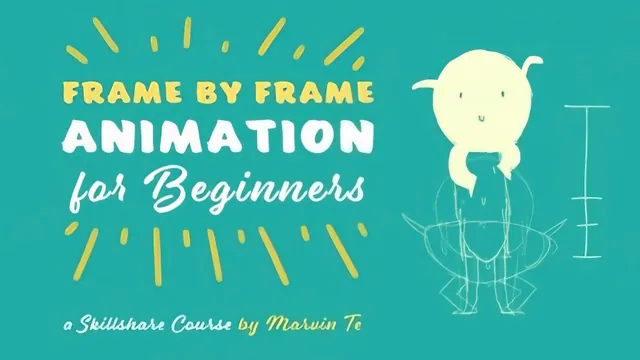
A working teacher who animates a full character jump in Adobe Animate, but only if you can tolerate a heavily filler-padded transcript-style delivery.
Frame by Frame Animation for Beginners promises exactly what it delivers: a ground-up walk from "what is a frame" to a finished, squash-and-stretched character jump, built entirely inside Adobe Animate. Marvin Te, an eight-year motion design veteran, structures the 120 minutes as a slow accumulation of vocabulary and muscle memory rather than a lecture. Frames per second, animating on ones versus twos, onion skinning, blank keyframes: each term gets defined the moment it becomes necessary, and the software walkthrough (brush tool shortcuts, F5 to extend a frame, F7 to insert a blank keyframe) is specific enough that a first-time user could follow along without getting lost.
The core teaching, and where it earns its keep
The strongest material sits in the middle third. The explanation of ease, contrasting an ease-in, ease-out, and ease-in-out circle side by side and mapping the shrinking or growing distance between inbetweens, is clear and visual rather than abstract. It builds directly into the halves method for creating inbetweens: find the midpoint, then the midpoint of each half, working forward for an ease-in and backward for an ease-out. That directional distinction (forward for easing in, backward for easing out) is a genuinely useful rule of thumb that a lot of beginner material skips.
The keypose framework (idle, anticipation, action, overshoot, recoil, settle) is the course's best idea. Applying it first to an abstract jump, then to a punch where the action and overshoot compress into a single frame, teaches students to see structure in motion rather than just copying drawings. The breakdowns lesson builds on this well, showing how a single extra drawing (straightened legs before liftoff, a pointed foot before landing) fixes a jump that otherwise looks like floating.
Where it falls short
The class project, spread across four tasks, is the right pedagogical shape: keyposes and breakdowns, then ease planning, then inbetweens, then polish. But the delivery is entirely narrated software operation. Long stretches are just "hit F7, hit F5, drag this frame, hit F7 again," which works for following along in real time but reads as repetitive and pads the runtime without adding new concepts. Viewers who prefer a tighter, more edited explanation will find themselves waiting through a lot of mechanical clicking to reach the next idea.
The course also never leaves its own software's shortcuts long enough to feel truly software-agnostic, despite the introduction's claim that the concepts apply everywhere. Someone working in Photoshop or Toon Boom will need to translate F5 and F7 muscle memory into their own tool as they go, which is a reasonable ask but adds friction the course does not address.
Squash and stretch, the final polish step, is handled competently but briefly, with the useful rule that width gained must equal height lost (and vice versa) to preserve volume. It's a good principle, but it arrives late and gets less room than it deserves given how much visual quality it adds to the finished jump.
Overall, this is a credible, patient introduction for someone starting from zero, built around one complete project rather than scattered exercises. It is not built for anyone who already knows what a breakdown or an ease curve is.
The standout
The idle-anticipation-action-overshoot-recoil-settle breakdown framework, applied concretely to a jump and a punch, gives beginners a repeatable way to decide which drawings actually matter.
What you will learn
- Setting up frame rate, onion skinning, and blank keyframes in Adobe Animate
- Animating on twos and distinguishing straight-ahead versus pose-to-pose methods
- Reading and applying ease in, ease out, and ease in-out to time motion believably
- Locating keyposes and breakdowns using the idle-anticipation-action-overshoot-recoil-settle framework
- Building inbetweens with the halves method, including favoring toward one side
- Adding squash and stretch to a finished animation and exporting it as GIF or video
Best for: Illustrators or total beginners with zero animation background who want a software-agnostic, hands-on path to their first character jump.
Skip it if: Anyone who already understands animation principles like ease, breakdowns, or pose-to-pose timing, since the course never moves past fundamentals.