
Finding Instagram Success: Build an Account People Care About
Later · Instagram Scheduler
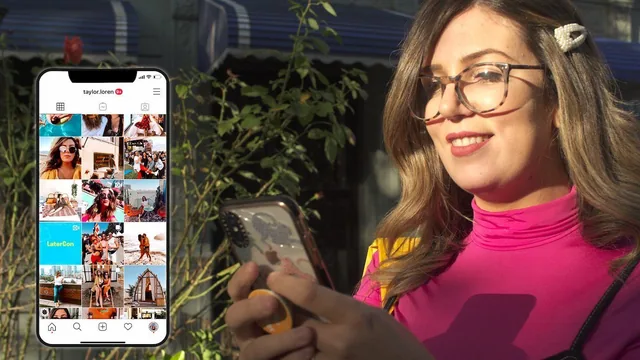
A Later marketing exec offers mindset-first Instagram advice for anyone building a personal or business account, light on step-by-step technical execution.
A mission-first framing, light on mechanics
This course opens from an unusual angle for a growth class. Rather than starting with hashtags or posting cadence, Taylor Loren, Head of Content Marketing at Later, spends the first several lessons on why an account exists at all. The mission exercise asks a viewer to write down a purpose (she uses her travel account Local Wanderer's mission "to inspire people to travel and connect with local communities" as the model) and then pick exactly one or two success metrics from awareness, engagement, or sales. That constraint is genuinely useful. It gives a beginner permission to stop chasing every number at once and forces a decision about what the account is actually for before any content gets made.
The algorithm lesson is the strongest technical stretch. It breaks ranking into three plain factors: how much a follower is expected to engage with a post, the closeness of the relationship between poster and viewer, and how recently the post went up. The practical takeaway, that the first 30 minutes after posting matter most and an account should find its own best-time window through analytics, is a specific and testable claim rather than vague advice to "post consistently."
Where the course thins out
Once the course moves into content creation, the depth drops. A live demo shows filter-stacking in an app called Tezza (layering glow, vintage, and mood presets) and cropping to 4:5 in InShot, but it moves quickly and never explains why those particular filters or crops matter beyond personal preference. Carousels, Stories, and video get a paragraph each explaining that they perform well in the algorithm, without walking through composition, pacing, or editing choices in any detail. Anyone hoping to leave with camera or editing skills will be disappointed.
The workflow lesson is more concrete, walking through Later's visual planner, its hashtag suggestion tool, and its best-time-to-post feature. It's useful as a demonstration of batching a week of content in one sitting, though it functions as much as a tour of Later's product as a platform-agnostic scheduling method, which limits how much of it transfers to another scheduler.
The growth lesson closes things out reasonably honestly. It rejects buying followers and bots outright, and instead lists cross-promotion, location tagging, showing up in the Explore page through good hashtag use, and tagging brands as legitimate levers. None of this is groundbreaking, but it is accurate and free of the inflated promises that similar content often makes.
Overall the course reads as a values and organization primer wrapped around a light technical layer. It succeeds at giving a beginner a framework for deciding who an account is for and what to measure, and the content bucket and algorithm explanations are worth the time on their own. It falls short as a hands-on skills course, since anyone who already understands Instagram's basics will find little new mechanical technique here.
The standout
The content buckets method, borrowed from Instagram strategist Jasmine Star, gives a concrete, repeatable answer to 'what do I post next' by mapping recurring themes to an account's mission.
What you will learn
- How to switch to and get value from an Instagram business profile over a personal or creator profile
- How to define an account mission and audience using engagement, awareness, or sales as the success metric
- How the algorithm weighs post engagement, relationship signals, and timing, and how to find a personal best-posting-time window
- How to write a bio, choose a searchable name field, and build a consistent visual aesthetic across the first nine grid photos
- How to run a content audit and organize posts into repeatable content buckets
- How to batch-schedule a week of posts and stories using a visual planner and hashtag suggestion tool
Best for: Beginners starting or resetting a personal brand or small business Instagram account who want a mindset and workflow reset more than technical editing or growth-hacking skills.
Skip it if: Anyone wanting hands-on editing tutorials, paid ad strategy, Reels production techniques, or growth tactics beyond organic cross-promotion and consistency.