
Filmmaking Basics: Master Camera Settings, Framing, Lighting, Audio & more
Dennis Schrader · Freelance Videographer and Creator
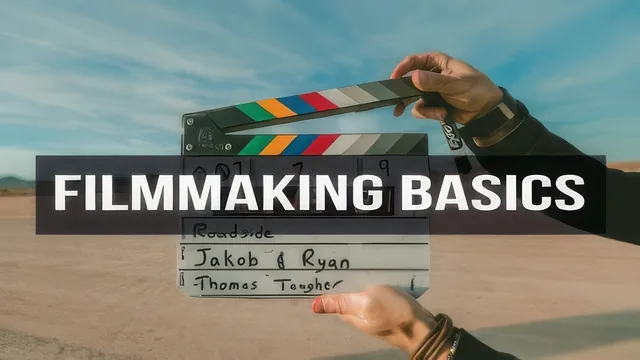
A German freelance videographer distills camera settings, lighting, and audio into a lean 62-minute crash course built to get you shooting paid work immediately.
Dennis Schrader's "Filmmaking Basics" is exactly what its title promises: a compact, no-frills primer on the handful of technical concepts that determine whether footage looks amateur or professional. At 62 minutes across fourteen short lessons, it covers camera gear, exposure, white balance, resolution, lighting, framing, and audio, then closes with a practical assignment. The pacing is brisk, occasionally to a fault, but the course never wanders far from its stated goal of getting a beginner shooting usable video fast.
Structure and teaching approach
The opening two lessons set the tone, and arguably do more heavy lifting than any technical section. Schrader spends real time arguing that gear obsession is a trap, using his own progression from a point-and-shoot Sony RX100 to a Sony A7III as a case study in diminishing returns. It's a useful reframe for beginners who assume they need a $2000 camera before they can start. From there the course moves into a tight, logical sequence: ISO, aperture, and shutter speed are each explained through their shared function of controlling light, followed by frame rates, white balance, resolution, lighting, framing, and audio. The throughline holds together well, each concept builds on the last rather than feeling like a disconnected list of topics.
What it actually teaches
The exposure triangle lessons are clear and grounded in cause and effect rather than jargon. The explanation of the 180-degree shutter rule, matching shutter speed to double the frame rate to preserve natural motion blur, is a genuinely useful rule of thumb that many beginner resources skip entirely. The white balance lesson is the strongest single segment: rather than just explaining Kelvin temperatures, it walks through using a grey card to lock in accurate color that holds steady through post-production, a technique with real practical value.
The lighting lesson demonstrates three-point lighting live, comparing key-only, key-and-fill, and full three-point setups so the visual difference is unmistakable, and it names Rembrandt lighting as a specific, achievable look. Framing gets a shorter but solid treatment of headroom and lead room, the kind of small errors that make footage look unpolished even when exposure and lighting are correct. Audio closes things out with an achievable answer for beginners: a lavalier mic run into a phone, synced to camera audio in Premiere Pro using waveform matching.
Where it falls short
The course is thin by design, and that cuts both ways. Frame rates and resolution are covered quickly enough that viewers may need to rewatch or supplement elsewhere. Lighting, arguably the most visually complex topic, gets a single lesson that covers natural light angles and three-point setups but doesn't go deep into modifiers, ratios, or troubleshooting mixed lighting. The assignment is a reasonable check for the lighting lesson but doesn't test framing, audio, or exposure skills. Given the emphasis on freelance work, a promised resource folder and email script are mentioned but exist outside the video lessons themselves, so how well they land depends on materials outside the core curriculum.
As a first pass at the fundamentals, this course does what it sets out to do efficiently and without padding. It won't replace a dedicated lighting or audio course, and Schrader says as much, pointing viewers toward his other classes for depth. For someone who has never touched manual mode, though, it is a legitimate, well-organized starting point.
The standout
The grey card walkthrough for locking in perfect, consistent white balance across a whole shoot is a small trick with an outsized payoff.
What you will learn
- How ISO, aperture, and shutter speed interact to control exposure and image character
- The 180-degree shutter rule for natural-looking motion at any frame rate
- How to nail white balance using a grey card instead of trusting camera presets
- Three-point lighting setup with key, fill, and backlight, including Rembrandt lighting
- Headroom and lead room principles for professional-looking framing
- How to record clean audio cheaply using a lavalier mic and sync it in Premiere Pro
Best for: Total beginners with a DSLR, mirrorless camera, or smartphone who want a fast, practical grounding before they start shooting paying gigs or YouTube content.
Skip it if: Anyone who already understands the exposure triangle and basic lighting setups, or who wants deep technical or software-specific instruction.