
Etsy Template Shop: Diversify Your Income with Canva Templates
Cheryl Chan · Brand Designer / YouTuber
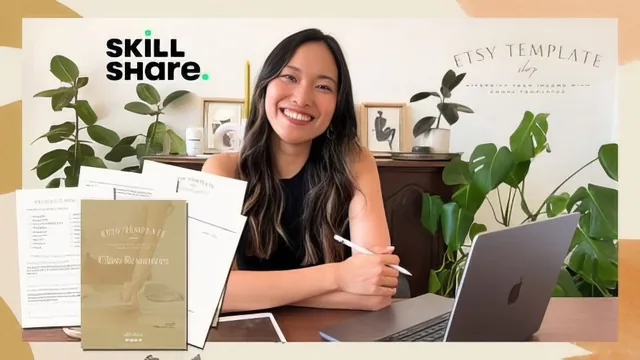
A fast, concrete Etsy-and-Canva playbook from someone who actually runs the shop, not just theorizes about passive income.
Cheryl Chan's class is exactly what its title promises: a compact, practical walkthrough of turning a Canva template into a listed Etsy product, built around her own experience running a digital shop. At 57 minutes across twelve short lessons, it moves briskly from product selection through mockups, listing mechanics, and branding, without padding.
Structure and the Product Spec Sheet
The backbone of the class is a product spec sheet that doubles as the class project. Chan walks through it live, section by section: pick a product category already selling on Etsy, define an ideal audience, name the problem the product solves, describe the visual "vibe" in a few keywords, and sketch a rough page-by-page content outline before opening Canva. Using her own example, a wellness-coach workbook in green and beige tones, she shows how each answer feeds directly into design decisions later. This structure is the class's strongest asset. It forces sequencing that beginners often skip, jumping straight into design without first defining who the product is for.
The costs lesson is unusually specific for a Skillshare intro class. Chan breaks down Etsy's four separate fees, the 20-cent listing fee, the 20-cent listing-fee-on-sale, the 6.5% transaction fee, and a payment processing fee that varies by country, rather than gesturing vaguely at "fees apply." That kind of concrete number is rare in creator-economy courses and immediately useful for anyone budgeting a first product's price.
Mockups, Listings, and Branding
The mockup lesson is the class's best technical content. Rather than requiring Photoshop, Chan shows how to fake a professional product photo entirely inside Canva: uploading screenshots of template pages, angling and duplicating them, adding a drop shadow through Canva's built-in edit function, then layering a free shadow element behind the arrangement to fake depth. It is a genuinely clever workaround, and specific enough that someone could replicate it immediately, right down to the 2700-by-2025-pixel dimensions Etsy expects for listing photos.
The listing lesson covers Etsy's search mechanics competently, explaining the difference between short tail keywords like "Canva template" and long tail phrases like "minimalistic Canva workbook template for wellness coach," and where each belongs across the title, thirteen tags, and description. It is useful but standard SEO advice, nothing an experienced Etsy seller wouldn't already know.
Branding and customer experience, by contrast, feels thin. Chan lists the shop elements worth customizing, icon, banner, about section, then offers two tips, a thank-you message template and a monthly check-in email, before moving on. Given how much the course promises about building a "stand-out brand," this lesson resolves in under five minutes with little depth.
Verdict
This is not a course about building a scalable business or mastering advanced design. It is a checklist-driven walkthrough for someone who already knows their way around Canva and wants a clear first step onto Etsy. Complete novices to design will likely need Chan's companion Canva basics class first, a dependency the course itself acknowledges rather than hides. For its actual scope, a beginner-friendly, no-fluff first listing, it delivers cleanly and honestly, without overselling the passive income framing in its introduction.
The standout
The Canva-only product mockup technique, using free shadow elements and angled screenshot layouts to fake a Photoshop-quality Etsy listing photo, is the most immediately reusable trick in the class.
What you will learn
- How to choose a first Canva template product using Etsy review research and audience fit
- How to fill out a product spec sheet defining audience, problem solved, and design vibe before opening Canva
- How to build a PDF deliverable in Canva with a working template link button for digital delivery
- How to write an SEO-driven Etsy listing using short tail and long tail keywords in title, tags, and description
- How to fake professional product mockups in Canva using shadow elements and photo placement instead of Photoshop
- How to set up a branded shop and post-purchase customer follow-up routine to build reviews
Best for: Someone with basic Canva or graphic design familiarity who wants a concrete, step-by-step path to listing their first digital template on Etsy.
Skip it if: Total design beginners with no Canva experience, or anyone hoping for deep SEO, marketing, or scaling strategy beyond the basics.