
Easy Animation: Make Fun, Cute GIFs For Your Instagram
Scott Martin · Illustrator / Burnt Toast
A 24-minute After Effects sprint that teaches three real animation techniques through actual COVID-themed sticker projects, not slides.
Scott Martin's class is exactly what its runtime promises: a short, dense demonstration of how to turn static illustrations into looping GIF stickers, built around three concrete example animations rather than abstract theory.
What the class actually covers
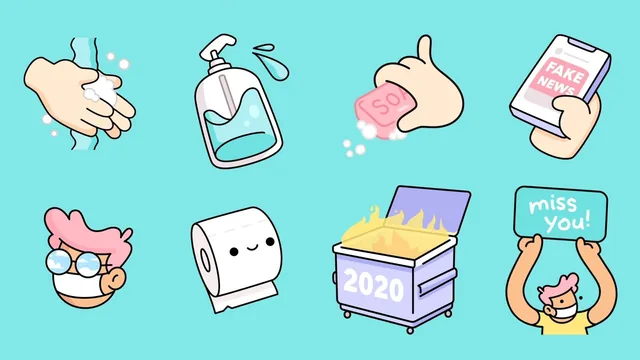
The structure follows the real production pipeline: sketch in a notebook, clean up in Photoshop, trace and separate into layers in Illustrator, then animate in After Effects. Martin picks a COVID sticker pack as his running example, a theme he chose deliberately for relatability. The first animation, a hand washing with soap, teaches the most basic technique in the toolkit: setting position keyframes, then applying Easy Ease and manually dragging the bezier handles in the graph editor so the motion accelerates and decelerates instead of moving at a robotic constant speed. This single adjustment, shown as a direct before-and-after comparison, is the clearest "aha" moment in the class and worth the runtime on its own.
The second animation, a toilet paper roll unspooling with a face pulled along by it, raises the difficulty by converting Illustrator layers into shape layers so individual vector points can be keyframed directly, rather than moving the whole layer as one rigid object. It also introduces the pick whip tool for parenting one layer's position to another, which lets Martin animate a whole compound object by manipulating a single controlling layer.
The third project, a thumb doomscrolling through a phone, combines everything so far and adds a track matte: two duplicated content layers swap places on a timed cut so it looks like new information continuously scrolls in from below, masked by an alpha layer so nothing spills outside the phone screen. It is a clever, reusable trick for anyone doing short social loops, and Martin explains the mechanics clearly enough to reproduce without guessing.
Where it delivers and where it thins out
The exporting section is genuinely useful and often skipped by other animation classes: rendering with an RGB plus alpha channel, converting to GIF in Photoshop with the correct matte color and forever looping, then walking through Giphy's artist account application so the sticker becomes searchable inside Instagram Stories. That last mile, from finished animation to a usable Instagram sticker, is the part most tutorials leave out, and its inclusion here justifies the "for Instagram" framing in the title.
The tradeoff for that breadth is depth. Three animations in under 25 minutes means each technique gets a single quick pass with minimal repetition, so viewers who are not already comfortable navigating After Effects panels will need to pause frequently or rewatch sections. The class also assumes existing Illustrator and Photoshop fluency without checking it, meaning a total beginner to the Adobe ecosystem will struggle to keep up despite Skillshare's "beginner-friendly" framing.
Verdict
This works best as a focused technique reference rather than a from-scratch course. Illustrators who can already move around Adobe's tools will walk away with three animation methods they can immediately apply to their own sticker packs, plus the full publishing path to Giphy and Instagram. Anyone earlier in their Adobe journey should expect to treat this as a preview of what is possible rather than a standalone lesson.
The standout
The doomscrolling animation lesson, which stacks keyframed position, shape-point flicking, and an alpha track matte into one cohesive trick for faking continuous content replacement in a two-second loop.
What you will learn
- Building a simple looping sticker animation using position keyframes and Easy Ease bezier curves for natural motion
- Converting Illustrator vector layers into After Effects shape layers to animate individual path points
- Using the pick whip to link multiple layers so a parent object drives the motion of its children
- Creating a smear/replace effect with duplicated layers and alpha track mattes to fake continuous scrolling motion
- Exporting animations with an alpha channel and converting them to looping GIFs in Photoshop
- Publishing GIFs to Giphy as an artist account and linking them to Instagram's sticker search
Best for: Illustrators who already know their way around Photoshop and Illustrator and want a fast, practical bridge into After Effects animation.
Skip it if: Anyone who has never opened After Effects before or who has no existing illustration workflow to animate, since the class assumes fluency in the Adobe suite from minute one.