
Earn More as a Designer - Learn Motion Graphics in 3 hours
Daniel Scott · Adobe Certified Trainer
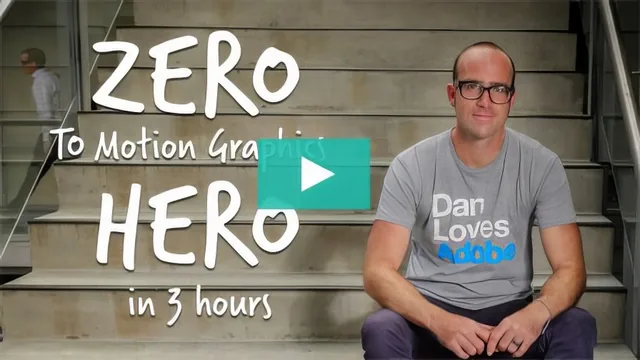
A genuinely thorough three-hour After Effects primer that trades polish for volume, packing in enough small techniques to earn its price for a true beginner.
This course does what its title promises and not much more: it takes someone who has never opened After Effects and walks them, lesson by lesson, through the mechanics of motion graphics. Daniel Scott, an Adobe Certified Trainer, structures the roughly 300 minutes as a long sequence of short, single-topic videos rather than one continuous project, which suits the audience it is aimed at. A true beginner does not need a masterclass in narrative arc. They need to know what a composition is, why footage goes missing when a file gets moved, and what the difference is between HDTV 1080 25 and every other preset in the dropdown menu.
Structure and pacing
The early lessons are almost entirely housekeeping: composition settings, relinking footage, matching a comp to an existing video's frame size. This is unglamorous but necessary groundwork, and it pays off later when the course moves into actual animation. Type animation gets a proper treatment, covering the anchor point, position, scale, and opacity properties, then layering in easing through keyframe velocity and the graph editor. The pacing occasionally lingers on things a beginner will pick up in seconds, like explaining that "1080" is pronounced "ten-eighty" in industry conversation, but that kind of small, practical tip is also where the course earns its keep. It is teaching the unwritten vocabulary of the software, not just the menus.
Techniques that carry real weight
Three sections stand out from the rest. The infographic lessons, covering bar graphs, line graphs, and pie charts, are the closest the course comes to its stated promise of "beautiful animation and infographics," and they translate into work a beginner could put directly on a reel. The camera lessons introduce two-node cameras and animating a point of interest to fake three-dimensional movement in a flat scene, a technique many beginners assume requires far more advanced tools than it does. And the color correction pass through Lumetri, covering white balance, temperature, and adjustment layers that affect every layer beneath them, is a genuinely useful workflow shortcut that saves reapplying an effect to every clip individually.
The pre-composing lesson, where multiple layers get grouped into a single animatable unit, is a foundational After Effects habit that the course introduces at exactly the right moment, once a learner has enough layers on screen to feel the pain of moving them all separately.
Where it falls short
The course's chief weakness is also its structural choice: because it is a collection of short standalone videos rather than one cohesive project, nothing here builds toward a portfolio piece a beginner could point to and say "I made this." Someone finishing the course will have touched a dozen small techniques without having produced one finished, shareable animation. The final cheat sheet lesson is a helpful recap, but it also underlines how scattered the preceding 49 videos have been. Viewers with any prior After Effects exposure will find long stretches, particularly the composition-settings videos, moving well below their level.
For a total beginner with no animation background, though, this is a reasonable and honest introduction. It does not oversell itself, it delivers exactly the beginner-level content its title claims, and the included exercise and completed files make it genuinely practicable rather than passive.
The standout
The graph editor lesson on custom easing turns flat, mechanical keyframe moves into motion that actually reads as professional, and is the single skill that most changes how a beginner's animation looks.
What you will learn
- Set up compositions correctly (frame rate, resolution, duration) and relink missing footage
- Animate text with keyframes, easing, and the graph editor for professional-feeling motion
- Build lower thirds, watermarks, and title cards for interview-style video
- Animate infographics including bar charts, line graphs, and pie charts
- Use a virtual camera to add 3D movement to flat compositions
- Color correct footage with Lumetri, apply vignettes, and manage disk cache on slower machines
Best for: Absolute beginners to After Effects who want a broad, hands-on tour of motion graphics basics before specializing in any one technique.
Skip it if: Anyone who already knows After Effects fundamentals, or anyone who wants a focused single-project tutorial rather than a grab-bag of short lessons.