
Draw Floral Animal Silhouettes in Procreate
Cat Coquillette · Artist + Entrepreneur + Educator
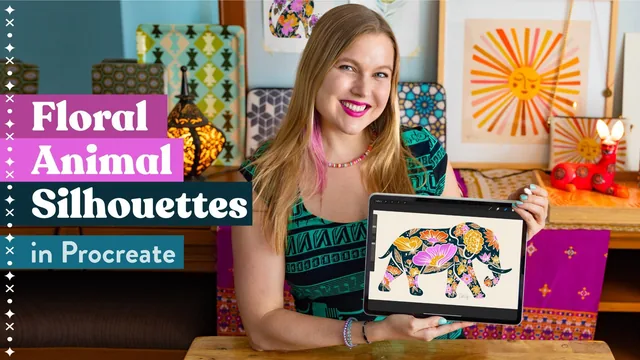
A fast, project-based Procreate class that teaches a sellable animal-plus-florals style, but leans heavily on tracing reference photos rather than freehand drawing skill.
Cat Coquillette's "Draw Floral Animal Silhouettes in Procreate" is less a drawing lesson than a production-line tutorial for a specific, sellable illustration style: an animal silhouette filled with hand-drawn vintage flowers, built for print-on-demand sites and licensing catalogs. Across 19 lessons and roughly three and a half hours, it walks through one complete project from blank canvas to exported files, using an elephant as the running example.
Structure and method
The course opens by addressing the blank-page problem directly: rather than teaching freehand animal anatomy, it teaches a sourcing method. Students screenshot several animal photos from Unsplash and several floral references from Wikimedia Commons, favoring pieces of porcelain or textile art old enough to sit safely in the public domain, then trace and combine elements from multiple sources into one original sketch. This is a practical way around copyright risk and creative block, and it's presented with specific reasoning rather than a vague "get inspired" gesture, including a concrete example of checking an artwork's 1767 date before using it as reference.
From there, the class moves into building the silhouette, carving negative space to keep the shape readable, and filling it with flowers sketched from the porcelain references. The middle third covers color: a clever step has students shrink their canvas dramatically before doing color studies, since Procreate allows far more layers on a small canvas, letting them test loose, blobby color combinations quickly before committing. Only after settling on a palette do they rebuild the piece at full size with outlines, fills, and tonal shading kept on strictly separated layers, a discipline that pays off later when spot-editing individual colors without redrawing anything.
Where it delivers, and where it thins out
The back half is the most commercially minded stretch of the course: reformatting the canvas for square versus horizontal outputs, generating multiple color alternates from a single finished piece by changing background and outline colors or spot-editing fills, adding metallic glitter texture, and finally exporting correctly as PNG for transparent backgrounds, JPEG for flattened use, and PSD or a native Procreate file for backup. This export section is unusually thorough for a Skillshare class and reflects real print-on-demand experience rather than generic advice.
The tradeoff is that this is fundamentally a tracing-and-assembly workflow, not a drawing-fundamentals course. Anyone hoping to improve raw sketching or anatomy skills will find the animal and floral shapes are lifted directly from photos and antique reference art, with the instructor's own creative input concentrated in composition, color, and finishing rather than draftsmanship. The "all levels" claim holds up reasonably well since a beginner can follow the reference-tracing method just as easily as an experienced illustrator, but it does mean the ceiling on skill-building is lower than the ceiling on output quality.
As a template for producing sellable, license-ready art quickly, it succeeds. As a course for developing independent drawing ability, it is intentionally narrow, and buyers should go in knowing which of those two things they actually want.
The standout
The small-canvas color-exploration trick, dropping the canvas size specifically to unlock dozens of extra Procreate layers for rapid, disposable palette testing before scaling back up to the final artwork.
What you will learn
- How to find and combine reference photos (Unsplash for animals, Wikimedia Commons for pre-copyright florals) into an original composite sketch
- How to build an animal silhouette and carve negative space so floral detail reads clearly against it
- A layer-separation workflow that keeps outlines, fills, and tonal shading independent so colors can be edited later without redrawing
- How to run quick low-layer-count color studies before committing to a final palette
- How to generate multiple sellable color alternates from one finished illustration by swapping backgrounds, line color, and spot-editing fills
- How to export finished art correctly for print-on-demand and licensing using PNG transparency, JPEG flattening, and PSD/time-lapse backups
Best for: Hobbyists and aspiring surface designers who already have basic iPad drawing comfort and want a repeatable, sellable illustration formula rather than freehand drawing instruction.
Skip it if: Anyone hoping to learn actual figure or animal anatomy drawing from scratch, since the method depends on tracing collaged reference photos rather than building observational drawing skill.