
DIY Viral Video: A Mini Class on Making iPhone How-To Videos | Learn with Darby Smart
Nicole Farb · Founder, Darby Smart
A three-year-old craft startup founder shares her scrappy hyperlapse formula in thirteen minutes, useful mainly as inspiration rather than instruction.
This class runs thirteen minutes and it feels every bit that short. Nicole Farb, founder of the maker community Darby Smart, walks through the exact process her team uses to produce the overhead "hyperlapse" videos that took off on the platform after one community member's clip hit 100,000 views in a day. The pitch is refreshingly grounded: these videos cost under a hundred dollars and take about an hour, not a production budget. That framing alone sets a useful expectation for anyone assuming viral video requires equipment or a crew.
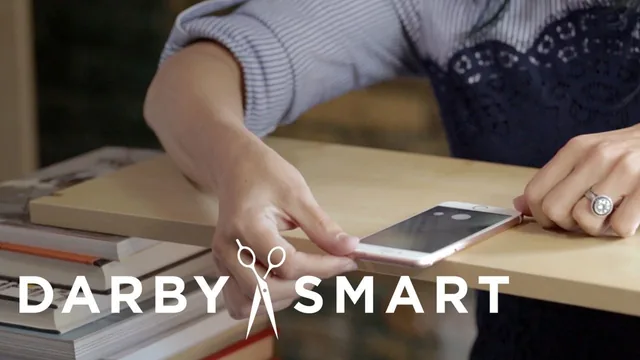
The course follows the same arc as the format it teaches, moving briskly from setup to shoot to edit to distribution. The most practical stretch is the equipment segment, where Farb builds a filming stand out of stacked books, a bookshelf plank, and a taped-off boundary so she knows where her hands can move while shooting blind from above. It is a genuinely clever bit of scrappy engineering, and it demonstrates the class's core value: proving that a phone, a shelf, and some tape can replicate a rig that looks far more deliberate on screen.
The demonstration project, a one-minute Nutella microwave mug cake, is where the ingredients-process-outcome formula gets tested in real time. Farb narrates her own thinking as she shoots, including how she uses hand signals to skip repetitive steps like scooping Nutella five times, and how she writes instructions on paper (microwave for 60 seconds) rather than speaking, since the format plays over music with no dialogue. The editing walkthrough that follows in iMovie is short but sensible, focused on trimming repetition, adding supporting text, and choosing an intro shot that either looks impressively hard or deliberately withholds the outcome.
Where the course comes up short is depth. There is no real instruction on lighting setup, no discussion of framing beyond the taped boundary, and no walkthrough of the actual iMovie edit, just a description of what to think about. The five-tip structure (keep it short, have a plan, use hand signals, use your tools, get a stand) is more a checklist than a taught skill, and several of Farb's own suggestions, like emailing raw footage to Darby Smart for free editing, are really plugs for her platform rather than transferable technique.
This is best understood as a founder's origin story wrapped around a formula card, not a video production course. It rewards someone who already has a craft or recipe idea and just needs the scrappy production logic (the stand, the pacing, the hand signals) to get moving today. Anyone hoping for camera settings, lighting fundamentals, or a genuine edit-along tutorial will find the thirteen minutes thin, and should look elsewhere for the technical layer this class only gestures at.
The standout
The tip to start with an ingredient whose end result isn't obvious, like a mason jar becoming a photo frame, is the one idea that actually shapes whether a video gets watched.
What you will learn
- Build a DIY overhead video stand from books and a shelf plank with tape marking the filming boundary
- Apply the ingredients-process-outcome formula and lead with a non-obvious starting object to create curiosity
- Use hand signals (love sign, countdown numbers, okay sign, no-no gesture) to communicate silently under music
- Shoot in Hyperlapse and pick a display speed, with 6x cited as the most popular choice
- Edit in iMovie by cutting repetitive steps and replacing them with supporting text, and choose an intro/outro that either looks hard to make or hides the outcome
- Distribute the finished video across Facebook, YouTube, and a maker community for reach
Best for: Someone with an iPhone, a craft or recipe idea, and zero video experience who wants a fast, cheap way to make a shareable overhead how-to clip.
Skip it if: Anyone who already understands short-form video basics, wants camera or lighting instruction, or is not making a physical DIY/recipe project.