
DIY Filming: Creating Pro Video with Tools You Already Own | Learn with Vimeo
Mark Cersosimo · Video Producer
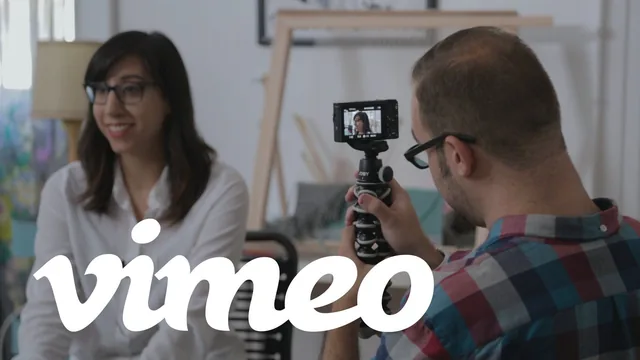
A working smartphone-video workflow condensed into 51 minutes, taught by actually cutting one real 60-second video from start to finish.
This course sets out to solve one narrow problem: turning a phone, a cheap tripod, and an interview subject into a 60-second promotional video. It does that job well, mostly because it never strays from a single worked example. Mark Cersosimo, a Vimeo community manager, builds the entire class around filming his friend Alex, a weaver, and the viewer follows that one project from elevator pitch to finished cut across all ten lessons.
The planning stage is where the course earns its keep. Cersosimo introduces the elevator pitch as the organizing device for the whole video, then layers on the Rule of Three (three favorite pieces, three things you like) as a way to keep a subject's answers structured without sounding scripted. He is explicit that one minute is the target length because attention drops off past that, and he treats storyboarding as optional but useful, recommending a simple shot list for anyone who cannot draw.
The equipment segment is refreshingly unglamorous. A $20 tripod, natural window light with the subject facing it rather than backlit, and a phone tucked into a pocket near the mouth for clean audio are presented as sufficient, and the shooting lesson backs that up by having Cersosimo actually work with exactly that kit in Alex's apartment.
Where the technique gets specific
The most useful stretch of the course is the shooting and editing sequence, because it shows a trick rather than just naming one. Cersosimo records Alex answering the same interview questions twice, from two different camera positions, then cuts between the two takes in the edit so the finished video looks like a two-camera shoot. He also demonstrates splicing a slightly better answer from take two into the first take's audio, smoothing the seam with a small audio crossfade so the switch is inaudible. These are concrete, repeatable moves, not just advice to "get coverage."
The editing lessons walk through the unglamorous reality of the process: twenty minutes of footage gets trimmed to seven, then to about a minute, with stumbled words, ums, and one long tangential story about Alex's travels all cut for time. B-roll is used deliberately to paper over jump cuts in the interview audio, and a 25-to-30-percent talking-head-to-B-roll ratio is offered as a rule of thumb worth remembering.
What holds it back
The course is honest about its limits but does not push past them. Music selection gets a passing mention of the Vimeo Music Store and Free Music Archive without any real discussion of pacing a cut to a beat. Color grading is flagged as "a nice added bonus" and then dropped entirely. Anyone hoping for guidance on framing, lens choice, or more advanced audio mixing beyond raising one track and lowering another will not find it here.
What the course delivers instead is a complete, honest walkthrough of a achievable process, filmed and cut in real time so every choice is visible rather than described in the abstract. For someone who needs exactly this, one short video that tells their story convincingly, it is a fast, practical way to spend under an hour.
The standout
Recording the same interview answer twice from different angles, then intercutting the two takes to fake a multi-camera setup from a single camera.
What you will learn
- How to plan a 60-second video around an elevator pitch and the Rule of Three
- How to shoot usable footage with only a phone, a $20 tripod, and window light
- How to record clean interview audio by pocketing the phone near the speaker
- How to fake multi-camera coverage by cutting between two takes of the same answer
- How to hide jump cuts and word stumbles with B-roll and audio cleanup
- How to balance interview footage against B-roll and mix in royalty-free music
Best for: Freelancers, artists, and small business owners who need one polished self-promotion video and are willing to shoot and edit it themselves.
Skip it if: Anyone wanting broadcast-level cinematography, multi-camera setups, or advanced color grading and audio mixing technique.