
DIY Branding for Beginners: Design a Unique Logo Using Canva
Nisha B. · Filmmaker. Marketer. Creative.
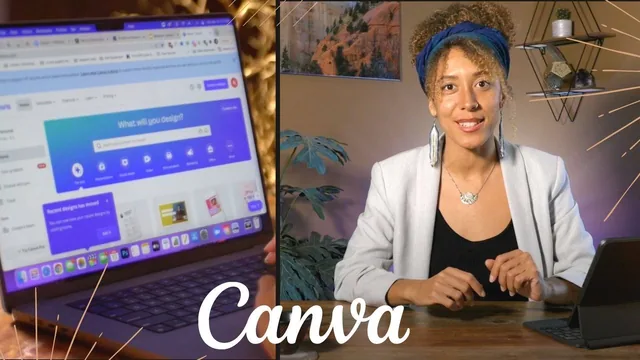
A thorough branding primer that treats Canva as the last step, not the shortcut, which is exactly the point.
A branding course that happens to use Canva
Most "design a logo in Canva" classes open the software in lesson one. This one waits until lesson thirteen. That delay is the course's defining choice and its biggest asset. Before any dragging and dropping, learners work through what makes a logo simple, memorable, versatile, timeless, and appropriate for its audience, then apply those criteria to recognizable examples like Nike, Instagram's flat-design pivot, and the Peace Corps rebrand. From there the course moves into a workbook-driven exercise on identifying a target audience, asking pointed questions about what a customer values and why they might choose a competitor instead. It is a strategy class wearing a software tutorial's title.
The competitor analysis section is where the course earns its keep. Rather than gesturing at "know your market," it introduces a specific Chrome extension, WhatFont, for identifying typefaces on competitor sites, and pairs it with Google Fonts and Adobe Color's harmony generator for building a two to three color palette. These are concrete, repeatable tools, not vague advice, and they translate directly to work outside Canva.
The centerpiece is a running case study built around an anonymized real client, a moment/agency brand using a crescent moon and sunrise motif. Watching the instructor take a template-derived starting point, ungroup its elements, swap in different sun and moon graphics from Canva's library, and produce three genuinely distinct variations is the most instructive stretch of the class. It demonstrates the difference between picking a template and building a custom mark, which is the promise the course keeps returning to.
Where it falls short
The Canva instruction itself is thin. Once the course finally gets to the software, the pace is fast and demonstration-heavy: grouping and ungrouping objects, searching the elements panel, adjusting a text box's bounding shape. Someone who has never opened Canva may need to pause and replicate steps rather than absorb them in one pass. The exporting lesson is genuinely useful, walking through the practical difference a transparent PNG makes versus a white-background JPEG and offering a real workaround for learners without a paid Canva Pro subscription, but it is one of the few sections that treats software mechanics with real care.
The course also promises more strategic depth than it delivers on some points. The target audience worksheet is useful for getting started, but the questions stay surface-level, more suited to warming up your thinking than producing a rigorous positioning document. Viewers hoping for real typography instruction, like kerning, hierarchy, or building a custom letterform, will not find it here; font selection is treated as browsing and matching rather than as a craft.
At under two hours, the course is efficient rather than exhaustive. It succeeds at reframing logo design as a research and strategy exercise before it is a visual one, which is the right lesson for its stated audience of budget-conscious founders and DIY brand owners. It is less suited to anyone who wants to become meaningfully better at design itself, or who already has Canva fluency and just wants a faster workflow. For the beginner it targets, though, the arc from audience definition to competitor research to a customized, exportable mark is a genuinely complete and honest path.
The standout
The real-world client case study, where the instructor reworks an existing logo's crescent moon and sunrise icon into three distinct custom variations, showing the customization process in concrete, replicable steps.
What you will learn
- How to classify and evaluate logos by type: pictorial, letterform, emblem, wordmark, abstract, and character marks
- How to define a target audience and buyer persona using a structured workbook before opening any design tool
- How to run a lightweight competitor analysis, including using a browser extension to identify fonts on rival websites
- How to build a two to three color palette using Adobe Color's harmony tools and pull matching fonts from Google Fonts
- How to customize Canva templates by ungrouping elements, combining icons, and swapping typefaces so the result is not a stock template
- How to export a finished logo as a transparent PNG, favicon, and animated MP4 or GIF, with workarounds for the free Canva tier
Best for: Solo founders, freelancers, and small business owners who need a serviceable logo now and cannot afford a designer.
Skip it if: Anyone who already knows Canva's interface or wants deep typography and vector-illustration skills rather than branding strategy.