
Digitize Your Art to Sell Online: Prep Your Paintings for Print-On-Demand
Cat Coquillette · Artist + Entrepreneur + Educator
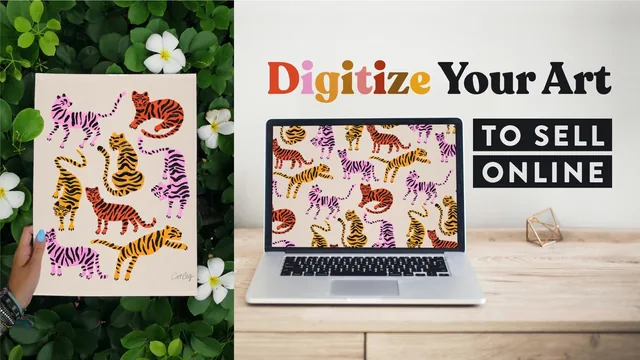
A working artist with 100,000+ Society6 sales hands over her exact Photoshop workflow for turning paintings into sellable digital files.
What the class actually covers
Cat Coquillette structures this course as a linear production pipeline: get art onto a computer, clean it up, multiply it into variations, then package it for sale. It opens with scanning versus photographing analog artwork, and the DPI explanation is genuinely useful rather than decorative. She ties scan resolution directly to maximum print size (300 DPI prints at original size, 600 DPI doubles it) so students understand why the setting matters instead of just copying a number. From there the course moves into building a reusable Photoshop template file at 31x42 inches, a detail that reveals how she keeps a large product catalog visually consistent.
The middle stretch is where the real craft lives. Fusing two overlapping scans, removing the paper background with layer masks and a contiguous magic wand selection, and erasing pencil marks or paint smears without eating into the artwork itself are all shown as concrete, repeatable moves rather than vague advice. The background removal segment in particular walks through rasterizing layer styles, feathering selections by exactly one pixel, and manually repainting mask edges that got cut too aggressively. It's meticulous, occasionally fussy work, but it's the kind of technical precision that separates an amateur scan from a print-ready file.
Where it earns and loses its keep
The back half pivots into commercial multiplication: generating color palette variations, infusing metallic foil textures either across a whole design or spot-applied to specific elements, and arranging artwork into seamless repeating patterns for fabric sites like Spoonflower. This is where the course's real value proposition shows up, since one piece of art becomes dozens of sellable variants through layer grouping, masking, and blend modes like linear burn. The final upload walkthrough across Society6, Redbubble, and Spoonflower is practical and specific, covering file size limits, product preview checks, and why Spoonflower requires ordering a physical sample before public listing.
The course is unapologetically Photoshop-only, and while Coquillette repeats that beginners can follow along, the pacing assumes comfort with layers, masks, and keyboard shortcuts (she claims 44 of them across the class) that a true Photoshop novice may find dense. There's no coverage of alternative software like Procreate or Affinity Photo, and no discussion of copyright, licensing terms, or how print-on-demand royalties actually work financially, which feels like a gap for a class explicitly about selling art. The instruction itself is clear and unhurried, with Coquillette narrating her own mouse clicks and menu paths closely enough to actually replicate, which matters more in a screen-recorded skills class than personality or production polish.
Length-wise, at just over four hours across sixteen lessons, it rewards students who follow along with their own artwork step by step rather than those looking for a quick technique or two. Anyone already selling prints who just wants the pattern-making or metallic-texture segments could skip ahead, but for someone starting from a stack of paintings and no digitization process, the full sequence builds logically and ends with an actual shop listing rather than just a finished file.
The standout
The background-removal lesson, where masking, contiguous magic-wand selection, and one-pixel feathering combine into a genuinely reusable cutout technique for turning any painted illustration into a clean transparent-background asset.
What you will learn
- How to choose between scanning and photographing analog art, including DPI settings for different print sizes
- How to build a reusable Photoshop template file for consistent portfolio dimensions
- How to fuse multiple scans together and cleanly remove the paper background using masks and the magic wand
- How to erase mistakes like paint smears and pencil marks without damaging the underlying artwork
- How to generate color variations, metallic foil accents, and seamless repeating patterns from a single piece of art
- How to save and upload finished files to Society6, Redbubble, and Spoonflower with product-specific sizing
Best for: Painters and illustrators who already have finished analog artwork and access to Photoshop and want a professional, repeatable path to print-on-demand sites.
Skip it if: Complete beginners to Photoshop who need core tool fundamentals explained, or anyone without Photoshop access, since no alternative software path is offered.