
Digital Product Design: Create a Compelling UX Portfolio | Learn with Figma
Thomas Lowry · Senior Visual Designer at OpenText
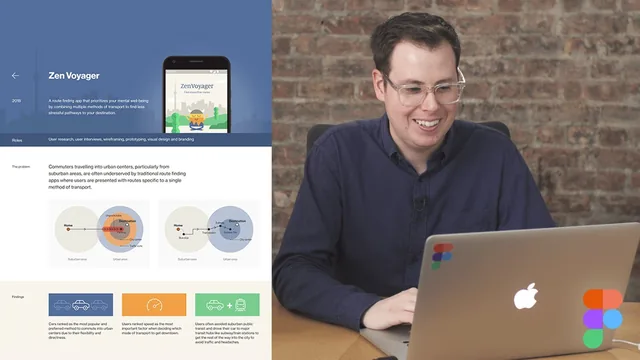
A tight 33-minute walkthrough of portfolio strategy and Figma layout from a working product designer, more storytelling framework than software tutorial.
This class treats the portfolio as a storytelling problem before it treats it as a design problem, and that framing is its main contribution. Thomas Lowry, a product designer who started in graphic design, spends the first third of the class on how to find and phrase a personal narrative rather than how to arrange a grid. He asks viewers to compress their background into one or two sentences, then expand that into a couple of paragraphs, using his own woodworking hobby and marketing-to-product-design pivot as examples of how unrelated experience can still signal curiosity and self-direction to a hiring manager.
Case Studies Over Screenshots
The strongest material is the case-study framework. Rather than walking through UI polish, Lowry breaks a sample case study (a fictional stress-reduction routing app) into problem framing, research diagrams, a pivot moment where user interviews redirected the whole concept, three MVP features chosen deliberately over a longer feature list, and a handful of final screens. The idea that a good project should include an insight that "changed the direction of the app" gives viewers a concrete test for whether their own work has a story worth telling, instead of just a result worth showing. He also addresses a real practical snag: work under NDA. His answer, password-protect the site or save the more sensitive detail for an interview, is specific and usable rather than hand-wavy.
The advice to invent a project when no suitable NDA-free work exists is unusually candid for a portfolio class. Lowry is careful to frame it as legitimate only if grounded in real constraints, real research, and real interviews conducted against a fabricated brief, and he points to a brief-generator site as a starting point for anyone stuck. That caveat matters, because a fabricated project handled sloppily is an obvious tell in an interview.
Where It Thins Out
The Figma-specific portion is comparatively light. Viewers watching for step-by-step tool instruction get a tour of wireframe sketches evolving into mockups, a discussion of grid systems and accent colors carried over from the case study's own app, and a live demonstration of sharing a file so a collaborator can leave comments, but no walkthrough of components, auto layout, or prototyping features. The class is really a portfolio strategy session that happens to be narrated inside Figma, not a Figma skills course, and the title's "Learn with Figma" framing oversells the software content.
The closing sections on online presence (Dribbble, LinkedIn, Twitter, Medium) and interview presentation are useful but brief, amounting to reminders rather than tactics: keep your portfolio current, hold back some detail for the interview room, be honest about the 20 to 40 percent of skills still being learned. None of this is wrong, but at 33 minutes total the class can only gesture at each topic before moving to the next.
For a designer who already has projects finished but no clear way to talk about them, this is a useful, fast reframe: think in terms of story and pivots, not just visuals. For someone starting from zero with no completed work, or looking for hands-on Figma instruction, it will feel thin.
The standout
The case-study structure built around a research pivot, the routing app that reframes from 'fastest route' to 'stress-free route' after user interviews, shows concretely how to narrate a decision rather than just display an outcome.
What you will learn
- How to distill a personal background into a one-to-two-sentence 'story' that differentiates a candidate
- How to structure a case study around a problem, research findings, a pivot insight, and three MVP features rather than just showing polished screens
- When and how to fabricate a realistic concept project (using real constraints and research) if no NDA-free work exists
- How to lay out a portfolio homepage and about page in Figma, including wireframe-to-mockup progression
- How to use Figma's real-time collaboration (sharing a link, watching a collaborator's cursor, receiving inline comments) to get feedback
- How to scale a case study into a half-hour or 90-minute interview presentation, including what to hold back for the room
Best for: Junior-to-mid product or UX designers who have project work but no clear framework for turning it into a case-study-driven portfolio and interview narrative.
Skip it if: Anyone hoping for a deep tutorial on Figma's design tools, or a designer who already has a strong portfolio and just needs website-building mechanics.