
Designing Patterns That Work: Creating Motifs for Products | Learn with Spoonflower
Samarra Khaja · Pattern-maker, Designer
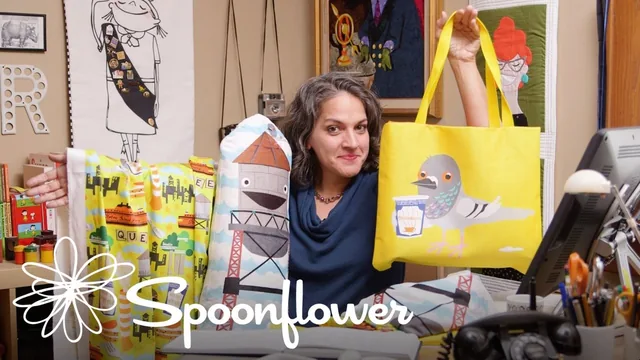
A short, energetic walkthrough of one designer's process for turning city quirks into a sellable pattern collection.
A personality-driven walk through one designer's process
Samarra Khaja's class is less a structured curriculum than a guided tour through her own creative process, using a New York City souvenir collection as the running example. She opens by defining what a motif actually is: a hero image, like an actor in a lead role, supported by secondary elements that echo and reinforce it without competing for attention. That framing, borrowed from dinnerware and t-shirt design, is genuinely useful and gives the rest of the class a spine to hang on.
The brainstorming section is the strongest stretch of the class. Khaja walks through how she mines a place for specific, slightly odd details, gum spots on sidewalks, anthropomorphized water towers, the Greek-style coffee cup, the Scrabble-tile street sign in Jackson Heights, and explains why chasing the obscure and historical over the postcard-obvious makes for richer, more personal work. It is a transferable method: research the place, list the mundane alongside the iconic, and pick items that let you represent multiple sub-regions or boroughs evenly.
Where the technical instruction thins out
Once the class moves into Illustrator, the pace shifts from teaching to narrating. Khaja demonstrates creating a symbol from her pigeon hero image, dropping instances into a brick-repeat layout, and swapping elements in and out of the swatch view, all useful moves for anyone who already knows Illustrator's symbol panel. But she does not pause to explain the underlying mechanics for someone newer to the tool, so a viewer without prior Illustrator experience will likely need to pause and hunt down basics elsewhere. The advice on evaluating a finished repeat, stepping back from the screen, printing it out, checking it in a mirror, is a genuinely good practical tip that is easy to apply regardless of skill level.
The back half of the class, converting the motif into a fabric repeat, a stuffed toy, and a tote bag, is where the Spoonflower tie-in becomes explicit. This section is valuable for anyone curious about the specific workflow of preparing artwork for print-on-demand: sizing artboards to match yardage dimensions, choosing substrates like Organic Cotton Sateen or minky fleece, and exporting at 150 PPI with the artboard cropped for a clean tile. It is practical, specific information that would otherwise take real trial and error to discover.
Verdict
At 52 minutes across nine lessons, the class delivers exactly what it promises: a single designer's method for turning a place-based brainstorm into a coordinated three-product collection, demonstrated live rather than explained abstractly. Its energy and specificity are real assets, and the mirror-check and hero-versus-supporting-element framing are worth the runtime alone. But it functions best as a case study to absorb and adapt rather than a step-by-step tutorial, and it leans heavily on Spoonflower as the endpoint, which narrows its usefulness for anyone not planning to print through that platform. Viewers should come in with working Illustrator knowledge already in hand.
The standout
The Illustrator symbol/swatch technique for building a repeat pattern, where editing one instance updates every occurrence while still letting you place unique elements freely around a hero image.
What you will learn
- How to brainstorm a themed set of motifs by researching the history and quirks of a specific place
- How to designate a single hero motif and build supporting elements around it
- How to build a symbol-based repeat pattern in Illustrator using the swatch/instance workflow
- How to evaluate a repeat pattern for balance by viewing it at a distance, in reverse, and in a mirror
- How to resize and reorient a motif for different Spoonflower products (fabric yardage, minky stuffed toy, tote bag panels)
- How to prepare and upload artwork files to Spoonflower, including PPI, artboard cropping, and repeat settings
Best for: Illustrator-literate designers or makers who already have basic vector skills and want a concrete, personality-driven method for turning a theme into a coordinated product line.
Skip it if: Complete beginners to Illustrator or repeat-pattern basics, since the class assumes existing software fluency and moves through technical steps quickly without slowing down for fundamentals.