
Design Trends In 2020 and How to Create Them!
Lindsay Marsh · Over 500,000 Design Students & Counting!
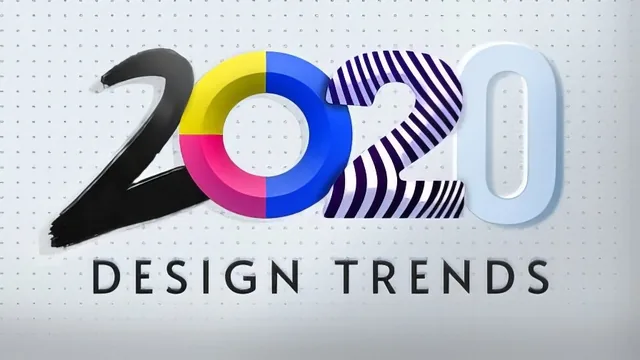
A 57-minute grab-bag of 2020 design trends and their Illustrator/Photoshop workarounds, useful mainly for the neumorphic button walkthrough and little else.
"Design Trends In 2020 and How to Create Them!" is less a trends course than a tour through six short Adobe tutorials loosely organized around a 2020 theme. Lindsay Marsh opens with a fair framing idea: trends are worth following only when they change how people interact with a design, not because they look fresh. That framing never really returns. What follows is a sequence of unconnected software demonstrations, each tied to a trend name but delivered as a screen-recorded click-through rather than a taught principle.
The typography lesson is a case in point. After a few sentences about broken grids and variable fonts, the lesson jumps into Illustrator's Envelope Distort tool, duplicating type with Option-drag and Command-D, then warping it with the Make with Warp and Make with Mesh options. It is a legitimate technique and reasonably clearly demonstrated, but it teaches one tool's dialog box, not a design idea a student could apply beyond that exact effect.
The neumorphism lesson carries the course
The strongest stretch by far is the skeuomorphism-to-neumorphism lesson. It gives real historical context (the old textured Instagram icon versus flat design's rise) before walking through a concrete build: a rounded rectangle in the background color, a darker offset copy behind it for shadow, a lighter offset copy for highlight, both blurred with a Gaussian filter, then the same logic reversed and tightened for a pressed "on" state. This is the one place the course delivers a transferable, well-explained skill that a designer could genuinely reuse on a real project, complete with a downloadable practice file.
Everything after that dips back into loosely connected demos. The hand-drawn assets lesson shows Procreate brush work exported into Photoshop and dropped into an InDesign magazine spread, useful mainly as a reminder that Procreate exports layered PSDs. The movement lesson builds a basic six-frame GIF animation in Photoshop's timeline panel, including a demonstration of the Tween function to smooth opacity changes between frames, competent but genuinely introductory. The closing geometric shapes lesson leans on Illustrator's grid-snap and Shape Builder tool to carve circles and lines into abstract patterns, again a fine five-minute exercise but not deep instruction.
What is missing
The course never returns to the "why trends matter" framing from the introduction. There is no discussion of how to evaluate a trend's staying power, no client-facing rationale for choosing one of these looks over another, and no critique of when a trend like neumorphism becomes an accessibility liability (low-contrast shadows are notoriously hard to read, something never mentioned). The title promises trend analysis; the actual content is a set of isolated Illustrator and Photoshop exercises stitched together by narration about what's popular in 2020.
For a designer who already knows their way around the Adobe suite and wants a fast injection of a few specific techniques, especially the neumorphic button build, this is a reasonable 57 minutes. For anyone hoping to understand design trends conceptually, or for a beginner who needs the software fundamentals explained rather than assumed, it falls short. The pacing is quick, the file downloads are a genuine plus, but the depth per lesson is thin outside the one standout segment.
The standout
The neumorphic button demo is the one lesson with a fully reusable, step-by-step technique: layering a same-color base shape with blurred highlight and shadow copies to fake a soft-UI pressed and unpressed state.
What you will learn
- How to build a neumorphic (soft UI) button in Adobe Illustrator using offset highlight and shadow layers with a Gaussian blur
- How to warp and distort repeated bold type in Illustrator using the Envelope Distort tool (warp, mesh, and expand options)
- How to bring hand-drawn marks made in Procreate into Photoshop and InDesign as layered assets for an editorial spread
- How to build a simple six-frame looping GIF animation in Photoshop's timeline panel, including tweening between frames
- How to construct bold geometric shapes and patterns in Illustrator using grid snapping, the Shape Builder tool, and the Pathfinder panel
Best for: Working graphic designers already comfortable in Illustrator and Photoshop who want a quick refresher on a handful of 2020-era visual techniques.
Skip it if: Beginners with no prior Adobe software experience, or anyone hoping for a strategic or conceptual framework for spotting and evaluating design trends rather than software tricks.