
Design For Instagram: Branding and Consistency
Anna Kay · Spiritual mentor and healer
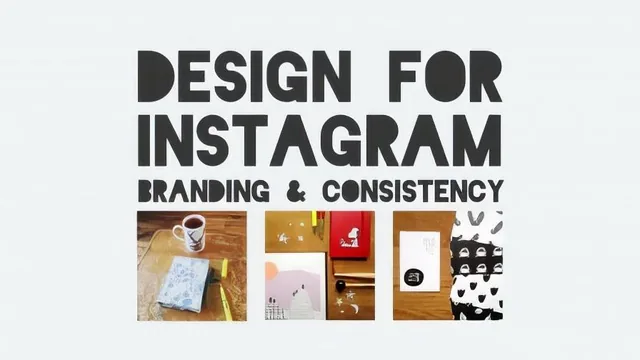
A spiritual mentor's 35-minute worksheet walks you through defining brand values and curating a coherent Instagram grid, nothing more.
What it actually covers
Anna Kay's "Design For Instagram: Branding and Consistency" is a short worksheet-driven exercise in brand thinking, applied to a single Instagram grid. Across nine lessons and 35 minutes, it walks through auditing your current feed, articulating what your account is for and why, identifying your strengths and unique selling point, and then translating all of that into visual consistency through color, props, backgrounds and editing choices. A companion PDF worksheet anchors most of the class: students write three words describing their current gallery, distill their brand into one sentence, and list three brand-defining keywords they can check future posts against.
The arc is logical even if the pacing is uneven. The first half is entirely conceptual, values, sentences, keywords, with no visual technique at all. The back half turns practical, covering how to keep a gallery looking like one coherent thing rather than a pile of unrelated photos. The strongest material sits here: the discussion of transitioning between color palettes by bridging through neutral or shared-tone images, rather than jumping straight from, say, pink to yellow, is a genuinely specific and usable idea, and one of the only moments in the class where a viewer walks away with a repeatable technique rather than a general principle.
Where it falls short
The course leans heavily on real Instagram accounts as illustrations, ice cream shops, seaside-themed feeds, interior design accounts, which helps ground abstract advice, but the analysis of each stays surface-level: "the colors are consistent" rather than any breakdown of composition, lighting, or shot planning. There is no instruction on photography itself, no discussion of Instagram's algorithm or engagement mechanics beyond a passing mention of an analytics app, and no walkthrough of any planning or scheduling tool, despite an entire lesson titled "Planning." That lesson amounts to general advice to plan a week ahead and track hashtags, not a demonstrated workflow.
The class project, take a before screenshot, apply the lessons, take an after screenshot, is appropriately scoped for the material but also underlines how modest the deliverable is. This is a mindset and values exercise, not a design or photography skill built through practice and feedback.
Bottom line
For someone who has never sat down and thought about what their Instagram account is trying to say, the worksheet format is a genuinely useful forcing function, and the closing point about not sacrificing authenticity for brand consistency is a fair, grounded note to end on. But anyone with prior exposure to basic branding exercises, or anyone hoping for concrete guidance on photography, editing software, or growth mechanics, will find the content thin relative to its promise. It is closer to a structured worksheet with narration than a design class, useful as a first pass at intentionality, limited as a skill-building resource.
The standout
The color-transition technique, easing a gallery from one dominant palette to another through neutral or shared-tone bridge images, is the one concrete method worth taking notes on.
What you will learn
- How to audit your existing Instagram feed and describe it in three honest words
- How to distill a business or personal brand into a single guiding sentence and three keywords
- How to identify your strengths and unique selling point relative to other accounts
- How to build visual consistency through recurring colors, props, backgrounds and editing style
- How to transition a gallery from one color palette to another without a jarring break
- How to plan posting frequency, timing and hashtag research on a weekly basis
Best for: A total beginner with an unplanned, inconsistent Instagram feed who wants a simple worksheet-driven framework to bring some coherence to it.
Skip it if: Anyone already familiar with basic branding concepts, running paid social campaigns, or expecting hands-on editing, scheduling tool, or algorithm-strategy instruction.