
Design A Book Cover - Graphic Design Basics
Wendy Fessler · Graphic Designer, Art Director
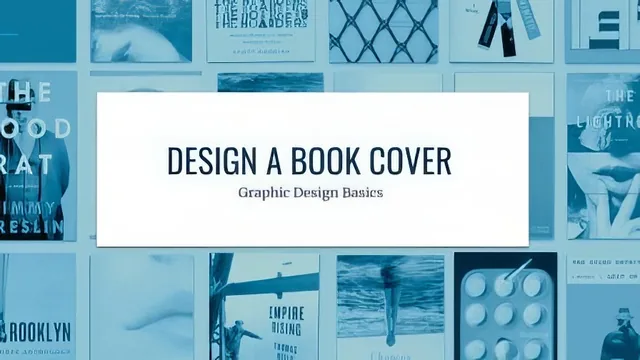
A 13-minute exercise in three layout principles using a language textbook, not a full cover design course.
What it actually covers
This is a short exercise class, not a comprehensive design course. Wendy Fessler frames it plainly in the introduction: she takes Skillshare classes to learn new software skills, then looks for a project to practice them on, and this class exists as that practice project. That framing sets expectations correctly. The three lessons, symmetry and its opposite asymmetry, scale, and framing, are each handled the same way: a short overview with inspiration pulled from published book covers, followed by a class project applying the idea to a provided Spanish-language textbook cover.
The inspiration segments are the strongest part. Rather than describing symmetry or scale in the abstract, the course points to specific covers and specific details: the oversized red letter on The Undoing, the tiny museum-style title set against a dominant blown-up photograph on Notes from the Fog, the angled cigarette breaking up an otherwise symmetrical cupcake cover. These close readings of real design decisions do more teaching than any generic rule would, because they show cause and effect, how a single scale or framing choice changes the emotional read of a cover.
Where it falls short
The class projects themselves are thin. Each one amounts to a prompt: look at the copy and images, sketch some thumbnails, upload your favorite concepts, note who you are marketing to. There is no walkthrough of actual execution, no step-by-step demonstration of building a layout in any specific software, and no critique of a finished example to show what a strong versus weak submission looks like. Students are pointed to Type Wolf and Font Pair for typography help, which is a reasonable resource but stands in for actual instruction on how to pair typefaces rather than teaching it directly.
The final mockup lesson is a brief, practical add-on: placing a finished cover into a provided Photoshop file using a smart object layer, then adjusting the spine and background colors. It is useful for presentation polish but assumes comfort with Photoshop layers and smart objects already, so a true beginner to the software will need outside help to follow it.
At 13 minutes total, this cannot function as a first design course. It works better as a focused prompt for someone who already understands basic design software and wants a low-stakes way to practice three specific compositional decisions. The choice to reuse the same textbook copy and images across all three lessons is smart economy, since it isolates the variable being tested each time rather than making students start from a blank concept every round.
The result is a course that delivers real, specific design insight in its inspiration segments but leaves the actual execution almost entirely up to the student's existing skill level. Anyone taking it should treat the video portion as a warm-up and the real learning as happening in the doing, sketching, refining, and finishing a cover largely without guidance.
The standout
The scale lesson's breakdown of specific published covers, like the oversized red 'a' and the contrasting tiny museum-style title against a dominant photo, gives a genuinely useful vocabulary for why scale choices land.
What you will learn
- Recognize symmetrical versus asymmetrical layouts and why designers pick one over the other
- Use scale contrasts (oversized letters, tiny titles against dominant images) to add meaning to a cover
- Apply framing and cropping decisions to direct a viewer's eye
- Pair typefaces using resources like Type Wolf and Font Pair
- Sketch thumbnail layouts before refining digitally
- Place a finished design into a Photoshop book mock-up template
Best for: A beginner or intermediate designer who already owns design software and wants a short, structured warm-up exercise using provided assets.
Skip it if: Anyone wanting to learn actual book cover design from scratch, typography fundamentals, or software instruction beyond a brief Photoshop mock-up demo.