
DaVinci Resolve : Understand the Power of Every Page
Marcel Patillo · YouTuber, Filmmaker
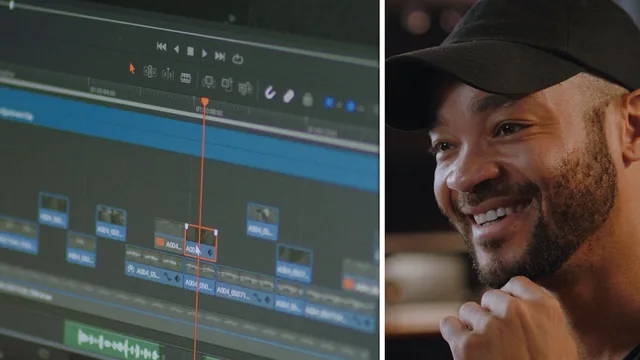
A brisk 65-minute tour of every DaVinci Resolve tab, built to orient total beginners before they touch a real project.
Marcel Patillo's class is exactly what its title promises: a page-by-page tour of DaVinci Resolve's interface, not a deep skills course. Over ten short lessons totaling about 65 minutes, Patillo opens a single project, an interview with a car photographer named Bronson, and walks through it from import to export, pausing at each of Resolve's seven pages to explain what lives there and why.
The structure works in its favor. Rather than lecturing about menus in the abstract, Patillo builds one real edit and revisits it as he moves from Media to Edit to Fairlight to Fusion to Color to Deliver. That throughline gives beginners a mental map: import raw footage into bins, cut a rough assembly in the Edit page, fix audio levels in Fairlight, add a title in Fusion, grade in Color, then render in Deliver. Anyone who finishes the class will know which page to open for a given task, which is the actual goal here, not artistic mastery of any one of them.
Where the class earns its keep
The most useful stretch is the Fairlight segment. Instead of just turning down music when dialogue starts, Patillo cuts the music track around the spoken sections, adds a bell-shaped EQ dip around the 1kHz range where vocals sit, pulls the clip volume down a few decibels, and crossfades in and out of the dip so the music never feels muted. It is a small, concrete technique, explained with an audible before-and-after, and it is the kind of thing that separates amateur-sounding edits from professional ones. The dynamic zoom trick in the Edit page, where a stabilized clip is set to push in in sync with a subject's motion, is a second small win worth remembering.
The color section is thinner by comparison. Patillo applies a Blackmagic Design LUT to convert log footage, builds a curve to crush blacks, nudges shadows toward blue and midtones toward orange, and copies the grade across matching shots. It is a reasonable demonstration of a node-based workflow, but it moves fast and leans on "trust me" adjustments rather than explaining why a given curve point or wheel move produces a given result.
Where it falls short
Fusion gets the least attention of any page. Patillo opens the node tree behind a stock lower third, briefly explains that text and transform nodes feed into a merge node, and then moves on. Viewers hoping to understand compositing, keyframing, or building a title from scratch will not get it here.
That thinness is by design. This is the first of a five-part series, and Patillo repeatedly points viewers toward the dedicated Edit, Color, Fairlight, and Fusion classes for real depth. Taken on its own terms as an orientation class, it succeeds. Taken as a standalone way to learn post-production, it will leave most viewers needing a follow-up almost immediately. The downloadable project files are a genuine plus for anyone who wants to replicate the exact edit rather than just watch it happen.
The standout
The Fairlight demonstration of ducking specific frequency bands (rather than just lowering volume) under a voice track, then crossfading the EQ back to full, is a genuinely transferable audio trick many beginner editors never learn.
What you will learn
- How to navigate the Media, Cut, Edit, Fusion, Color, Fairlight, and Deliver pages and what each is for
- Importing footage and organizing it into bins using the media pool
- Basic trimming, the blade tool, dynamic zoom, and stabilization settings in the Edit page
- Using clip-level and track-level EQ plus a compressor to duck music under interview dialogue in Fairlight
- Building a simple lower-third title and understanding Fusion's node tree at a beginner level
- Applying a color space transform LUT, using curves and color wheels for a basic grade, and exporting with H.264 render settings
Best for: A total beginner to DaVinci Resolve who wants a fast orientation to the software's layout before diving into any single page in depth.
Skip it if: Anyone who has already used Resolve's Edit or Color pages before, or who wants real depth in Fusion, color grading, or audio mixing.