
DaVinci Resolve: The Video Editing Workflow
Fred Trevino · Colorist & Top Teacher
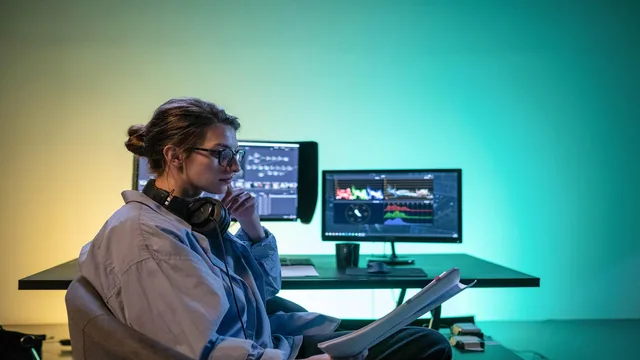
This class is really a post-production tour guide, not a color grading course, and that's exactly the point.
DaVinci Resolve has a reputation problem: most people who've heard of it think of it strictly as a color grading tool. Fred Trevino's class exists to correct that impression, and on that narrow mission, it succeeds. This is not a deep-dive into any single discipline. It is a guided walk through all five of Resolve's pages, Media, Edit, Fairlight, Color, and Deliver, using one short project as a throughline.
Structure and pacing
The course opens with an interface tour that explicitly skips the Cut page and gives Fusion only a passing mention, both reasonable calls for a beginner class that would otherwise drown in options. From there it moves logically: import and organize footage in Media, assemble a rough edit, refine it with inspector-level tools like clip speed changes and transitions, then layer in sound, titles, color, and export. Each lesson runs short, and the whole thing wraps in under 100 minutes, which keeps momentum but also means almost nothing gets more than surface treatment.
The Media page lesson is more useful than it sounds. Smart bins built from metadata rules, resolution, frame rate, codec, let you auto-sort footage from multiple cameras without manual dragging, and the color-coding and flagging system is shown clearly enough to actually replicate. The Edit page lesson covers real, transferable skills too: J/K/L playback, ripple trims, the blade tool, and clip speed adjustment via right-click, all standard NLE fundamentals but demonstrated specifically inside Resolve's slightly different menu logic.
Where the value concentrates, and where it thins out
The Fairlight lesson is the strongest in the class. Rather than just explaining audio tracks in the abstract, it demonstrates fader automation: enabling it, riding the voiceover and music levels against each other live, and switching between one-off adjustments and persistent snap-based automation. That's a genuinely useful workflow for anyone doing their own sound mixing, and it's explained with enough specificity to actually follow at a keyboard.
The Color and titles lessons are thinner by comparison. The color grade is done as a sped-up timelapse with narration acknowledging it's "definitely a speed grade," which is honest but also means viewers get almost no instruction on how to actually use the primary wheels, curves, or qualifiers shown briefly on screen. Titles are covered at the level of dragging a text generator onto the timeline and adjusting font and opacity, nothing about kerning discipline or matching a brand's type system. The Deliver page lesson, by contrast, earns its place: walking through render presets, custom H.264 specs for a repeat client, and the warning Resolve gives when upscaling render resolution beyond the timeline's native resolution is concretely useful information that beginners routinely get wrong.
Given the teacher's résumé, ten years grading feature films and campaigns for HBO and Under Armour, the color content is the biggest missed opportunity. He clearly knows the material and says as much, pointing viewers toward his other classes for real grading instruction. That's a fair signpost, but it also confirms this class isn't the place for that.
Taken as what it actually is, an orientation to the software's full pipeline rather than mastery of any one stage, the class delivers. Anyone who finishes it will know where things live and how the pages connect, which is exactly what the blurb promises. Anyone expecting to leave with real color or sound design chops will need to go looking elsewhere, including in this same teacher's other courses.
The standout
The Fairlight automation walkthrough, where turning on fader automation lets you ride volume levels between voiceover and music in real time, is the one technique worth the price of admission on its own.
What you will learn
- Navigate DaVinci Resolve's page-based workflow: Media, Edit, Fairlight, Color, and Deliver
- Organize footage with smart bins, color coding, flags, and markers in the Media page
- Perform basic edit-page tasks: trimming, transitions, clip speed changes, and OFX filters like Gaussian blur
- Normalize and balance dialogue against music using track and clip-level volume in Fairlight
- Build simple text titles with fonts, fades, and transitions like dip to color
- Apply a quick primary color grade and export deliverables with presets for Vimeo, ProRes, and H.264
Best for: Editors and filmmakers who already know general NLE concepts but have never opened Resolve and want a mental map of where everything lives before starting a real project.
Skip it if: Anyone hoping to actually learn color grading technique, advanced audio mixing, or Fusion compositing in any depth.