
Creative Video Storytelling & Editing: Making the Most of Stock Footage
Nikki Stephens · Graphic Designer & Video Editor
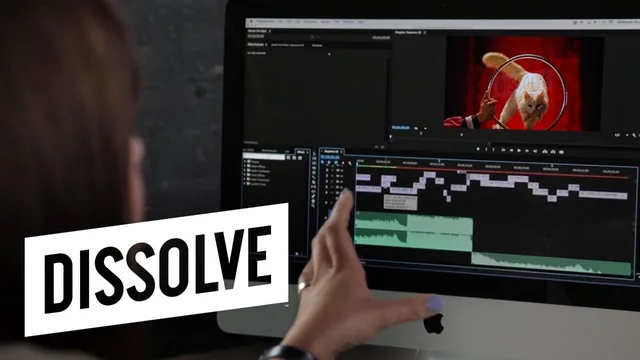
A one-hour class that teaches a genuinely useful trick, sourcing and editing stock footage into an emotional story, but leans hard on one platform's library.
Nikki Stephens' class is a tightly scoped hour built around a single conceit: instead of teaching people to shoot video, it teaches them to assemble one entirely from licensed stock clips. The structure follows the assignment it hands out in the second lesson, a 10 to 30 second video about "your greatest love," loosely interpreted. Stephens builds her own example around a craving for a New York pretzel, and the course alternates between explaining a concept and showing how she applied it to that project, which keeps the material grounded rather than abstract.
The conceptual core is a three-part framework: use stock to add emotion, to fill story gaps such as travel or the passage of time, and to visually reinforce something already stated in text or voiceover. Each gets a short before-and-after example, most memorably a bland shot of two people meeting each other transformed into a small love story once fireworks, blossoming flowers, and a faster edit are layered in. These comparisons do more to teach visual storytelling than most of the verbal explanation around them, since they show cause and effect directly rather than describing it.
Where the craft lessons land
The most durable technique taught here has nothing to do with stock footage specifically: showing the same action from three different distances or angles (wide, over the shoulder, close on the hands, for instance) to build a beat instead of relying on one clip. Paired with the advice to cut on the beat of a music track, watching the waveform to time hard cuts to changes in intensity, this gives a beginner two real, repeatable editing habits that apply well beyond stock projects.
The class also spends real time on a problem specific to working with licensed footage: keeping a story visually consistent when the clips come from different shoots and different actors. Stephens' solution, favoring clips that hide a model's face or shoot from behind so viewers cannot tell the "same" person changed between shots, is a clever workaround, and the follow-up on basic color correction (white-balancing with an eyedropper tool to match footage that runs too warm or too green) rounds out a legitimate rough-cohesion toolkit for a beginner.
Where it thins out
The course's biggest limitation is how much of it functions as a walkthrough of one particular stock library's search and clip-folder features rather than a transferable skill. Search tips like narrowing "child" from 33,000 results to 700 by pairing it with "playground," or finding more clips from the same contributor, are useful but only as long as the intended service remains the one being used. Someone who wants a platform-neutral approach to finding footage will find much of this instruction not really applicable to another library's interface.
The editing instruction itself also stays shallow. Color correction is limited to the single built-in tool, and terms like color grading and third-party plugins are named and then set aside without demonstration. That is a defensible choice for a beginner class, but it means the "editing" half of the title is thinner than the "storytelling" half.
Length matches ambition. An hour is enough to explain the three uses of stock and demonstrate them on one project, and the class does not pad itself with unnecessary theory. For a beginner who wants a fast, achievable route into visual storytelling without a camera, this delivers what it promises. For anyone already comfortable in an editing timeline, the pace and the vendor-specific search tips will feel like a detour.
The standout
The three-shot technique, showing the same action from three different distances or angles to build a beat instead of relying on a single clip, is a transferable editing principle worth the whole class.
What you will learn
- How to brainstorm a story concept from a personal theme (a food, a feeling, an object) rather than a scripted plot
- Three concrete uses of stock footage: adding emotion through metaphor, filling narrative gaps like travel or time passing, and illustrating spoken or written text
- Search tactics on a stock library, including narrowing broad keyword searches and finding multiple clips from the same contributor for visual consistency
- Organizing selected clips into a folder and arranging them into a rough storyboard before editing
- Basic Premiere editing techniques: cutting on the beat of a music track, using three-shot progressions of the same action, and hiding inconsistent models by avoiding faces
- Simple color correction with the built-in fast color corrector tool to make mismatched clips feel cohesive
Best for: A print or graphic designer, marketer, or complete video beginner who wants a fast, low-pressure way to produce a short emotional video without shooting anything.
Skip it if: Anyone who already edits video regularly, needs advanced color grading or multi-camera skills, or wants software-agnostic instruction free of one stock vendor's ecosystem.