
Creative Small Business Essentials: Ways to Streamline Your Workflow
Sophia Chang™ · Designer, Illustrator, Friend
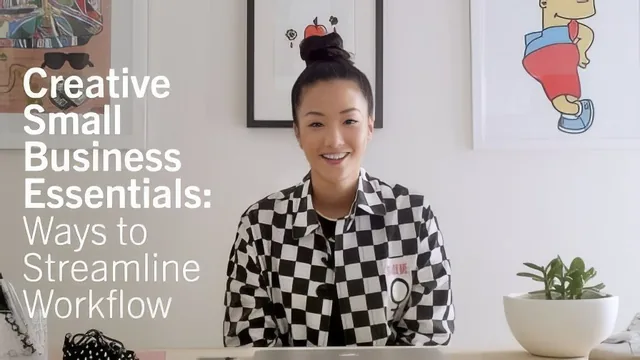
A 14-minute app tour of Trello, Airtable, and Slack, useful as a nudge but not a real system.
What it actually covers
Sophia Chang's class runs seven short lessons in about fourteen minutes, and it reads more like a screen-recorded walkthrough of her personal toolkit than a taught methodology. The arc moves from client communication, to idea mapping, to a demo of three apps: Trello, Airtable, and Slack. There is no workbook, no downloadable template, and no structured exercise beyond a loose suggestion to build a sample Trello board on your own.
The strongest material comes early. The advice to take notes on a live client call, then send a follow-up email listing exact dates, deliverables, and required assets, is concrete and immediately usable. So is the tip to build a project timeline backward from a deadline, working out the milestones needed to leave room for client feedback. The color-coded calendar idea, personal in one color, work in another, follow-ups in a third, is a small but genuinely practical habit.
Where it thins out
Once the course reaches the app demos, it shifts from teaching a method to narrating a screen. The Trello segment walks through building a board for a mural project and a magazine issue, showing cards, checklists, and labels, but it is closer to a product tour than instruction. The same happens with Airtable, where the explanation leans on comparisons to Excel and Google Sheets rather than a repeatable setup process. Slack gets the least attention of the three, summarized in a couple of sentences about organizing channels by topic.
The idea-mapping lesson is the weakest link. It gestures at using image search sites for inspiration and "training your inner project manager" without ever showing a concrete mapping technique, a mind map, a template, or even screen footage. It functions as a transition between lessons rather than a lesson itself.
The maintenance section near the end is short but has more personality than substance. Chang compares business upkeep to cleaning and personal hygiene and recommends restrategizing every week, month, and twice a year, but doesn't specify what that review actually involves beyond a vague nod to revisiting clients old and new.
Who should actually watch this
This is not a project management course so much as a highlight reel of one designer's stack, delivered with warmth and some useful color from someone genuinely running three creative ventures. Total beginners who have never used any organizational tool, and who need a nudge toward trying Trello or Airtable for the first time, will get a legitimate quick orientation and a few solid habits worth adopting immediately.
Anyone who already has a project management system in place, or who wants an actual framework for structuring client workflows step by step, will find little new here. The runtime is too short to develop any of its three named apps beyond a surface tour, and the course leans on its host's charisma more than on a transferable method. Treat it as a fifteen-minute nudge toward better habits, not a system to implement from.
The standout
The post-call recap email that documents dates, deliverables, and assets in writing protects both sides and doubles as a running reference.
What you will learn
- How to structure a Trello board with cards for client info, timeline, and production checklists
- A method for sending post-call recap emails that lock in dates and deliverables
- How to color-code a calendar to separate personal, passion, and client work
- How to set up an Airtable base to track contacts, vendors, and event logistics
- How to organize Slack channels by project or topic instead of one messy thread
- Why to schedule recurring maintenance passes on your business systems
Best for: A freelance creative juggling several client projects who has never organized communication or files into any system at all.
Skip it if: Anyone who already uses a project management app, or who wants a repeatable framework rather than a tour of someone else's tool choices.