
Creative Coding: Animating SVG with Simple CSS Code
Aga Naplocha · Creative coder & designer
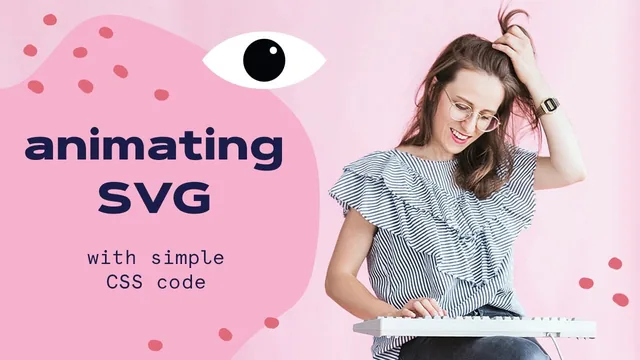
A tightly focused 27-minute primer that turns static SVG files into looping CSS animations, nothing more, nothing less.
This course does exactly one thing: it takes a static SVG graphic and teaches enough CSS to make it move. It does not pretend to be more than that, and at 27 minutes across twelve short lessons, it mostly delivers on the narrow promise.
The structure is sensible for a true beginner. It opens with framing (goals, tools, materials) before touching any code, then spends two lessons on fundamentals: what SVG actually is as an XML-based vector format, and for those with no CSS background at all, a dedicated primer on selectors (element, class, and ID) with a clear explanation of why the class selector matters most for this workflow. Only after that groundwork does it move into embedding an SVG inside an HTML file and linking a stylesheet to it, which is a reasonable sequencing choice for someone who has never touched a code editor.
The animation content itself is built around a single technique: the CSS keyframes rule, paired with transform properties like translateX, translateY, scale, and rotate. The course walks through building a bounce animation on a happy-face SVG, adjusting timing and iteration count live, and checking results with the browser dev tools. This hands-on, trial-and-error approach to tuning percentages and pixel values is a realistic picture of how this kind of styling work actually happens, and it is more useful than a purely theoretical explanation would be.
Where it earns its keep
The strongest lesson is the one on animating a selected part of an SVG rather than the whole graphic, using an eye illustration where only the pupil moves while the white of the eye stays fixed. This requires isolating a specific group element, assigning it its own class, and animating that group independently, which is a meaningfully different skill from animating an entire SVG as one block. It is also the closest the course comes to showing a technique that would carry over to real design work, since most animated icons and illustrations depend on animating individual parts rather than the whole asset.
The closing mention of Codepen as a lightweight alternative to a local code editor is a practical touch, useful for viewers who want to experiment or share their class project without setting up a local file structure.
Where it falls short
The scope is thin. Beyond keyframes and transform, the course does not touch other CSS animation properties like easing functions, animation-delay, or multi-step choreography beyond basic breakpoints, and it never mentions SVG-native animation features such as stroke-dashoffset for line-drawing effects or SMIL, which are common techniques in this exact niche. Viewers looking for a broader animation toolkit will exhaust this course's content quickly and need to look elsewhere.
The pacing during the live coding segments is also uneven, with the instructor guessing at pixel and percentage values and adjusting them repeatedly on screen, which is realistic but occasionally makes the lesson feel like watching someone debug rather than a polished demonstration. For a true first exposure to animating SVGs with CSS, though, the course is short, direct, and gets a beginner from a static file to a moving one within a single sitting.
The standout
The eye-exercise lesson, where only the pupil group is isolated and animated while the surrounding SVG stays still, is the clearest demonstration of targeted animation and the most reusable skill in the course.
What you will learn
- How SVG differs from raster formats and why it scales without quality loss
- How to embed an SVG file directly into an HTML document and control its size with a CSS class
- How to write CSS keyframe animations using percentages, transform, translateX/Y, scale, and rotate
- How to target a single group or path inside an SVG (rather than the whole graphic) with a class and animate just that part
- How to use browser dev tools to inspect SVG elements and toggle animations on and off while debugging
- How to use Codepen as an alternative to a local code editor for testing SVG and CSS together
Best for: A designer with zero or minimal CSS experience who wants a fast, guided path from a static SVG file to a bouncing or moving web animation.
Skip it if: Anyone who already knows CSS keyframes and transforms, or anyone hoping to learn SVG-specific animation tools like SMIL, stroke-dashoffset effects, or JavaScript-driven libraries.