
Creating Trendy Abstract Patterns in Adobe Illustrator
Evgeniya & Dominic Righini-Brand · Graphic Design & Photography
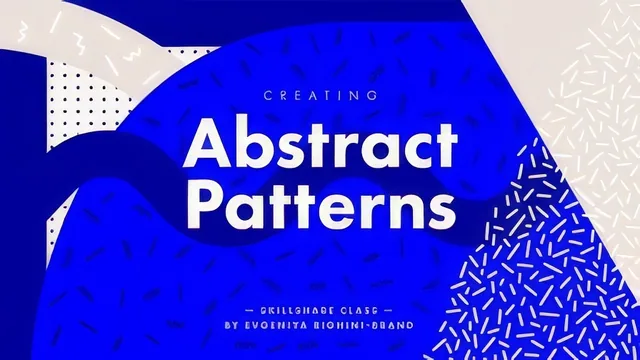
A 41-minute Illustrator crash course that turns Adobe's default drawing tools into a Neo-Memphis pattern factory in one sitting.
Neo-Memphis patterns, the bold zigzags-and-blobs style that has spread from graphic design into interiors, fashion and pottery, are the entire subject of this course, and the teaching stays tightly scoped to producing them. There is no drifting into brand strategy or portfolio building. It opens with a short conceptual framing (mood-driven versus meaning-driven pattern design, illustrated with a buffet-menu pattern where banana and ingredient shapes double as icons) before moving straight into software.
From single shapes to a full pattern library
The middle stretch is where the real instruction lives. Each pattern-element type gets its own short lesson: line segments via the Pen tool, zigzags built by nudging alternating anchor points on a grid, wavy lines derived from those same zigzags using live corner widgets, squiggles from the Pencil and Blob Brush tools, organic blobs, and basic geometric shapes carved up with the Direct Selection tool. It is a genuinely practical decomposition of a visual style into repeatable moves, and the stroke-settings lesson that follows, covering cap style, corner join and dash spacing, is where those raw shapes start looking like the finished aesthetic rather than sketch lines.
The arranging and randomizing lessons show how to lay elements out with Transform Again and the Align panel, then break that grid-like order using Transform Each's randomized scale, rotation and position. It is a sensible progression: build order first, then introduce controlled chaos.
The seamless tile: technique versus tedium
The repeatable-pattern lesson is the course's most valuable single piece of instruction, but also its most demanding. The method walks through arranging elements in a diamond around the tile's center, duplicating that arrangement into four corners, clipping each copy with a quarter-size rectangle, and swapping the four masked pieces diagonally so the edges align when tiled. It is a manual, no-shortcuts approach that works in any Illustrator version and produces a mathematically sound repeat, which is worth knowing. It also involves enough fiddly steps (locking layers, converting strokes to outlines, running Pathfinder's Trim) that a beginner following along in real time will likely need to pause and rewatch more than once.
Coloring gets a compact but useful treatment: building color groups from a reference mood board via the eyedropper, then using Recolor Artwork to test palettes against a finished pattern, with a clear explanation of when to use global colors for pattern-wide swaps versus one-off recoloring.
What holds the course back from a higher score is scope, not execution. At 41 minutes and beginner level, it covers ground efficiently but never lingers long enough to build real fluency with tools like Transform Each or the clipping-mask tiling method, both of which reward more repetition than a single walkthrough offers. It also assumes basic comfort with Illustrator's interface, panels and keyboard shortcuts already, so someone who has genuinely never touched the program will find lessons like the stroke panel or Pathfinder moving faster than they can absorb. As a focused, technique-first primer for someone already inside Illustrator, though, it delivers exactly what it promises.
The standout
The manual four-quadrant clipping-mask method for building a genuinely seamless repeatable tile is a durable, transferable technique worth the whole course on its own.
What you will learn
- Building six pattern-element types (lines, zigzags, wavy lines, squiggles, organic blobs, geometric shapes) using the Pen, Pencil, Smooth, Blob Brush and shape tools
- Using stroke weight, cap style, corner join and dash settings to turn plain paths into distinctive graphic marks
- Arranging elements by hand with Transform Again and the Align/Distribute panels, then randomizing scale, rotation and position with Transform Each
- Constructing a manually-tiled, edge-matched seamless repeat using clipping masks, Pathfinder Trim and swatch creation
- Building and applying color groups with Recolor Artwork, including global color swapping across a whole pattern set
- Exporting tiled artwork and swatch libraries cleanly, including the anti-aliasing fix for visible seam lines on export
Best for: Illustrator beginners and intermediate designers who already know basic navigation and want a fast, structured route into pattern-making for print or digital products.
Skip it if: Absolute Illustrator newcomers who have never used the Pen tool, or anyone hoping for illustrative, hand-drawn, or highly figurative pattern work.