
Creating and Selling Your Illustrations: Society6
Katie Krell · Artist, Designer, Animal Lover
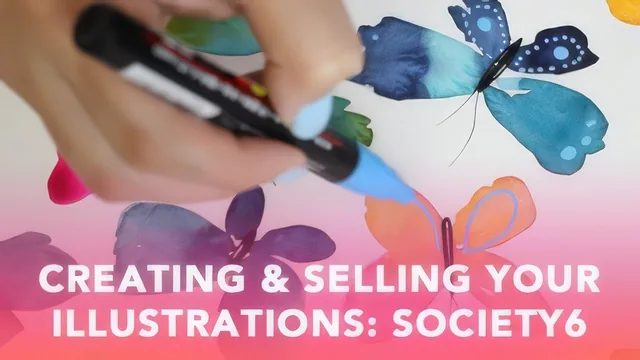
A quick, honest 41-minute look at loosening up watercolor illustration and turning it into Society6 products, not a full business or Photoshop course.
Katie Krell's class promises two things in 41 minutes: a looser, more confident watercolor illustration style, and a working knowledge of how to get that artwork onto Society6. It delivers a reasonable version of the first and only a sketch of the second, which makes it best understood as a mood-and-momentum class rather than a technical or business one.
The painting arc
The course opens with a materials rundown that doubles as a soft pitch for specific supplies: a deviled-egg platter repurposed as a mixing palette, a shortlist of watercolor sketchbooks compared by paper weight and buckling behavior, and Posca paint markers, which end up doing more creative work in this class than the watercolor itself. From there it moves through composition planning tied directly to Society6's product shapes, a Pinterest-based approach to sourcing reference images, and a warm-up section built around wet-on-wet color blending and simple repeating shapes like dots and lines.
The two "Paint With Me" lessons are where the class earns its keep. Painting loose butterfly and bug illustrations, Krell demonstrates a genuinely useful habit: block in shapes quickly and imperfectly, let colors bleed into each other while wet, and save the precision for a second pass with paint markers once everything is dry. That two-stage approach, wet blending followed by graphic marker detail, is a transferable technique any illustrator could take into other subjects, and it's demonstrated with enough specificity, including which marker tip width works for antennae versus legs, to actually replicate.
Where it thins out
The business half is where the course shows its length limits. Turning a finished piece into a seamless pattern gets one concrete, useful technique: build a square document, apply Photoshop's Offset filter at half the canvas dimensions, then hand-patch the resulting seams. It's a real, specific method, and it's the most portable skill in the class outside of the painting technique itself. But everything after that, scanning resolution, uploading to Society6, setting up a shop, tagging, and pricing, is covered at a pace that reads more like a checklist than instruction. Pricing strategy in particular gets reduced to "click edit and set your markup," with no discussion of how to actually price competitively or account for royalty margins.
The class is also upfront about its own gaps, and that honesty matters here: it explicitly skips watercolor fundamentals and assumes prior comfort with Photoshop and scanning workflows. That's a fair scope decision for an intermediate-level class, but it means the title's promise of "creating and selling" leans much harder on the creating half.
What ties it together is tone rather than technical density. Krell treats mistakes as material, an antenna that didn't work becomes an excuse to try a different marker, and that permission to experiment is genuinely the throughline of the class. Anyone looking for a fast, low-pressure nudge to loosen up their illustration style will get real value here. Anyone hoping for a rigorous pattern-design or e-commerce tutorial should treat this as a starting point, not a destination, and plan to look elsewhere for the pricing and marketing detail the course only gestures at.
The standout
The Photoshop offset-filter walkthrough for converting a finished illustration into a seamless repeating pattern is the one technique with real standalone value.
What you will learn
- How to plan a composition around Society6's specific product formats before ever picking up a brush
- Where to find and translate Pinterest reference images into simplified, loose illustration shapes
- Wet-on-wet color mixing and warm-up exercises for building confidence and testing palettes
- How to layer Posca paint markers over dried watercolor washes for graphic detail and contrast
- How to turn finished artwork into a seamless repeating pattern using Photoshop's offset filter
- The practical steps to scan, size, and upload artwork into a Society6 shop with pricing and tagging
Best for: An intermediate watercolor painter who already knows basic technique and wants a loose, confident illustration style plus a clear path to listing it on Society6.
Skip it if: Total beginners to watercolor or anyone hoping for real depth on Photoshop cleanup, pattern-making, or Society6 shop marketing and pricing strategy.