
Creating a Personal Animation: Intro to Adobe After Effects
Chris George · Animator & Motion Graphic Designer
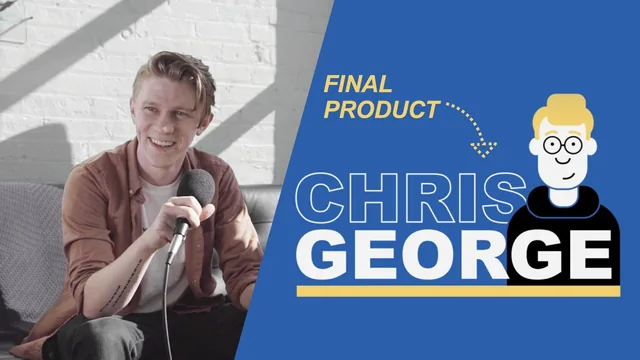
A one-hour, no-experience-needed project that turns After Effects fundamentals into a shareable animated self-intro you actually finish.
A guided build, not a lecture
This course commits fully to the idea that the best way to learn After Effects is to make one specific thing, start to finish, with someone explaining every click. Chris George frames the project early: three skills, a name, and a small illustrated character, combined into a loopable self-promo animation. Nothing is abstract. Every concept, from anchor points to parenting, gets introduced at the exact moment it becomes necessary to solve the problem in front of the viewer, which keeps the pacing tight for something covering this much ground in roughly seventy minutes.
The text animation section carries most of the technical weight. George walks through three separate reveal methods on the same three words, a pop-in built from position keyframes and a heavily manipulated speed graph, a scale-based stretch that requires disabling constrained proportions, and a cascading type effect built by duplicating a text layer twelve times and masking out one letter per copy. That last technique is the course's best moment. It forces an explanation of masks, staggered keyframe timing, and precomposing all at once, and the payoff, letters rippling on independently, looks far more sophisticated than the underlying method suggests. Anyone who finishes that section alone will have a genuinely reusable trick.
The character design section is weaker as a teaching tool, even though it is charming to watch. Building a face and body from rounded rectangles, ellipses, and the pen tool is mostly George making aesthetic choices out loud, roundness values, stroke colors, eyebrow shapes, rather than teaching a repeatable method. Viewers without any drawing instinct may find themselves copying decisions rather than understanding a principle. It works as a demonstration that shape layers can produce a full illustration without leaving After Effects, which is a fair point about the software, but it teaches less transferable skill than the text work does.
Where the course earns its keep
The final third, assembling text and character into one composition, is where the individually-taught pieces actually cohere. Track mattes get introduced almost in passing but are put to real use, revealing a name and a bar transition simultaneously. A global null scales the entire composition for a zoom effect, and the looping technique at the end, animating the same bar and scale values back to their starting state, is a genuinely useful pattern for anyone making short social clips. The export lesson is brief but complete: render queue, format options, ProRes.
The course is explicit that it also serves intermediate animators looking to see a professional workflow, and there is some truth to that, particularly around graph editor manipulation and the practical use of null-based rigging. But an experienced user will recognize most of these ideas immediately, and the course does not go deep enough into any single technique to teach an intermediate viewer something new. Its real strength is as a first, complete After Effects project: concrete, personal, finished in one sitting, and built around techniques worth reusing rather than a disposable demo.
The standout
The cascading-type technique, where 12 duplicated letter layers are individually masked and staggered in time, single-handedly demonstrates masking, timing offsets, and precomposing in one exercise.
What you will learn
- Three distinct text-reveal techniques: pop-in, scale-stretch, and cascading letter-by-letter masking
- How keyframes work, including easy ease and manually shaping curves in the Graph Editor for natural motion
- Parenting and null objects to control groups of layers as a single unit
- Building a simple vector character entirely from shape layers, then rigging it with a parent hierarchy for coordinated movement
- Track mattes and alpha mattes to reveal type and imagery behind a moving shape
- Precomposing, staggering keyframes, looping an animation, and exporting via the render queue
Best for: A true beginner with no prior After Effects experience who wants a finished, personalized animation and a working vocabulary of keyframes, nulls, and masks within about an hour.
Skip it if: Anyone who already understands keyframes, parenting, and basic shape-layer work, since the project offers little beyond a slightly denser reveal technique and a workflow refresher.