
Create then Animate: Beginner Workflow in Illustrator & After Effects
Megan Friesth · Motion Designer
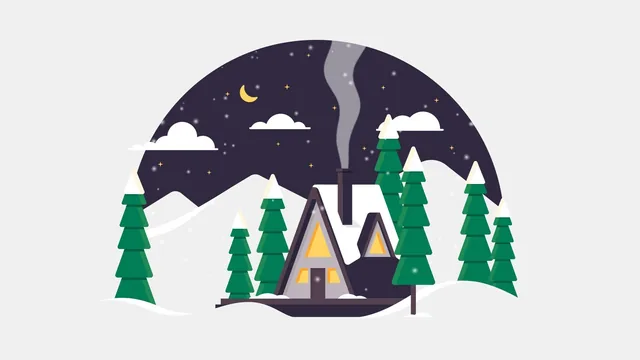
A physiology-major-turned-motion-designer proves you can illustrate with basic shapes and animate winter scenes without ever drawing well.
Megan Friesth's class does something a lot of beginner tutorials skip: it starts before the software even opens. The first three lessons walk through gathering inspiration from Google Images and Pinterest, then explicitly warn against copying any single reference too closely, before assembling a moodboard directly inside Illustrator by dragging in linked images, masking out white space, and adding descriptive text. It is a small thing, but framing the moodboard as a client-facing deliverable rather than a vague brainstorming step gives the workflow a professional shape that most "beginner" classes never bother with.
From sketch to vector illustration
The sketching lesson leans hard on reassurance, Friesth is upfront that her own drawing isn't polished and shows her Procreate sketch with visibly imperfect lines, which sets a realistic bar for anyone intimidated by the blank page. The actual illustration work in Illustrator is where the class earns its "Line Art" lessons spanning four separate videos. The pen tool section on drawing the hills is a genuine teaching moment: rather than just demonstrating clicks, it explains what the drag handles are doing to the curve tangent, which is the part of pen tool instruction most tutorials gloss over. Later, the technique of using duplicated shapes as highlights, rather than hard outlines, to make white snow and hills separate visually from an off-white background is a specific, transferable idea about how flat illustration reads without strokes.
The animation half
The After Effects lessons move faster and assume less patience. Animating the sun and moon covers position keyframes, adjusting a motion path's curve handles, and using track mattes so an object only appears within a masked shape like the sky, useful, concrete techniques that a beginner could apply to other scenes. The smoke animation using the wave warp effect and the color-changing animation for the sky at sunset are treated briefly, functional but not deeply explained. The snow lesson is the most ambitious segment, and Friesth is honest that looping a particle system with hold keyframes and offset random seeds is not really "beginner" material, then explains it anyway. That candor is appreciated, but it also exposes the course's central tension: it promises a beginner workflow while its most interesting technique requires reasoning about interpolation and composition duration that a true novice will need to rewatch several times.
The render lesson is short and mostly a tour of export settings rather than a discussion of compression tradeoffs or file size, which will leave newer users unsure why their exports look different from hers.
At 182 minutes across 20 lessons, this is a modest time investment for a full pipeline, but it means individual techniques get one pass rather than deep practice. Nothing here approaches advanced rigging, expressions, or shape-layer animation, and viewers hoping for character animation or more complex effects will need to look elsewhere afterward, as the closing lesson itself acknowledges. What the class delivers well is momentum: a beginner who follows the winter cabin scene start to finish will have touched every major stage of a real illustration-to-animation pipeline, and that end-to-end structure, more than any single technique, is what makes it worth the time.
The standout
The looping snow effect, built by duplicating a particle layer, offsetting its random seed, and using hold keyframes so the birth rate cuts cleanly from one loop to the next, is a genuinely reusable trick beyond this one project.
What you will learn
- How to gather reference images ethically and combine multiple sources into an original moodboard without copying any single artist
- Building a vector illustration from basic shapes and the pen tool, including organic curves for hills and mountains
- Techniques for blending illustrated elements into a background color using highlight shapes instead of hard edges
- Preparing and importing layered Illustrator artwork into After Effects for animation
- Animating position along a custom motion path, plus using track mattes to constrain visibility to a shape like the sky
- Building a looping particle system for falling snow using birth rate, random seed offsets, and hold keyframes
Best for: Complete beginners to both Illustrator and After Effects who want a full illustration-to-animation pipeline demonstrated on one real project rather than isolated feature tutorials.
Skip it if: Anyone already comfortable with basic Illustrator shape-building or After Effects keyframing, since the pacing lingers on fundamentals like the pen tool and layer stacking.