
Cinema 4D - Ultimate Abstract Art
Dave Bergin · CG Artist - CG Shortcuts
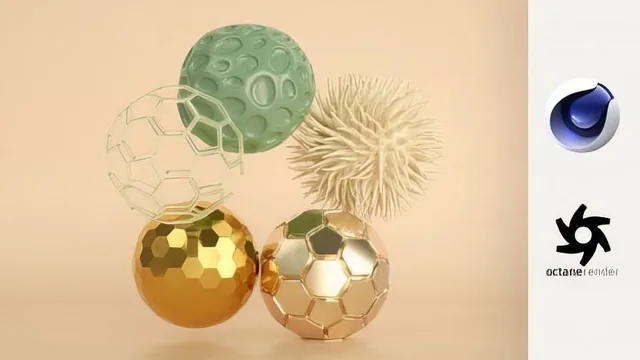
Ten polished abstract art projects walk through deformers, mograph, dynamics, and cloth, but the pace assumes you already know Cinema 4D's basics.
Dave Bergin's "Ultimate Abstract Art" is structured as ten small case studies rather than one continuous build. Each lesson opens with a finished piece already on screen, then works backward to show which Cinema 4D tools created it. That format rewards viewers who want a menu of techniques to raid rather than a single project to follow start to finish.
What the course actually covers
The opening lessons on deformers are the most methodical part of the course. Working from a single cube, Bergin walks through bend, bulge, shear, taper, twist, and the point-based FFD deformer, explaining segment density, the "keep Y-axis length" option, and how stacking order changes the result when a bend sits above or below a twist in the object hierarchy. This section alone functions as a compact reference on deformer mechanics that applies well beyond the specific artwork being built.
From there the course branches into heavier techniques. The Voronoi Fracture lesson is the clear high point: it layers multiple distribution sources, drives a fracture with a noise or gradient shader instead of manual points, and uses falloff-limited Push Apart effectors to separate shards unevenly across a sphere. The rigid and soft body dynamics lessons cover collision margins and structural stiffness settings for controlling how objects squish and settle, while the cloth lessons show pinning vertices, adding turbulence forces, and increasing sphere segment counts to get finer wrinkle detail. Two free plugins, Dual Graph and Easy Chesterfield, get their own lessons converting triangulated meshes into hexagonal or tufted patterns.
Where it falls short
The course moves briskly, and that pace is its main limitation. Menu paths, parameter names, and settings panels appear and change quickly, with limited pausing to explain why a particular value was chosen versus another. A student without prior Cinema 4D exposure will likely need to pause frequently or rewatch sections, since the course assumes familiarity with navigating the object manager, tags, and viewport controls. This is squarely an intermediate course, not an introduction to the software.
The closing lessons on rendering and color are useful but thin. The standard and Octane render template bonuses hand over pre-built lighting setups and explain how to swap in your own artwork, which saves real setup time, but they don't teach lighting or material theory from scratch. The color palette lesson, which shows sampling colors from a reference image using Cinema 4D's mosaic color picker, is a genuinely handy trick but is presented as a single short tip rather than a developed lesson.
Production values are plain but functional. There's no scripted narration, resource files and project files are provided per lesson, and the total runtime under three hours means each of the ten techniques gets roughly 10 to 15 minutes, enough to demonstrate a workflow but not enough to explore every parameter in depth.
For an intermediate Cinema 4D user looking to add abstract, portfolio-ready pieces to their reel, this delivers exactly that: ten distinct, reusable techniques taught by someone who clearly uses these tools professionally. Beginners will find the pace disorienting and should look elsewhere first.
The standout
The Voronoi Fracture lesson, which layers multiple fracture sources, a shader-driven noise fracture, and falloff-limited Push Apart effectors into a genuinely reusable abstract-shattering technique.
What you will learn
- Stacking and ordering basic deformers (bend, bulge, shear, taper, twist, FFD) to sculpt primitive shapes
- Using Voronoi Fracture with multiple distribution sources, shader-driven fracturing, and Push Apart effectors to build shattered-object compositions
- Setting up rigid and soft body dynamics with collision margins and structural softness for organic squished forms
- Turning planes and spheres into pinned, wind-affected cloth simulations with subdivision smoothing for folds and wrinkles
- Applying two free plugins (Dual Graph for hexagonal tessellation, Easy Chesterfield for tufted upholstery patterns) to triangulated meshes
- Building a full render pipeline with bevel deformers for edge highlights, custom color palettes pulled from reference images, and preset render templates for both standard and Octane rendering
Best for: Someone who already knows Cinema 4D's interface and wants a fast tour of ten distinct abstract-art recipes to expand their portfolio.
Skip it if: Complete beginners to Cinema 4D, since the course skips interface fundamentals and moves quickly from one tool to the next without pausing to explain underlying concepts.