
Character Animation Basics: Create a Dance Loop with After Effects and Photoshop
Bee Grandinetti · Designer, Illustrator, Animator
A charming, technique-dense walkthrough of a full dance-loop pipeline, but the After Effects rigging and graph-editor sections move fast enough to lose true beginners.
This class promises a finished dance loop and delivers one, but the route there is longer and more technical than the breezy Skillshare blurb suggests. Bee Grandinetti, a Brazilian animator based in London, structures the 129 minutes as a genuine production pipeline rather than a collection of tips: record a video reference, thumbnail it on paper, design the character, build a rig in After Effects, animate it, then hand the render back to Photoshop for color and texture. That arc is the course's biggest strength. It teaches a repeatable workflow, not just one trick.
The planning stages earn their runtime
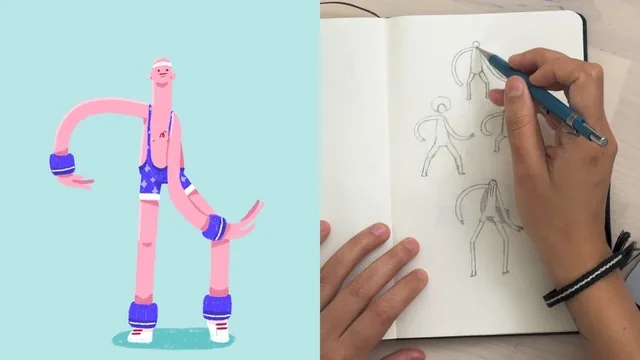
The early lessons on choosing and breaking down a reference movement are unusually concrete for a course this length. Grandinetti plays her own recorded dance moves frame by frame and marks the exact instant a heel touches the ground as a key pose, then explains why that specific frame matters for pacing. The thumbnailing lesson that follows is the standout: stick-figure sketches done fast, purely to lock in silhouettes and extremes before any software opens. This is the kind of process discipline that separates people who finish animations from people who start over three times, and it is taught with enough specificity to actually use.
After Effects is where the pace shifts
Once the course moves into After Effects, the tone changes from patient demonstration to fast click-through. The rigging lesson, where the body, arms, and legs get parented with anchor points set at the hips and elbows, covers a genuinely important technical concept quickly, and someone new to the software will likely need to pause and rewatch. The graph editor sections, which cover easing keyframes in and out and comparing linear versus eased motion using a CC Wide Time onion-skin trick, are excellent content but assume a viewer who is not intimidated by property panels and keyframe handles. The course's own difficulty label as "Intermediate" is honest here, even if the marketing copy leans toward "your first time with After Effects."
The symmetry shortcut, animating one arm and one leg, then duplicating and flipping them for the opposite limb, is a smart, transferable technique that saves real time on any looping character animation, not just this project.
The back half in Photoshop is more forgiving. Coloring frame by frame using separate video layers per color, and adding a subtly "boiling" repeated-frame floor texture so the shadow does not look static, are practical finishing techniques explained clearly enough to follow along without prior Photoshop animation experience.
What the course does not do is slow down for someone who has never opened After Effects before. It also skips deeper rigging concepts like puppet pins or expressions, staying within a single hierarchical parenting approach that suits this one project but will not automatically generalize to a walk cycle or a more complex character. As a self-contained, personality-driven introduction to character animation with a real finished export at the end, it succeeds. As a from-zero software tutorial, it asks a bit more patience than it advertises.
The standout
The frame-by-frame key-pose thumbnailing exercise, where the teacher marks exact points like a heel touching the floor to define extremes before any animation software is opened.
What you will learn
- How to break down a video reference into key poses and thumbnail them on paper before touching software
- How to build a parented character rig in After Effects (anchor points, body-then-limb hierarchy) for symmetric animation
- How to use the graph editor and speed graphs to add ease-in/ease-out instead of flat linear motion
- How to duplicate and flip one animated arm or leg to complete a symmetric two-second loop
- How to hand off a rendered animation base into Photoshop for outlining, coloring, and texture using onion skin and video layers
- How to export the finished loop as a GIF or MP4 sized for social platforms
Best for: Illustrators or designers with some Photoshop fluency who want a real, finished animation project and are willing to sit with After Effects fundamentals for the first time.
Skip it if: Absolute beginners with zero drawing or Adobe software experience, since the rigging and graph-editor lessons assume comfort clicking through menus at speed.