
Capcut for Desktop: The Ultimate Video Editing Course for Reels and TikTok Creators
Enrico Luzi · Creative travel content
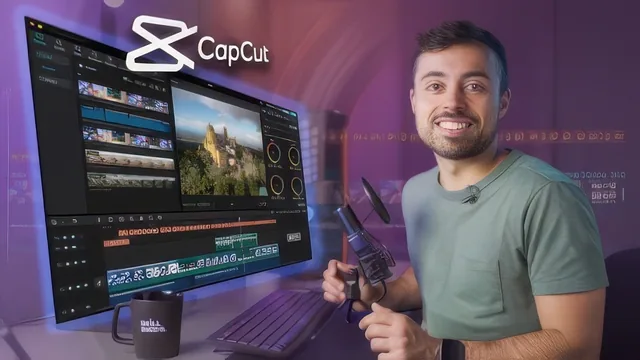
A tight 96-minute walkthrough of CapCut's desktop interface that turns total beginners into competent short-form editors by the final lesson.
A Practical Tour, Not a Deep Dive
This course does exactly what its title promises: it takes someone who has never opened CapCut and gets them to a finished, exportable short-form video in under two hours. The structure is linear and sensible, moving from installation and settings through timeline mechanics, clip properties, retiming, audio, text, captions, stickers, effects and transitions, color, a full edit, and export. Nothing about the order feels padded or out of place, and each lesson builds a discrete skill rather than repeating the last one.
The strongest material sits in the middle of the course. The lesson on retiming covers both preset speed curves and manual keyframing on the curve itself, and it flags a real technical pitfall: footage not shot for slow motion turns choppy below 1x speed, with the smooth slow-mo interpolation option offered as the fix. That kind of specific, tool-aware troubleshooting is rare in beginner-level material and shows the instructor is teaching from lived editing habits rather than reading a feature list.
The audio lesson is similarly grounded. Beyond volume and fades, it covers noise reduction, voice effect distortion, and the channel-fill feature relevant to dual-recorder microphones like the Rode Wireless GO II or DJI Mic, where one channel needs to be copied to both ears for normal playback. Few beginner courses would bother explaining a two-channel mic quirk, and its inclusion suggests the course was built around actual field production problems.
Where It Runs Thin
The full edit-from-scratch lesson is the course's centerpiece and its most useful single stretch. Building a "five reasons to edit with CapCut" video from raw talking-head and B-roll clips, it chains together jump-cut removal with waveform-based trimming, loopable intro/outro structuring, keyframed zoom, styled captions positioned to clear platform UI overlays, layered sound effects on transitions, music ducked under dialogue, and a final adjustment-layer color pass. Watching one video assembled with every prior technique in sequence does more to cement the workflow than any single feature lesson could.
The course's limitations are mostly limitations of scope rather than execution. Color grading gets a single, fairly light pass with contrast, highlights, shadows, and vignette, and LUTs are mentioned rather than explored in depth. Stickers and effects are demonstrated well enough to be usable, but the sheer volume of CapCut's built-in library means the lesson can only gesture at what's available rather than build real judgment about which effects serve a video versus which are novelty. Pro-only features are flagged as they appear, which is a fair way to keep expectations honest, but it also means viewers relying entirely on the free tier will hit small walls the course cannot fully resolve.
For its stated audience, a beginner who wants to move from raw social clips to a polished, captioned, sound-designed export, the course delivers what it advertises without inflating its own scope. It is not a course about editing theory, storytelling, or advanced grading, and it does not pretend to be. Anyone past the absolute beginner stage in CapCut specifically will find much of it familiar within the first few lessons, but for the intended newcomer it is an efficient, well-sequenced way to skip the trial-and-error phase entirely.
The standout
The full from-scratch edit in lesson 14, where a five-reasons video is built end to end using retiming, layered B-roll, captioning, and sound design together, ties every prior lesson into one repeatable workflow.
What you will learn
- Setting up projects, cache, frame rate, and proxy files for smoother editing on slower machines
- Navigating the timeline: splitting, freezing, reversing, cropping, and grouping clips
- Retiming footage with speed curves and smooth slow-mo to avoid choppy playback
- Cleaning up audio with noise reduction, channel fixes, and beat detection for cuts
- Generating and styling auto captions, stickers, effects, and transitions
- Color grading with adjustment layers and exporting with the correct codec and bitrate settings
Best for: A true beginner who already films short-form clips on a phone or camera and wants a fast, structured path to a finished, platform-ready edit in CapCut.
Skip it if: Anyone who has already used CapCut for more than a few projects, or needs deep color science, multi-cam workflows, or advanced audio mixing.